Looking Beyond the Lenovo 24-Inch All-in-One i3 Desktop? 6 Alternatives Worth a Look
As an Amazon Associate we earn from qualifying purchases. Links on this page are affiliate links.
The Lenovo 24-Inch All-in-One i3 Desktop offers a capable 8-core Intel Core i3-N305 processor paired with up to 32GB of RAM. Its 23.8-inch FHD IPS display provides 99% sRGB color accuracy, making it suitable for home office tasks and media viewing. You might look for lenovo 24 a100 all in one desktop alternatives if you need a touchscreen, a different processor generation, or a larger storage capacity than the base model provides. Some users may also prefer a different brand or a more compact design for their workspace.
We selected these alternatives because their specifications overlap with the original model. You will find options with higher refresh rates, such as the 100Hz display on the ThinkCentre, or premium features like touch input on the Dell. Other picks focus on business performance with Core Ultra processors or offer extensive storage for media libraries. Each choice addresses specific needs, whether you prioritize multitasking speed, screen quality, or physical dimensions. This list helps you compare practical specs to find the machine that best fits your daily workflow.
How these alternatives differ
Lenovo ThinkCentre 24" Core i3 All-in-One
The Lenovo ThinkCentre 24-inch model upgrades the memory type to DDR5, which offers higher bandwidth than the DDR4 found in the original. It also features a 100Hz refresh rate, providing smoother motion compared to the standard 60Hz panel on the i3-N305 version. While it retains the 32GB RAM capacity, it reduces storage to 1TB. This configuration suits users who prioritize faster data processing speeds and a smoother visual experience over maximum disk space. The processor is a different Core i3 variant, optimized for multitasking efficiency in a business-oriented chassis.
Lenovo 23.8-inch All-in-One PC, 2TB SSD
This alternative uses the Intel N100 processor, which is less powerful than the 8-core i3-N305 in the original. However, it matches the 32GB RAM and 2TB SSD configuration, offering identical storage and memory capacity for a lower performance tier. The display size remains 23.8 inches. You should choose this option if you need the same amount of workspace and storage but do not require the higher clock speeds or core count of the i3-N305. It is a practical choice for basic office tasks where raw processing power is less critical than memory availability.
Dell 24 Touchscreen Core 7 All-in-One
The Dell 24-inch All-in-One adds a touchscreen capability, which the original Lenovo model lacks. It features a Core 7 processor, delivering significantly more processing power than the entry-level i3-N305. Like the original, it includes 32GB of RAM and 2TB of storage. This model is ideal for users who need interactive input for presentations or design work. The combination of a powerful processor and touch interface makes it a premium choice for professionals who value direct screen interaction and higher computational performance over the budget-friendly nature of the base Lenovo i3.
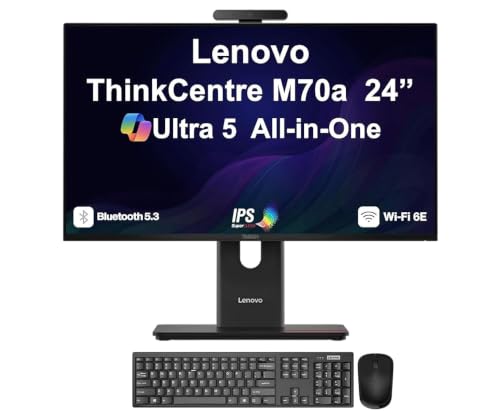
Lenovo ThinkCentre M70a Gen 6 24" AIO
This Lenovo ThinkCentre M70a Gen 6 uses a Core Ultra 5 processor, which is a modern architecture offering better efficiency and performance than the older i3-N305. It maintains the 32GB RAM and 2TB SSD storage capacity. The standout feature is the 120Hz display, which provides a much smoother visual experience compared to the standard 60Hz panel on the original. This model is best for business users who need a reliable, high-spec workstation with superior display smoothness and modern processing capabilities. It trades the entry-level processor for a more advanced silicon platform.
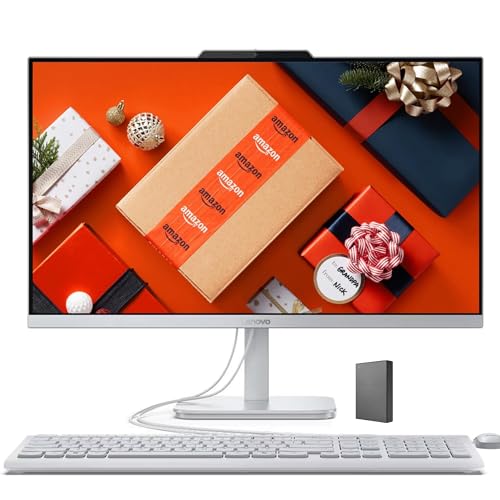
Lenovo IdeaCentre 24" All-in-One PC
The Lenovo IdeaCentre 24-inch uses the Intel N100 processor, which is less powerful than the i3-N305 in the original. It matches the 32GB RAM and 2TB SSD specifications, providing identical memory and storage capacity. The screen size is also 24 inches. This machine is designed for users who prioritize storage and memory over raw processing speed. It is suitable for home workers who need a clean, quiet setup for web browsing and document tasks. If you do not need the extra cores of the i3-N305, this model offers the same storage benefits at a lower performance tier.
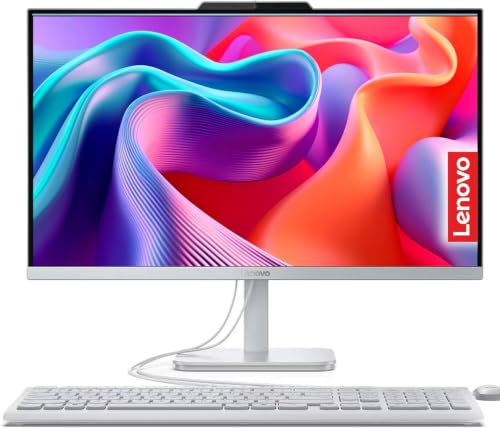
Lenovo IdeaCentre 24" AIO Desktop with 2TB SSD
This Lenovo IdeaCentre model focuses on storage and memory, matching the original with 32GB RAM and 2TB SSD. The processor details are not specified, but the emphasis is on capacity rather than speed. It is a storage-heavy workstation for office tasks. You should pick this if you prioritize disk space and memory over processing power. The design is similar to the original AIO form factor. It is a practical option for users who need ample room for media and files but do not require the specific 8-core performance of the i3-N305. It serves as a high-capacity alternative for basic productivity.
Quick picks
Our 7 picks

Lenovo 24-Inch All-in-One i3 Desktop
Best for: Home office tasks and media viewing
- Processor
- Intel Core i3-N305
- Screen Size
- 23.8 inch
- Display Resolution
- FHD (1920x1080)
- Touchscreen
- Non-Touch
- Operating System
- Windows 11 Pro
- Memory
- 32GB RAM
View on Amazon: Lenovo 24-Inch All-in-One i3 Desktop Affiliate link
This Lenovo A100 all-in-one desktop pairs an 8-core Intel Core i3-N305 processor with up to 32GB of DDR4 RAM. It features a 23.8-inch FHD IPS display with 99% sRGB coverage. The system runs Windows 11 Pro and includes a wired keyboard and mouse. It suits users who need reliable daily performance for office tasks and media consumption without a bulky tower.
Pros
- 8-core Intel Core i3-N305 CPU with up to 3.8 GHz turbo
- 23.8-inch FHD IPS display with 99% sRGB color accuracy
- Configurable up to 32GB DDR4 RAM and 4TB SSD storage
- Includes Windows 11 Pro operating system
Cons
- Non-touch display limits direct screen interaction
- Limited to 250 nits brightness for glare-prone areas
- Only one HDMI-out port restricts multi-monitor setups
Good fit if
- You need a compact desktop for standard office work
- You want high color accuracy for photo editing
- You prefer Windows 11 Pro for business features
Skip if
- You require a touchscreen interface
- You need high brightness for direct sunlight
- You want to connect multiple external monitors
Verdict: Lenovo A100 24-inch i3 Desktop is a solid choice for home office users who value color accuracy and multitasking capability in a small footprint.

Lenovo ThinkCentre 24" Core i3 All-in-One
Best for: Multitasking and media viewing
- Processor
- Intel Core i3-1315U
- System Memory
- 32GB DDR5
- Storage Capacity
- 1TB SSD
- Screen Size
- 23.8"
- Display Resolution
- FHD (1920x1080)
- Touchscreen
- Non-Touch
View on Amazon: Lenovo ThinkCentre 24" Core i3 All-in-One Affiliate link
This Lenovo ThinkCentre all-in-one pairs a 23.8-inch FHD IPS display with a 6-core Intel Core i3-1315U processor. It includes 32GB of DDR5 RAM and a 1TB SSD for smooth multitasking. The 100Hz refresh rate and 99% sRGB coverage make visuals crisp. You get Windows 11 Pro and a full set of ports, including HDMI-In. It is a practical choice for office work or media consumption.
Pros
- 6-core Intel Core i3-1315U processor with up to 4.5 GHz turbo
- 32GB DDR5 system memory for efficient multitasking
- 23.8-inch FHD IPS display with 100Hz refresh rate
- 1TB PCIe SSD storage capacity
- Windows 11 Pro operating system included
Cons
- Non-touch screen limits interactive navigation
- 250-nit brightness may struggle in very bright rooms
- No built-in webcam or microphone array listed
Good fit if
- You need high RAM for heavy browser tabs
- You want a business-grade OS like Windows 11 Pro
- You prefer a 100Hz refresh rate for smoother motion
Skip if
- You require a touchscreen for direct interaction
- You need high brightness for sunlit environments
- You want a built-in webcam for video calls
Verdict: Lenovo ThinkCentre AIO i3-1315U 32GB delivers strong multitasking power with 32GB DDR5 RAM and a fast 100Hz display. It suits users who prioritize processing speed and screen quality over touch input or premium brightness.

Lenovo 23.8-inch All-in-One PC, 2TB SSD
Best for: Home office productivity and tidy setups
- Processor
- Intel N100
- System Memory
- 32 GB
- Storage Capacity
- 2 TB SSD
- Screen Size
- 23.8"
- Display Resolution
- FHD
- Graphics
- Intel UHD Graphics
View on Amazon: Lenovo 23.8-inch All-in-One PC, 2TB SSD Affiliate link
This Lenovo A100 all-in-one desktop pairs a 23.8-inch FHD IPS display with an Intel N100 processor. It includes 32 GB of RAM and a 2 TB SSD for ample storage. The system runs Windows 11 Pro and features Wi-Fi 6. It suits users needing a tidy, ready-to-use setup for office work, web browsing, and video calls without tower clutter.
Pros
- 32 GB RAM supports smooth multi-tasking
- 2 TB SSD offers large storage capacity
- Intel N100 processor handles daily tasks
- 23.8-inch FHD IPS screen with wide viewing angles
Cons
- Intel N100 processor is entry-level for heavy workloads
- Intel UHD Graphics lacks dedicated gaming performance
- Built-in 2W speakers provide basic audio quality
Good fit if
- You want a clean, space-saving desktop design
- You need high RAM and storage for productivity
- You require Windows 11 Pro for business features
Skip if
- You need dedicated graphics for gaming
- You require a high-performance processor for video editing
- You prefer a larger than 24-inch display
Verdict: Lenovo A100 24" AIO N100 delivers strong memory and storage for office tasks. It fits home users who value a tidy setup over raw processing power.

Dell 24 Touchscreen Core 7 All-in-One
Best for: touchscreen productivity and multitasking
- Processor
- Ultra 7 355
- System Memory
- 32 GB
- Storage Capacity
- 2 TB SSD
- Screen Size
- 23.8"
- Display Resolution
- FHD
- Graphics
- Intel Graphics Integrated Graphics
View on Amazon: Dell 24 Touchscreen Core 7 All-in-One Affiliate link
The Dell 24 All-in-One pairs a 23.8-inch Full HD touchscreen with an Intel Core 7 150U processor and 32GB of DDR5 RAM. You get 2TB of fast SSD storage and Windows 11 Pro. This setup handles multitasking and media well. It suits users who want direct screen interaction and strong performance in a compact form factor.
Pros
- 23.8-inch Full HD IPS touchscreen for intuitive control
- Intel Core 7 150U processor with 10 cores
- 32GB DDR5 RAM for smooth multitasking
- 2TB M.2 PCIe NVMe SSD for ample storage
Cons
- Intel integrated graphics limit heavy gaming
- Touchscreen reduces battery life on portable devices
- 24-inch size is smaller than larger monitors
Good fit if
- You need a responsive touchscreen interface
- You want high RAM and fast storage
- You prefer Windows 11 Pro features
Skip if
- You require a dedicated graphics card
- You need a larger than 24-inch display
- You want a budget-friendly basic PC
Verdict: Dell 24 AIO Touchscreen offers a solid balance of processing power and interactive display. It fits professionals who value touch input and robust specs over raw graphical horsepower.
Lenovo ThinkCentre M70a Gen 6 24" AIO
Best for: Business users needing high RAM and fast storage
- Processor
- Ultra 5 245T vPro
- System Memory
- 32GB DDR5
- Storage Capacity
- 2TB PCIe NVMe SSD
- Screen Size
- 24"
- Display Resolution
- FHD (1920x1080)
- Graphics
- Intel Graphics
View on Amazon: Lenovo ThinkCentre M70a Gen 6 24" AIO Affiliate link
This Lenovo ThinkCentre M70a Gen 6 is a 24-inch business all-in-one desktop. It uses a 15th Gen Intel Core Ultra 5 245T processor with 32GB of DDR5 RAM and a 2TB PCIe NVMe SSD. The 24-inch FHD IPS display runs at 120Hz. It includes Windows 11 Pro and supports Wi-Fi 6E. This setup suits users needing high performance and large storage in a compact form factor.
Pros
- 15th Gen Intel Core Ultra 5 245T processor with up to 5.1 GHz boost
- 32GB DDR5 system memory for fast multitasking
- 2TB PCIe NVMe SSD for ample high-speed storage
- 24-inch FHD IPS display with 120Hz refresh rate
Cons
- Integrated Intel Graphics limits heavy gaming performance
- No touch screen capability listed for the display
- Non-touch keyboard and mouse included in the bundle
Good fit if
- You require Windows 11 Pro for business features
- You need 32GB of RAM for demanding workloads
- You want a 120Hz display for smooth visuals
Skip if
- You need dedicated graphics for gaming
- You prefer a touch screen interface
- You are looking for a consumer-grade home PC
Verdict: Lenovo ThinkCentre M70a Ultra 5 AIO delivers strong business performance with its Core Ultra 5 processor and 32GB of RAM. It fits professionals who need a reliable, high-spec workstation with a large 2TB SSD and a smooth 120Hz display.
Lenovo IdeaCentre 24" All-in-One PC
Best for: office multitasking and media storage
- Processor
- Intel Processor N100
- System Memory
- 32GB RAM
- Storage Capacity
- 2TB SSD
- Screen Size
- 24"
- Display Resolution
- FHD
- Operating System
- Windows 11
View on Amazon: Lenovo IdeaCentre 24" All-in-One PC Affiliate link
This Lenovo IdeaCentre 24-inch all-in-one desktop pairs an Intel N100 processor with 32GB of RAM and a 2TB SSD. The 24-inch FHD IPS display offers clear visuals for daily tasks. It includes a 5MP webcam and Windows 11. This configuration suits users who need high memory and storage capacity for multitasking or media management without requiring heavy gaming performance.
Pros
- 32GB system RAM for smooth multitasking
- 2TB SSD provides ample storage space
- 24-inch FHD IPS display with low blue light
- 5MP webcam with AI noise cancelling
Cons
- Intel N100 processor is entry-level
- Only includes Office 365 for the Web
- No dedicated graphics card included
Good fit if
- You need large storage for files
- You run many browser tabs or apps
- You want a quiet home office PC
Skip if
- You play modern 3D games
- You require pre-installed Microsoft Office
- You need a high-refresh rate screen
Verdict: Lenovo IdeaCentre 24" AIO i3 N100 32GB is a practical office machine for users prioritizing memory and storage over raw processing speed. It fits home workers who need a clean, quiet setup for web and document tasks.
Lenovo IdeaCentre 24" AIO Desktop with 2TB SSD
Best for: Office multitasking and media storage
- Processor
- Intel N100
- System Memory
- 32 GB
- Storage Capacity
- 2 TB SSD
- Screen Size
- 23.8"
- Display Resolution
- Full HD
- Graphics
- Intel UHD Graphics
View on Amazon: Lenovo IdeaCentre 24" AIO Desktop with 2TB SSD Affiliate link
The Lenovo IdeaCentre 24-inch AIO pairs an Intel N100 processor with 32GB of RAM and a 2TB SSD. This configuration supports heavy multitasking and large file storage. The 23.8-inch FHD IPS display offers 99% sRGB coverage. It includes Windows 11 Home and wired peripherals. This setup suits users who need ample memory and storage in a compact all-in-one form factor.
Pros
- 32GB DDR4 RAM for smooth multitasking
- 2TB PCIe SSD for fast storage
- 23.8-inch FHD IPS display with 99% sRGB
- Includes wired keyboard and mouse
Cons
- Intel N100 processor lacks multi-core power
- No touch screen capability
- Only 2W speakers provide limited audio
Good fit if
- You need high RAM for many browser tabs
- You want large local storage for media
- You prefer a clean wired setup
Skip if
- You require a touch screen
- You need high-end gaming performance
- You want wireless peripherals included
Verdict: Lenovo IdeaCentre 24" AIO 32GB RAM is a storage-heavy workstation for office tasks. It fits users who prioritize memory and disk space over processing speed.
Specifications side by side
| Spec | Lenovo 24-Inch All-in-One i3 Desktop | Lenovo ThinkCentre 24" Core i3 All-in-One | Lenovo 23.8-inch All-in-One PC, 2TB SSD | Dell 24 Touchscreen Core 7 All-in-One | Lenovo ThinkCentre M70a Gen 6 24" AIO | Lenovo IdeaCentre 24" All-in-One PC | Lenovo IdeaCentre 24" AIO Desktop with 2TB SSD |
|---|---|---|---|---|---|---|---|
| Processor | Intel Core i3-N305 | Intel Core i3-1315U | Intel N100 | Ultra 7 355 | Ultra 5 245T vPro | Intel Processor N100 | Intel N100 |
| System Memory | not stated | 32GB DDR5 | 32 GB | 32 GB | 32GB DDR5 | 32GB RAM | 32 GB |
| Storage Capacity | not stated | 1TB SSD | 2 TB SSD | 2 TB SSD | 2TB PCIe NVMe SSD | 2TB SSD | 2 TB SSD |
| Screen Size | 23.8 inch | 23.8" | 23.8" | 23.8" | 24" | 24" | 23.8" |
| Display Resolution | FHD (1920x1080) | FHD (1920x1080) | FHD | FHD | FHD (1920x1080) | FHD | Full HD |
| Graphics | not stated | not stated | Intel UHD Graphics | Intel Graphics Integrated Graphics | Intel Graphics | not stated | Intel UHD Graphics |
| Touchscreen | Non-Touch | Non-Touch | not stated | Touchscreen | not stated | not stated | not stated |
| Operating System | Windows 11 Pro | Windows 11 Pro | Windows 11 Pro | Windows 11 Pro | Windows 11 Pro-64 | Windows 11 | Windows 11 Home |
| Memory | 32GB RAM | 32GB RAM | 32GB RAM | 32GB RAM | 32GB RAM | 32GB RAM | 32GB RAM |
| Storage | 2TB SSD | 1TB SSD | 2TB SSD | 2TB SSD | 2TB SSD | 2TB SSD | 2TB SSD |
| Use | not stated | not stated | not stated | not stated | Business | Business | not stated |
| Display Feature | not stated | not stated | not stated | Touchscreen | not stated | not stated | not stated |
| Weight | not stated | not stated | not stated | 15.6 pounds | not stated | not stated | 5 pounds |
| Dimensions | not stated | not stated | not stated | not stated | not stated | not stated | 24.1 × 18.6 × 7.55 inches |
| Color | Cloud Grey | Luna Grey | not stated | not stated | not stated | not stated | not stated |
| Model | A100 | ThinkCentre AIO | A100 | DEC24260-7157WHT-PUS | ThinkCentre | A27002T | A24A100AN |
| Size | not stated | not stated | 32GB RAM | 2TB SSD | 32GB RAM|2TB SSD | 32GB RAM | 2TB SSD | 32GB RAM | 2TB SSD | not stated |
Frequently asked questions
Does the Dell 24 All-in-One support touch input?
Yes, the Dell 24 Touchscreen Core 7 All-in-One includes a responsive touch display. This feature allows you to interact directly with the screen for easier navigation and productivity tasks. It is ideal for users who prefer tactile control over a mouse or keyboard for everyday operations.
Which model offers the fastest display refresh rate?
The Lenovo ThinkCentre M70a Gen 6 features a 120Hz display, which is the fastest refresh rate among these options. This higher rate ensures smoother motion for scrolling and video playback. It is a significant upgrade from the standard 60Hz panels found in most other all-in-one designs.
Are there all-in-one options with Windows 11 Pro installed?
Several models in this list come with Windows 11 Pro pre-installed. These include the Lenovo ThinkCentre 24-inch, the Lenovo 23.8-inch AIO, the Dell 24 Touchscreen, and the Lenovo ThinkCentre M70a Gen 6. This operating system version provides additional business and security features compared to the standard Home edition.
What is the maximum storage capacity available in these alternatives?
Most of the listed all-in-one desktops offer a 2TB SSD storage capacity. This includes the Lenovo 24-Inch i3 Desktop, the Lenovo 23.8-inch PC, the Dell 24 Touchscreen, the ThinkCentre M70a Gen 6, and the IdeaCentre models. Only the Lenovo ThinkCentre 24-inch Core i3 model provides a smaller 1TB SSD.
Which PC uses the Core Ultra 5 processor?
The Lenovo ThinkCentre M70a Gen 6 24-inch AIO is the only model equipped with an Intel Core Ultra 5 processor. This chip is designed for business users who need high performance and efficiency. It pairs with 32GB of RAM and a 2TB SSD for robust multitasking capabilities.
Can I find an all-in-one with DDR5 memory?
Yes, the Lenovo ThinkCentre 24-inch Core i3 All-in-One uses DDR5 RAM. This memory type offers higher bandwidth and improved efficiency compared to the DDR4 found in the standard Lenovo A100 models. It helps deliver faster data processing speeds for demanding office and media tasks.
Which option is best for business use?
The Lenovo ThinkCentre M70a Gen 6 is specifically categorized for business use. It features a Core Ultra 5 processor, 32GB of RAM, and a 2TB SSD. Additionally, it includes Windows 11 Pro and a 120Hz display, making it a reliable workstation for professional environments requiring high specifications.