Best All-In-One Desktops with 4TB SSD in 2026: 10 Picks Ranked by Specs
As an Amazon Associate we earn from qualifying purchases. Links on this page are affiliate links.
Finding the best all in one desktops with 4TB SSD requires careful attention to storage capacity and memory. We compared 10 models based strictly on the specifications published on their listings. The Lenovo IdeaCentre 27-Inch Ryzen 5 AIO leads the pack because it pairs 64GB of RAM with a Ryzen 5 processor for heavy multitasking. This setup ensures you have ample memory for large files without bottlenecking performance. Our selection highlights machines that prioritize local data retention and efficient processing power. Use this guide to decide which model fits your specific workflow needs.
Quick picks
The best fit for you
- You want a versatile central workstation with touch Lenovo IdeaCentre 27-Inch Ryzen 5 AIO It offers 64GB RAM, 4TB storage, and a 27-inch touch display for heavy multitasking.
- You need high-capacity office multitasking in compact spaces Dell 24 All-in-One Touchscreen Desktop This 24-inch model provides 64GB RAM and 4TB SSD in a space-saving build.
- You are a business user needing large storage and RAM Lenovo IdeaCentre 24" AIO 4TB SSD It delivers 32GB RAM and 4TB SSD specifically for business-focused file storage.
- You prefer smooth navigation with a high refresh rate Acer Aspire 27" Ryzen 7 All-in-One PC The Acer Aspire features a 120Hz display alongside 64GB RAM and 4TB storage.
Our 10 picks
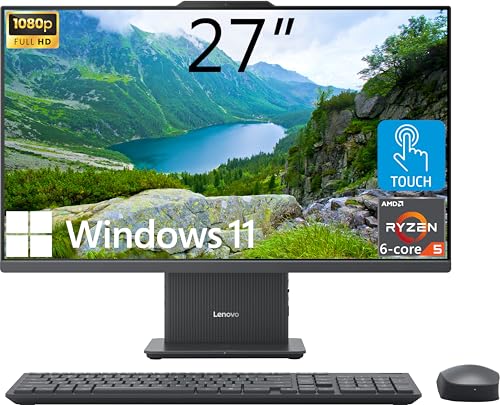
Lenovo IdeaCentre 27-Inch Ryzen 5 AIO
Best for: heavy multitasking with massive local file storage
- Storage
- 4TB SSD (what this guide is about)
- Processor
- AMD Ryzen 5 8645HS
- System Memory
- 64GB DDR5
- Storage Capacity
- 4TB SSD
- Screen Size
- 27"
- Display Resolution
- FHD (1920x1080)
This all-in-one desktop pairs an AMD Ryzen 5 8645HS six-core processor with 64GB of DDR5 memory and a 4TB PCIe SSD. You get a 27-inch 1080p IPS touchscreen, an integrated wireless charging base, and both HDMI input and output ports. It suits you if you need massive local capacity and heavy multitasking capability on an uncluttered desk without adding a separate computer tower.
Pros
- 64GB DDR5 system memory paired with a 4TB PCIe M.2 SSD
- AMD Ryzen 5 8645HS processor with 6 cores and up to 5.0 GHz boost
- Built-in wireless charging base in the stand
- Dedicated HDMI-in and HDMI-out ports for dual-display options
Cons
- Screen resolution is limited to 1080p on a 27-inch panel
- Ships with Windows 11 Home rather than Windows 11 Pro
Good fit if
- You want 4TB of fast SSD storage and 64GB of DDR5 RAM in a clean single-cord setup.
- You plan to use the desktop display as a monitor for external consoles or laptops via HDMI-in.
- You want touch controls and a built-in wireless phone charging pad at your desk.
Skip if
- You require a sharper 1440p or 4K resolution on a 27-inch display.
- You need Windows 11 Pro for domain management or business network features.
Verdict: Lenovo IdeaCentre 27" Touch AIO delivers top-tier memory and storage capacity alongside modern Ryzen processing in a clean, space-saving design. Its inclusion of HDMI-in, touch capability, and wireless charging makes it a versatile central workstation.

Dell 24 All-in-One Touchscreen Desktop
Best for: High-capacity office multitasking in compact spaces
- Storage
- 4TB SSD (what this guide is about)
- Processor
- Intel Core 7 150U
- System Memory
- 64 GB
- Storage Capacity
- 4 TB SSD
- Screen Size
- 23.8"
- Display Resolution
- Full HD
This all-in-one desktop pairs an Intel Core 7 150U processor with 64GB of DDR5 memory and a 4TB NVMe SSD. You get a 23.8-inch Full HD IPS touchscreen display, built-in webcam, and Windows 11 Pro. It suits your workspace if you handle heavy data, intensive office multitasking, and need massive local storage without a separate desktop tower.
Pros
- 4TB PCIe NVMe SSD
- 64GB DDR5 memory
- 10-core Intel Core 7 150U CPU
- Wi-Fi 6E AX211 and Bluetooth 5.4
Cons
- Intel integrated graphics instead of a dedicated GPU
- 1080p resolution rather than 1440p or 4K
Good fit if
- You need 64GB RAM paired with 4TB storage for dense workloads.
- You want a compact 23.8-inch touchscreen with Windows 11 Pro.
Skip if
- You require a dedicated GPU for gaming or 3D rendering.
- You prefer a larger 27-inch panel or higher display resolution.
Verdict: Dell 24" Core 7 Touchscreen All-in-One delivers high-tier memory and storage capacity in a space-saving build. The integrated graphics and 1080p resolution keep its focus strictly on data-heavy office productivity.
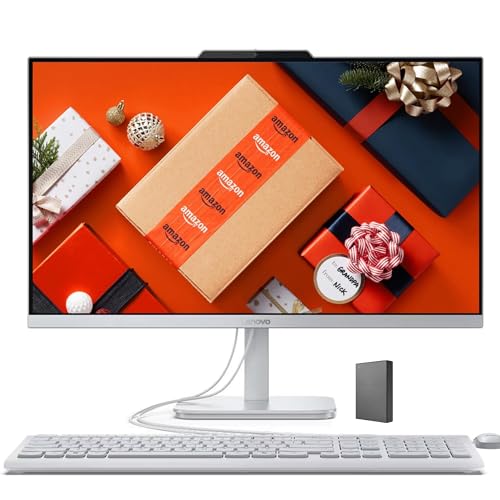
Lenovo IdeaCentre 24" AIO 4TB SSD
Best for: Business users needing large storage and RAM
- Storage
- 4TB SSD (what this guide is about)
- Processor
- Intel Core N100
- System Memory
- 32 GB
- Storage Capacity
- 4 TB SSD
- Screen Size
- 24-inch
- Display Resolution
- QHD
This Lenovo IdeaCentre all-in-one desktop pairs a 24-inch FHD display with 32GB of RAM and a 4TB SSD. It runs on an Intel Core N100 processor, offering quiet performance for everyday tasks. The system includes a 5MP webcam with IR support for clear video calls. It comes with Office 365 for the Web, making it suitable for business users who need reliable storage and memory without complex setup.
Pros
- 32GB RAM for smooth multitasking
- 4TB SSD for large file storage
- 5MP webcam with IR for video calls
- Quiet operation with Intel Core N100
Cons
- Intel N100 processor is entry-level
- 24-inch screen is smaller than competitors
- Office 365 requires internet connection
Good fit if
- You need 4TB of storage space
- You want a compact 24-inch display
- You require 32GB of RAM for business work
Skip if
- You need a 4K UHD display
- You require a high-performance gaming CPU
- You prefer a 27-inch screen size
Verdict: Lenovo IdeaCentre 24" AIO 4TB SSD is a practical option for users who prioritize storage capacity and memory over screen size or raw processing power. It fits buyers who need a quiet, business-focused machine with ample space for files.

Lenovo IdeaCentre 27" AIO Core i7 4TB SSD
Best for: high-memory multitasking with expansive storage
- Storage
- 4TB SSD (what this guide is about)
- Processor
- Intel Core i7-13620H
- System Memory
- 64 GB
- Storage Capacity
- 4 TB SSD
- Screen Size
- 27"
- Display Resolution
- Full HD
This all-in-one desktop pairs an Intel Core i7-13620H processor with 64GB of DDR5 memory and a 4TB SSD. You get a 27-inch Full HD anti-glare IPS display along with dual 3W Harman speakers and Wi-Fi 6 wireless connectivity. It comes with a matching wireless keyboard and mouse, making it a capable home office workstation if you need massive local file storage and heavy memory headroom.
Pros
- High-capacity 4TB SSD paired with 64GB DDR5 RAM
- Intel Core i7-13620H processor handles intensive application loads
- 27-inch IPS panel features hardware low blue light and anti-glare
- Includes dual 3W Harman speakers and Wi-Fi 6
Cons
- Display resolution tops out at Full HD across 27 inches
- No touchscreen support listed in specifications
Good fit if
- You need 64GB of DDR5 RAM alongside 4TB of built-in SSD storage.
- You want a clutter-free desk with bundled wireless keyboard and mouse.
- You run extensive browser tabs and media streams on a large display.
Skip if
- You require sharper 1440p or 4K resolution on a 27-inch monitor.
- You prefer touchscreen interaction for your desktop workflow.
Verdict: Lenovo IdeaCentre 27" Core i7 AIO delivers substantial memory headroom and high-capacity storage for demanding daily tasks, balanced only by its standard 1080p display resolution.

Lenovo IdeaCentre 27" AIO i7 64GB 4TB
Best for: heavy multitasking with large local storage needs
- Storage
- 4TB SSD (what this guide is about)
- Processor
- Intel Core i7-13620H
- System Memory
- 64 GB
- Storage Capacity
- 4 TB SSD
- Screen Size
- 27"
- Touchscreen
- Non-touch
The Lenovo IdeaCentre is an all-in-one desktop featuring a 10-core Intel Core i7-13620H processor, 64GB of DDR5 RAM, and a 4TB PCIe M.2 SSD. Its 27-inch IPS display operates at 100Hz with 99% sRGB coverage. You get Windows 11 Pro, an HDMI input, and an HDMI output. This configuration fits you if you need massive built-in storage and high-capacity memory for data-heavy tasks without a separate tower.
Pros
- 4TB PCIe M.2 SSD provides generous local storage
- 64GB DDR5 RAM handles demanding multitasking
- 10-core Intel Core i7-13620H processor
- 27-inch IPS panel with 100Hz refresh rate and 99% sRGB
- Features both HDMI-in and HDMI-out ports
Cons
- Display resolution is limited to 1080p FHD
- Screen does not support touch input
- Includes wired keyboard and mouse instead of wireless
Good fit if
- You need 4TB of storage and 64GB of RAM for large files and heavy multitasking.
- You want an all-in-one setup with HDMI-in to use the 27-inch display for external devices.
- You prefer Windows 11 Pro pre-installed for work environments.
Skip if
- You require a 1440p or 4K resolution screen on a 27-inch display.
- You need a touchscreen interface for your workflow.
- You prefer bundled wireless peripherals over wired cables.
Verdict: Lenovo IdeaCentre 27" i7 64GB RAM All-in-One delivers robust multi-core performance, massive 4TB storage, and 64GB of memory in a space-saving setup. It is a capable workstation choice if 1080p non-touch visual specifications meet your standards.

Acer Aspire 27" Ryzen 7 All-in-One PC
Best for: Ryzen multitaskers needing 4TB storage
- Storage
- 4TB SSD (what this guide is about)
- Processor
- AMD Ryzen 7 5825U
- System Memory
- 64 GB
- Storage Capacity
- 4 TB SSD
- Screen Size
- 27"
- Display Resolution
- FHD
This all-in-one desktop pairs an AMD Ryzen 7 5825U processor with 64GB of DDR4 memory and a 4TB PCIe M.2 SSD. The 27-inch 1080p IPS display features a 120Hz refresh rate for fluid visual output. You also receive Wi-Fi 6E connectivity, dual-display outputs, and bundled wireless accessories. It suits power users who need massive local storage alongside high RAM capacity for intensive productivity workflows.
Pros
- 4TB PCIe M.2 SSD paired with 64GB DDR4 RAM
- 27-inch IPS panel with 120Hz refresh rate
- AMD Ryzen 7 5825U processor
- Includes Wi-Fi 6E, Bluetooth 5.2, and 6 USB ports
Cons
- FHD 1080p resolution on a 27-inch panel
- Non-touch display
- Ships with Windows 11 Home rather than Pro
Good fit if
- You want an AMD Ryzen 7 processor with 64GB RAM and 4TB SSD storage.
- You prefer a smoother 120Hz refresh rate for everyday navigation.
- You need dual-monitor expansion via HDMI and DisplayPort.
Skip if
- You need a touchscreen interface for your daily tasks.
- You want a 1440p or 4K display resolution on a 27-inch screen.
Verdict: Acer Aspire 27" Ryzen 7 All-in-One delivers substantial multitasking capability with 64GB RAM and 4TB storage. Its 120Hz display ensures smooth navigation, though the screen stays at 1080p without touch support.

Lenovo IdeaCentre 27" AIO i7 64GB RAM 4TB SSD
Best for: memory-heavy multitasking and local file storage
- Storage
- 4TB SSD (what this guide is about)
- Processor
- Intel Core i7-13620H
- System Memory
- 64GB DDR5
- Storage Capacity
- 4TB SSD
- Screen Size
- 27"
- Display Resolution
- Full HD
View on Amazon: Lenovo IdeaCentre 27" AIO i7 64GB RAM 4TB SSD
This Lenovo IdeaCentre is a 27-inch all-in-one desktop equipped with a 10-core Intel Core i7-13620H processor, 64GB of DDR5 memory, and a 4TB SSD. The 1080p IPS panel delivers 99% sRGB color coverage, while Windows 11 Pro provides business management features. It suits you if you run heavy multitasking workflows and manage large local file archives without cluttering your desk.
Pros
- Intel Core i7-13620H processor with 10 cores and 16 threads
- 64GB DDR5 memory paired with a 4TB SSD
- Includes both HDMI-in and HDMI-out video ports
- Anti-glare IPS screen with 99% sRGB color gamut
Cons
- 1080p resolution provides lower pixel density on a 27-inch screen
- No touchscreen support listed in specifications
Good fit if
- You need 64GB of RAM and 4TB of fast storage for heavy multitasking.
- You want HDMI-in connectivity to use the display with external devices.
Skip if
- You require a 1440p or 4K resolution screen for precision editing.
- You want a touchscreen interface for your workspace.
Verdict: Lenovo IdeaCentre 27" Core i7 4TB AIO delivers high memory capacity and generous solid-state storage within a clean, single-cable desktop form factor.

HP Pavilion 27 Touchscreen 4TB SSD All-in-One
Best for: high-memory multitasking and massive local storage
- Storage
- 4TB SSD (what this guide is about)
- Processor
- Intel Core i7
- System Memory
- 64 GB
- Storage Capacity
- 4 TB SSD
- Screen Size
- 27"
- Display Resolution
- FullHD
View on Amazon: HP Pavilion 27 Touchscreen 4TB SSD All-in-One
The HP Pavilion 27" Touchscreen All-in-One gives you a 27-inch Full HD display with touch capability, paired with an Intel Core i7 processor. For storage-heavy workloads, it includes a 4TB SSD and 64GB of system memory. HDMI input and output ports expand your display options. This setup suits you if you need expansive internal file capacity, lots of multitasking memory, and a clean, single-cable workspace running Windows 11 Pro.
Pros
- 4TB solid-state drive for extensive local file storage
- 64GB of system memory for demanding multitasking workflows
- 27-inch 10-point touch IPS display with edge-to-edge glass
- HDMI in and HDMI out ports for external video flexibility
- 5MP webcam with integrated microphones and Bang & Olufsen speakers
Cons
- Display resolution tops out at Full HD on a 27-inch screen
- Uses Wi-Fi 5 wireless rather than newer Wi-Fi 6 standards
Good fit if
- You want 4TB of SSD capacity paired with 64GB of memory for data-heavy tasks.
- You need an HDMI-in port to use the 27-inch touchscreen with another video source.
- You require Windows 11 Pro and a built-in 5MP webcam out of the box.
Skip if
- You require a sharper 1440p or 4K panel on a 27-inch screen.
- You need modern Wi-Fi 6 or Wi-Fi 6E connectivity for wireless networking.
Verdict: HP Pavilion 27" Touchscreen All-in-One combines 4TB of fast storage with 64GB of RAM and dual HDMI connections. It provides an expansive, touch-ready workspace for memory-intensive home and office productivity.

HP OmniStudio X 27" 4K All-in-One
Best for: 4K clarity with Core Ultra 7 processing
- Storage
- 4TB SSD (what this guide is about)
- Processor
- Intel Core Ultra 7 256V
- System Memory
- 16GB
- Storage Capacity
- 4TB SSD
- Screen Size
- 27"
- Display Resolution
- 4K UHD
The HP OmniStudio X 27" 4K All-in-One pairs a 27-inch 4K UHD display with an Intel Core Ultra 7 256V processor and a 4TB SSD. You get 16GB of RAM, integrated Intel Arc Graphics, and Windows 11 Pro. It includes an adjustable height stand and dedicated HDMI-in and HDMI-out ports. This setup suits you if you want ultra-high-definition clarity and high-capacity local storage in a clean desktop footprint.
Pros
- 27-inch 4K UHD display with an adjustable height stand
- Intel Core Ultra 7 256V processor with Intel Arc Graphics
- 4TB internal SSD storage plus an included 1TB docking station set
- HDMI-in and HDMI-out ports for dual-display flexibility
Cons
- System memory is limited to 16GB RAM
- Uses integrated Intel Arc Graphics instead of a dedicated GPU
- Factory seal is opened prior to shipping for hardware upgrades
Good fit if
- You need a sharp 4K UHD resolution panel alongside 4TB of SSD storage.
- You want an Intel Core Ultra 7 processor for modern everyday computing.
- You plan to use the HDMI-in port to connect an external console or laptop.
Skip if
- You require more than 16GB of RAM for heavy creative workloads.
- You need a dedicated graphics card for high-end 3D rendering or gaming.
Verdict: HP OmniStudio X 27" 4K All-in-One delivers detailed 4K visual output and modern Core Ultra 7 processing alongside massive 4TB solid-state storage. It offers a tidy, high-resolution desktop experience if your work does not demand a discrete graphics card.

Dell 27" Touchscreen All-in-One PC
Best for: high-memory office multitasking with dedicated entry graphics
- Storage
- 4TB SSD (what this guide is about)
- Processor
- Intel 7-150U
- System Memory
- 64GB
- Storage Capacity
- 4TB SSD
- Screen Size
- 27"
- Display Resolution
- Full HD
This Dell 27-inch all-in-one desktop pairs a 10-core Intel 7-150U processor with 64GB of RAM and a 4TB SSD. It features a Full HD touchscreen and discrete GeForce MX570A graphics with 2GB of GDDR6 VRAM. Preloaded with Windows 11 Pro, it includes a Dell keyboard and mouse set. This configuration fits you if you need high memory, massive internal storage, and touch input in one machine.
Pros
- 4TB SSD paired with 64GB RAM
- Discrete GeForce MX570A GPU with 2GB GDDR6 VRAM
- 10-core Intel 7-150U processor up to 5.4GHz
- 27-inch Full HD IPS touchscreen display
- Preloaded with Windows 11 Pro
Cons
- 1080p resolution rather than 1440p or 4K on a 27-inch screen
- GPU memory limited to 2GB GDDR6
- Unit weight is relatively heavy at 22.9 pounds
Good fit if
- You need 64GB of RAM and 4TB of storage in an all-in-one setup.
- You want a 27-inch touchscreen with entry-level discrete graphics.
- You require Windows 11 Pro preinstalled for business workloads.
Skip if
- You want higher display resolution than Full HD 1080p.
- You need more than 2GB of VRAM for intensive graphics workloads.
Verdict: Dell 27" Touchscreen All-in-One PC delivers an expansive 4TB SSD and 64GB of memory alongside dedicated entry-level graphics. It provides extensive local storage and headroom for data-dense productivity in a single footprint.
Specifications side by side
| Spec | Lenovo IdeaCentre 27-Inch Ryzen 5 AIO | Dell 24 All-in-One Touchscreen Desktop | Lenovo IdeaCentre 24" AIO 4TB SSD | Lenovo IdeaCentre 27" AIO Core i7 4TB SSD | Lenovo IdeaCentre 27" AIO i7 64GB 4TB | Acer Aspire 27" Ryzen 7 All-in-One PC | Lenovo IdeaCentre 27" AIO i7 64GB RAM 4TB SSD | HP Pavilion 27 Touchscreen 4TB SSD All-in-One | HP OmniStudio X 27" 4K All-in-One | Dell 27" Touchscreen All-in-One PC |
|---|---|---|---|---|---|---|---|---|---|---|
| Processor | AMD Ryzen 5 8645HS | Intel Core 7 150U | Intel Core N100 | Intel Core i7-13620H | Intel Core i7-13620H | AMD Ryzen 7 5825U | Intel Core i7-13620H | Intel Core i7 | Intel Core Ultra 7 256V | Intel 7-150U |
| System Memory | 64GB DDR5 | 64 GB | 32 GB | 64 GB | 64 GB | 64 GB | 64GB DDR5 | 64 GB | 16GB | 64GB |
| Storage Capacity | 4TB SSD | 4 TB SSD | 4 TB SSD | 4 TB SSD | 4 TB SSD | 4 TB SSD | 4TB SSD | 4 TB SSD | 4TB SSD | 4TB SSD |
| Screen Size | 27" | 23.8" | 24-inch | 27" | 27" | 27" | 27" | 27" | 27" | 27" |
| Display Resolution | FHD (1920x1080) | Full HD | QHD | Full HD | not specified | FHD | Full HD | FullHD | 4K UHD | Full HD |
| Graphics | not specified | Intel Integrated Graphics | not specified | not specified | not specified | not specified | not specified | not specified | Intel Arc Graphics | GeForce MX570A |
| Touchscreen | Touchscreen | Touchscreen | not specified | not specified | Non-touch | Non-touch | not specified | Touchscreen | not specified | Touchscreen |
| Operating System | Windows 11 Home | Windows 11 Pro | Windows 11 | not specified | Windows 11 Pro | Windows 11 Home | Windows 11 Pro | Win 11 PRO | Windows 11 Pro | Windows 11 Pro |
| Memory | 64GB RAM | 64GB RAM | 32GB RAM | 64GB RAM | 64GB RAM | 64GB RAM | 64GB RAM | 64GB RAM | 16GB RAM | 64GB RAM |
| Storage | 4TB SSD | 4TB SSD | 4TB SSD | 4TB SSD | 4TB SSD | 4TB SSD | 4TB SSD | 4TB SSD | 4TB SSD | 4TB SSD |
| Use | not specified | not specified | Business | not specified | not specified | Business | Business | not specified | not specified | not specified |
| Display Feature | Touchscreen | Touchscreen | not specified | not specified | not specified | not specified | not specified | Touchscreen | not specified | Touchscreen |
| Dimensions | 24.1 × 7.55 × 18.6 inches | not specified | not specified | 24.1 × 7.55 × 18.6 inches | not specified | 6.43 × 24.2 × 18 inches | 24.1 × 7.55 × 18.6 inches | 24.1 × 8.19 × 18.7 inches | 30 × 18.8 × 6.4 inches | 24.3 × 7.2 × 18.7 inches |
| Weight | not specified | not specified | not specified | not specified | not specified | 8.82 pounds | not specified | 19.6 pounds | 32 pounds | 22.9 pounds |
| Size | 64GB RAM | 4TB SSD | 64GB RAM|4TB SSD | 32GB RAM | 4TB SSD | not specified | 64GB RAM | 4TB SSD | 64GB RAM | 4TB SSD | 64GB RAM | 4TB SSD | not specified | 16GB | 5TB Storage | 7-150U | 64GB RAM | 4TB SSD |
| Model | IdeaCentre | 24 | A27002T | LENOVO AIO i7-13620H | 27IRH9 | AC27R7 | F0HM10TQAK | HP PAVILION 27 EXTREME | HP | Dell 27 |
| Color | not specified | not specified | not specified | not specified | 27" | i7-13620H | not specified | not specified | Sparkling Black | Silver | White |
If you plan to add storage yourself, you can compare standalone drives among the best 4TB nvme SSDs.
How to choose the right one
-
Check processor cores
The processor determines how quickly your computer handles tasks. Look for Ryzen 5, Core i7, or Core Ultra 7 chips for heavy workloads. The Lenovo IdeaCentre 27-Inch Ryzen 5 AIO offers a balanced option for multitasking. If you need maximum power, the HP OmniStudio X uses a Core Ultra 7. Stronger processors help when you run many programs at once. Compare the specific chip model to ensure it meets your speed requirements.
-
Match memory to tasks
Memory allows you to switch between apps without slowing down. Most listed models include 64GB RAM, which is ideal for heavy multitasking. The Dell 24 All-in-One Touchscreen Desktop also provides this ample capacity. However, the HP OmniStudio X has only 16GB. You should avoid that model if you plan to keep dozens of browser tabs or large files open. Stick with 64GB systems for smoother performance during demanding daily use.
-
Verify screen resolution
Screen resolution affects how sharp text and images appear. Most models in this list use a standard 1080p display. The HP OmniStudio X 27" 4K All-in-One stands out with 4K clarity. This higher resolution is better for detailed photo editing or reading small text. If you do not need that extra sharpness, the 1080p screens are sufficient. Check the specs to see if the display supports your visual needs before buying.
-
Consider touchscreen utility
A touchscreen allows you to interact with the desktop directly. The Lenovo IdeaCentre 27-Inch Ryzen 5 AIO and the HP Pavilion 27 Touchscreen include this feature. It is useful for navigation or drawing, but not essential for office work. Models like the Acer Aspire 27" Ryzen 7 lack touch support. Decide if you prefer direct interaction or if a standard mouse and keyboard are enough for your workflow.
-
Review operating system
The operating system determines software compatibility and security features. Windows 11 Home is standard on many models, including the Lenovo IdeaCentre 27-Inch Ryzen 5 AIO. Windows 11 Pro appears on the Dell 24 and HP Pavilion 27 models. Pro versions often include advanced business tools and encryption. Check which version is installed to ensure it matches your professional or personal software requirements.
Frequently asked questions
Do all these all-in-one desktops include a touchscreen?
No, touch capability varies by model. The Lenovo IdeaCentre 27-Inch Ryzen 5 AIO and Dell 24 All-in-One both feature touchscreens. The Acer Aspire 27-Inch Ryzen 7 explicitly lacks touch support. The HP OmniStudio X 27-Inch 4K model also does not list touch functionality in its attributes.
Which models run Windows 11 Pro instead of Home?
Several units ship with Windows 11 Pro for business features. The Dell 24, Lenovo IdeaCentre 27-Inch i7 64GB 4TB, Lenovo IdeaCentre 27-Inch i7 64GB RAM 4TB SSD, HP Pavilion 27 Touchscreen, and HP OmniStudio X 27-Inch 4K all include Windows 11 Pro. The Lenovo IdeaCentre 27-Inch Ryzen 5 AIO comes with Windows 11 Home.
Is there a model with a 4K display?
Yes, the HP OmniStudio X 27-Inch 4K All-in-One offers 4K visual output. It pairs this high-resolution screen with a Core Ultra 7 processor and 16GB of RAM. Most other listed models, such as the Lenovo and Dell options, stick to standard 1080p resolution for their displays.
Which all-in-one has the fastest refresh rate screen?
The Acer Aspire 27-Inch Ryzen 7 All-in-One PC features a 120Hz display. This ensures smooth navigation for compatible content. Other models in the list do not specify a refresh rate higher than the standard 60Hz typically found in office all-in-ones, making the Acer unique for motion clarity.
Can I connect multiple monitors to these systems?
The HP Pavilion 27 Touchscreen 4TB SSD All-in-One explicitly includes dual HDMI connections. This allows you to attach additional displays easily. The specifications for other models do not mention extra video outputs, so you may need to check individual ports or use docking stations for those units.
Which model is best for users who need wireless charging?
The Lenovo IdeaCentre 27-Inch Ryzen 5 AIO includes wireless charging capability. This adds versatility for powering compatible devices directly on the desk. None of the other listed models mention built-in wireless charging in their attributes, making this Lenovo unit the clear choice for that specific feature.