15 Best Gaming Desktops with Windows 10 Home, Compared
As an Amazon Associate we earn from qualifying purchases. Links on this page are affiliate links.
Finding the best gaming desktops with Windows 10 Home requires balancing processing power, graphics capability, and storage configurations. This guide compares 15 prebuilt systems based strictly on the specifications published on their manufacturer listings.
The Skytech Archangel GTX 1650 Gaming Desktop leads the list because it pairs a 6-core AMD Ryzen 5 3600 processor with dedicated GTX 1650 graphics and a 512GB SSD for reliable entry-level 1080p gaming. This comparison helps you decide which hardware configuration, component tier, and chassis size match your specific gaming needs and daily computing demands.
Quick picks
The best fit for you
- You want a baseline entry-level 1080p gaming setup Skytech Archangel GTX 1650 Gaming Desktop The Ryzen 5 processor and dedicated GTX 1650 graphics card supply baseline hardware for 1080p gaming on Windows 10 Home.
- You want high memory capacity for VR gaming HP OMEN Obelisk RTX 2080 Super Core i9 Desktop It features an eight-core Core i9 processor, 32GB RAM, and a 1TB SSD for demanding workloads.
- You need dual storage with a mechanical drive iBUYPOWER Element 9260 GTX 1660 Ti Desktop A 1TB HDD pairs with 16GB RAM and a Core i7 processor to hold large local file libraries.
- You want dedicated Ryzen 7 processing and graphics ASUS ROG Strix RTX 3070 Ryzen 7 Gaming PC The system includes an eight-core Ryzen 7 processor, 16GB RAM, and dedicated RTX graphics for multi-monitor setups.
Our 15 picks

Skytech Archangel GTX 1650 Gaming Desktop
Best for: entry-level 1080p gaming on Windows 10
- Operating System
- Windows 10 Home (what this guide is about)
- Graphics Card
- GeForce GTX 1650 4GB GDDR5
- Processor Model
- AMD Ryzen 5 3600
- System Memory
- 8GB DDR4
- Storage Capacity
- 500GB SSD
- Weight
- 28 pounds
The Skytech Archangel is a prebuilt desktop preinstalled with Windows 10 Home 64-bit. It runs on a six-core AMD Ryzen 5 3600 processor paired with a GeForce GTX 1650 4GB graphics card, 8GB of DDR4 memory, and a 500GB solid-state drive. You get built-in 802.11ac Wi-Fi and an included keyboard and mouse. This setup suits you if you want a dedicated desktop configured for entry-level 1080p gaming and everyday computing out of the box.
Pros
- AMD Ryzen 5 3600 6-core, 12-thread processor
- Preinstalled Windows 10 Home 64-bit operating system
- Dedicated GeForce GTX 1650 4GB GDDR5 graphics card
- Includes 802.11ac Wi-Fi plus bundled keyboard and mouse
Cons
- 8GB DDR4 system memory is lower than 16GB configurations
- 500GB SSD provides limited room for multiple large games
- Video outputs are limited to one HDMI and one DisplayPort
Good fit if
- You need a prebuilt tower running Windows 10 Home for entry-level 1080p gaming.
- You prefer a desktop bundled with Wi-Fi, a keyboard, and a mouse out of the box.
Skip if
- You require 16GB of system memory for heavier multitasking or demanding titles.
- You need more than 500GB of internal solid-state storage for your games.
Verdict: Skytech Archangel GTX 1650 Ryzen 5 Gaming PC balances a 6-core processor with entry-level dedicated graphics on Windows 10 Home. It delivers solid baseline specs for 1080p gaming without extra software bloat.

HP OMEN 25L Ryzen 5 RX 5500 Gaming Desktop
Best for: Entry-level 1080p gaming on Windows 10 Home
- Operating System
- Windows 10 Home (what this guide is about)
- Graphics Card
- AMD Radeon RX 5500
- Processor Model
- AMD Ryzen 5 3500
- System Memory
- 8GB DDR4
- Storage Capacity
- 512GB PCIe NVMe SSD
- Use
- VR
The HP OMEN 25L is a prebuilt desktop built for 1080p gaming on Windows 10 Home. It pairs an AMD Ryzen 5 3500 processor with an AMD Radeon RX 5500 graphics card and 8GB of DDR4 memory. You also get a 512GB PCIe NVMe solid-state drive for fast storage, plus built-in Wi-Fi and Bluetooth. It suits you if you need a dedicated 1080p gaming machine.
Pros
- AMD Radeon RX 5500 dedicated graphics card
- Fast 512GB PCIe NVMe solid-state storage
- Built-in Wi-Fi and Bluetooth connectivity
- Metal chassis design with raised cooling feet
Cons
- 8GB system memory is modest for heavy multitasking
- 512GB total storage limits the number of installed games
Good fit if
- You want an all-AMD configuration running Windows 10 Home.
- You play games primarily at 1080p resolution.
- You need integrated Wi-Fi and Bluetooth connectivity.
Skip if
- You require 16GB or more RAM out of the box for demanding workloads.
- You need more than 512GB of internal storage for large game libraries.
Verdict: HP OMEN 25L RX 5500 Gaming Desktop delivers reliable 1080p performance with its AMD Ryzen 5 3500 processor and dedicated Radeon graphics. It offers a solid Windows 10 Home foundation inside a durable metal chassis.
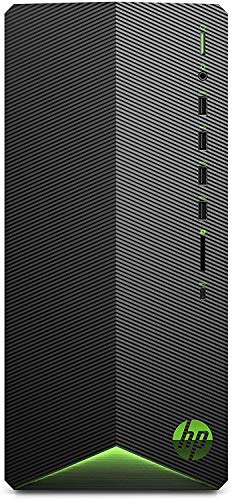
HP Pavilion Ryzen 5 GTX 1650 Desktop
Best for: entry-level 1080p gaming and daily productivity
- Operating System
- Windows 10 Home (what this guide is about)
- Graphics Card
- GeForce GTX 1650 Super 4GB
- Processor Model
- AMD Ryzen 5 3500
- System Memory
- 8 GB
- Storage Capacity
- 256GB PCIe NVMe SSD
- Dimensions
- 20 × 16 × 12 inches
This HP desktop runs Windows 10 Home out of the box. An AMD Ryzen 5 3500 six-core processor powers the system alongside an Nvidia GeForce GTX 1650 Super graphics card. It includes 8GB of system memory and a 256GB PCIe NVMe solid-state drive. You get built-in Wi-Fi 5, Bluetooth 4.2, and multiple front USB ports. This machine suits you if you need an entry-level prebuilt tower for casual gaming, general productivity, and everyday computing tasks.
Pros
- Nvidia GeForce GTX 1650 Super graphics card with 4GB dedicated memory
- Front panel includes one USB Type-C and four USB 3.1 Gen 1 ports
- Comes with HP USB wired keyboard and mouse combo
- AMD Ryzen 5 3500 six-core processor reaches up to 4.1GHz boost
Cons
- Internal capacity is limited to a 256GB solid-state drive
- 8GB of memory offers limited headroom for heavy multitasking
- Wireless connectivity relies on older Wi-Fi 5 and Bluetooth 4.2
Good fit if
- You want a dedicated Windows 10 Home PC for 1080p gaming and daily tasks.
- You frequently plug accessories into front-facing USB-A and USB-C ports.
- You prefer an included wired mouse and keyboard in the package.
Skip if
- You intend to install several large modern games without adding storage.
- You require 16GB or more system memory without upgrading.
- You need modern Wi-Fi 6 wireless networking.
Verdict: HP Pavilion GTX 1650 Super Gaming Desktop provides a capable six-core processor and dedicated graphics for entry-level 1080p gaming on Windows 10 Home. Its 256GB storage drive and 8GB RAM mean you will eventually need upgrades for larger game libraries.
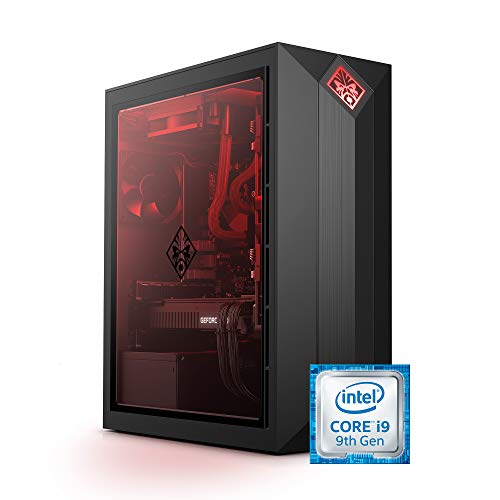
HP OMEN Obelisk RTX 2080 Super Core i9 Desktop
Best for: high-end ray-tracing gaming and VR setups
- Operating System
- Windows 10 Home (what this guide is about)
- Graphics Card
- NVIDIA GeForce RTX 2080 Super 8 GB
- Processor Model
- Intel Core i9-9900K
- System Memory
- 32 GB
- Storage Capacity
- 1 TB SSD
- Use
- VR
View on Amazon: HP OMEN Obelisk RTX 2080 Super Core i9 Desktop
The HP OMEN Obelisk is a prebuilt gaming desktop configured with Windows 10 Home, an 8-core Intel Core i9-9900K processor, and an NVIDIA GeForce RTX 2080 Super graphics card with 8 GB of GDDR6 memory. You also receive 32 GB of DDR4 RAM and a 1 TB PCIe NVMe SSD. It suits you if you want high-tier graphics hardware, VR capability, and plenty of system memory right out of the box without immediate upgrades.
Pros
- Intel Core i9-9900K 8-core processor clocked at 3.60 GHz
- NVIDIA GeForce RTX 2080 Super graphics with 8 GB GDDR6
- 32 GB DDR4-2666 RAM upgradable to 64 GB
- 1 TB PCIe NVMe M.2 solid-state drive
Cons
- DDR4 RAM runs at 2666 MHz
- Chassis weighs 23.2 pounds
- VR headset is not included
Good fit if
- You want an Intel Core i9-9900K processor paired with 32 GB of RAM.
- You plan to run demanding games and VR applications using an RTX 2080 Super.
- You need 1 TB of fast NVMe storage with Windows 10 Home preinstalled.
Skip if
- You want memory with rated speeds higher than DDR4-2666.
- You need a lightweight desktop build that weighs less than 23.2 pounds.
Verdict: HP OMEN Obelisk i9 RTX 2080 Super Gaming PC delivers robust performance with an 8-core Intel processor, 32 GB RAM, and dedicated RTX graphics. It gives you ample memory and fast NVMe storage under Windows 10 Home.

iBUYPOWER Element 9260 GTX 1660 Ti Desktop
Best for: balanced 1080p gaming and dual-drive storage
- Operating System
- Windows 10 Home (what this guide is about)
- Graphics Card
- NVIDIA GeForce GTX 1660 Ti 6GB
- Processor Model
- Intel Core i7-9700F
- System Memory
- 16 GB
- Storage Capacity
- 240 GB SSD + 1 TB HDD
This iBUYPOWER desktop provides a dedicated gaming setup running Windows 10 Home 64-bit. You get an eight-core Intel Core i7-9700F processor paired with an NVIDIA GeForce GTX 1660 Ti graphics card and 16GB of DDR4 memory. For storage, it combines a 240GB solid-state drive for fast system startups with a 1TB hard drive for games and media. It suits you if you need split SSD and high-capacity hard drive storage out of the box.
Pros
- Dual storage configuration with a 1TB HDD and 240GB SSD
- Intel Core i7-9700F eight-core processor reaches up to 4.70 GHz turbo
- NVIDIA GeForce GTX 1660 Ti 6GB dedicated graphics card
- Built-in 802.11ac Wi-Fi and included gaming keyboard and mouse
Cons
- Primary 240GB SSD capacity fills quickly with large game installs
- Included system memory operates at a standard DDR4-2666 speed
Good fit if
- You want a secondary 1TB mechanical drive alongside an SSD for local media storage.
- You need an eight-core Core i7 processor and 16GB RAM for gaming and multitasking.
- You prefer an out-of-the-box system that includes built-in Wi-Fi and matching peripherals.
Skip if
- You need a larger high-speed solid-state drive for your entire game library.
- You prefer higher-frequency system memory than DDR4-2666.
Verdict: iBUYPOWER GTX 1660 Ti Core i7 Gaming PC balances an eight-core processor with a capable 6GB graphics card. Its dual-drive setup gives you both SSD boot speeds and 1TB of mechanical storage running Windows 10 Home.

ASUS ROG Strix RTX 3070 Ryzen 7 Gaming PC
Best for: Ryzen 7 gaming and multi-monitor setups
- Operating System
- Windows 10 Home (what this guide is about)
- Graphics Card
- NVIDIA GeForce RTX 3070 8GB GDDR6
- Processor Model
- AMD Ryzen 7-5800X
- System Memory
- 16GB DDR4
- Storage Capacity
- 512GB PCIe NVMe M.2 SSD + 1TB HDD
- Dimensions
- 19.6 × 7.3 × 16.6 inches
This ASUS ROG Strix desktop pairs an AMD Ryzen 7-5800X processor with an NVIDIA GeForce RTX 3070 graphics card and Windows 10 Home. You get 16GB of DDR4 memory along with a dual-drive setup featuring a 512GB NVMe SSD and a 1TB hard drive. This configuration suits you if you require high-tier multi-core computing and dedicated 8GB GPU performance out of the box.
Pros
- AMD Ryzen 7-5800X processor with up to 4.7 GHz clock speed
- NVIDIA GeForce RTX 3070 graphics with 8GB GDDR6 VRAM
- Dual storage layout with 512GB PCIe NVMe SSD and 1TB HDD
- Five video outputs including two HDMI and three DisplayPort ports
Cons
- Equipped with Wi-Fi 5 instead of newer wireless standards
- Primary solid-state drive is limited to 512GB
Good fit if
- You need an eight-core AMD Ryzen 7 processor for multi-threaded workloads.
- You run a multi-monitor setup requiring up to five display connections.
- You want separate drives for your operating system and mass storage.
Skip if
- You require Wi-Fi 6 connectivity out of the box.
- You want an all-SSD storage system without a mechanical drive.
Verdict: ASUS ROG Strix RTX 3070 Ryzen 7 Gaming PC combines an eight-core processor with high-end RTX graphics in a Windows 10 Home environment. It provides solid computing power and extensive display connectivity for demanding games.

CyberpowerPC Gamer Xtreme GTX 1660 Super
Best for: Entry-level 1080p and VR gaming
- Operating System
- Windows 10 Home (what this guide is about)
- Graphics Card
- NVIDIA GeForce GTX 1660 Super 6GB
- Processor Model
- Intel Core i5-10400F
- System Memory
- 8GB DDR4
- Storage Capacity
- 500GB NVMe SSD
- Use
- VR
This mid-tower desktop runs Windows 10 Home on an Intel Core i5-10400F 6-core processor paired with an NVIDIA GeForce GTX 1660 Super 6GB graphics card. You also get 8GB of DDR4 memory, a 500GB NVMe solid-state drive, and built-in 802.11ac Wi-Fi. It suits you if you want a dedicated graphics card for gaming, essential ports, and included peripherals out of the box.
Pros
- Intel Core i5-10400F 6-core processor running at 2.9GHz
- Dedicated NVIDIA GeForce GTX 1660 Super 6GB graphics card
- Fast 500GB PCIe NVMe solid-state drive
- Includes bundled keyboard and 7-color RGB gaming mouse
Cons
- 8GB of system memory is lower than higher-tier builds
- Video outputs limited to one HDMI and one DisplayPort
- 500GB storage capacity fills quickly with modern game installations
Good fit if
- You need a dedicated GTX 1660 Super graphics card for gaming and VR.
- You prefer a turnkey setup that includes a matching keyboard and mouse.
- You want built-in Wi-Fi connectivity alongside standard gigabit Ethernet.
Skip if
- You need more than 8GB of system memory out of the box.
- You require more than two native display outputs for multi-monitor setups.
- You need more than 500GB of pre-installed storage capacity.
Verdict: CyberpowerPC Gamer Xtreme GTX 1660 Super Desktop balances a 6-core Intel Core i5 processor with dedicated GeForce graphics for solid gaming performance. It delivers essential baseline specs, wired and wireless networking, and pre-installed Windows 10 Home.

ASUS ROG Strix Ryzen 5 GTX 1650 Gaming Desktop
Best for: entry-level 1080p gaming on Windows 10
- Operating System
- Windows 10 Home (what this guide is about)
- Graphics Card
- NVIDIA GeForce GTX 1650 4GB
- Processor Model
- AMD Ryzen 5 3400G
- System Memory
- 8GB DDR4
- Form Factor
- Desktop
- Storage
- 512GB SSD
View on Amazon: ASUS ROG Strix Ryzen 5 GTX 1650 Gaming Desktop
This ASUS ROG Strix prebuilt desktop comes with Windows 10 Home pre-installed. It pairs an AMD Ryzen 5 3400G processor with an NVIDIA GeForce GTX 1650 4GB graphics card, 8GB of DDR4 memory, and a 512GB PCIe NVMe solid-state drive. You also get built-in Wi-Fi 5 and dedicated front-panel surround audio. It suits you if you want a compact tower for entry-level 1080p gaming and everyday computing.
Pros
- NVIDIA GeForce GTX 1650 4GB discrete graphics
- Fast 512GB PCIe NVMe M.2 solid-state drive
- Built-in Gigabit Wi-Fi 5 (802.11ac) connectivity
- Aura Sync RGB lighting with transparent side panel
Cons
- 8GB system memory is modest for heavy multitasking
- Wi-Fi 5 networking instead of the Wi-Fi 6 standard
Good fit if
- You want an entry-level GeForce GTX 1650 GPU for 1080p gaming.
- You need pre-installed Windows 10 Home on a fast NVMe SSD.
- You prefer built-in wireless networking and front-panel surround audio support.
Skip if
- You need more than 8GB of system RAM out of the box.
- You require the faster speeds of Wi-Fi 6 hardware.
Verdict: ASUS ROG Strix GTX 1650 Gaming Desktop provides essential 1080p graphics, NVMe storage, and Windows 10 Home in an Aura Sync chassis. It delivers a balanced hardware foundation for entry-level PC gaming.
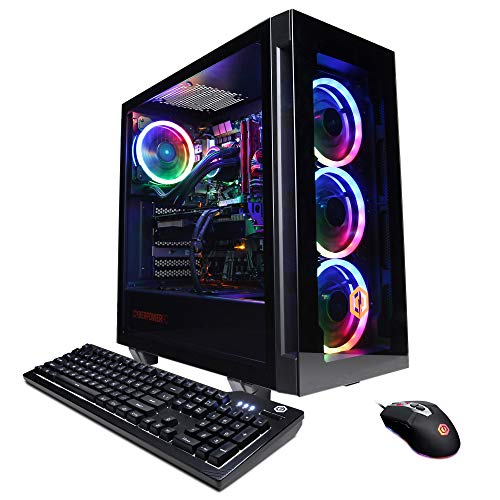
CyberpowerPC Gamer Xtreme RTX 3080 Gaming PC
Best for: high-end VR and graphically demanding gaming
- Operating System
- Windows 10 Home (what this guide is about)
- Graphics Card
- NVIDIA GeForce RTX 3080 10GB
- Processor Model
- Intel Core i7-11700KF
- System Memory
- 16GB DDR4
- Storage Capacity
- 500GB PCI-E NVMe SSD + 2TB HDD
- Use
- VR
View on Amazon: CyberpowerPC Gamer Xtreme RTX 3080 Gaming PC
This CyberpowerPC Gamer Xtreme is a prebuilt gaming desktop running 64-bit Windows 10 Home. It pairs an 8-core Intel Core i7-11700KF processor with a liquid cooler and an NVIDIA GeForce RTX 3080 10GB graphics card. You get 16GB of DDR4 memory, alongside a 500GB NVMe SSD and a 2TB hard drive. This setup suits you if you run demanding modern games, VR setups, or GPU-heavy workloads that need dedicated hardware power.
Pros
- NVIDIA GeForce RTX 3080 10GB graphics card
- Liquid-cooled Intel Core i7-11700KF 8-core processor
- Dual storage configuration with 500GB SSD and 2TB HDD
- Six USB 3.1 ports and built-in 802.11AC Wi-Fi
Cons
- Primary solid-state drive is limited to 500GB
- Wi-Fi is limited to 802.11AC rather than newer standards
- Video outputs capped at one HDMI and two DisplayPort connections
Good fit if
- You need high graphical performance from an RTX 3080 for VR or intensive titles.
- You want liquid CPU cooling included directly from the factory.
- You require large secondary bulk storage alongside an NVMe boot drive.
Skip if
- You need more than 500GB of fast solid-state storage without manual upgrades.
- You require Wi-Fi 6 connectivity out of the box.
Verdict: CyberpowerPC Gamer Xtreme RTX 3080 Desktop delivers substantial GPU capability and liquid-cooled 8-core processing on Windows 10 Home. It is a solid match if you need high-tier graphical performance alongside dedicated bulk storage.
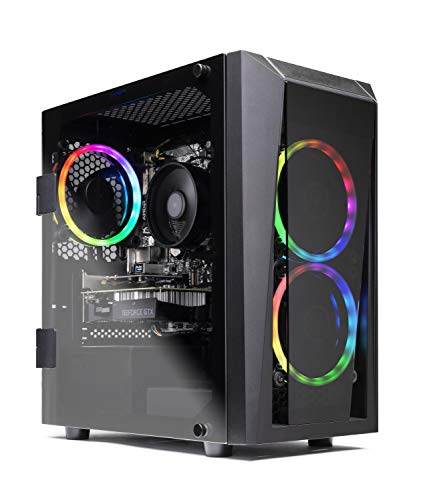
Skytech Blaze II GTX 1660 Ti Gaming PC
Best for: entry-level 1080p gaming with dedicated graphics
- Operating System
- Windows 10 Home (what this guide is about)
- Graphics Card
- NVIDIA GeForce GTX 1660 Ti 6GB
- Processor Model
- AMD Ryzen 5 2600
- System Memory
- 8 GB
- Storage Capacity
- 500 GB SSD
- Form Factor
- mATX Mid-Tower
The Skytech Blaze II is a prebuilt desktop built around an AMD Ryzen 5 2600 six-core processor and an NVIDIA GeForce GTX 1660 Ti 6GB graphics card. It includes 8GB of DDR4 memory, a 500GB SSD, and Windows 10 Home 64-bit out of the box. This setup suits you if you want a dedicated graphics card with six gigabytes of video memory for 1080p gaming without configuring hardware yourself.
Pros
- Dedicated NVIDIA GeForce GTX 1660 Ti 6GB GDDR6 graphics card
- PCIe AC Wi-Fi with antennas included
- Bundled RGB keyboard and mouse
- Three RGB ring fans for airflow inside a tempered glass case
Cons
- 8GB system memory is lower than modern multi-tasking standards
- 500GB SSD provides limited space for multiple modern game installs
- Uses an entry-level A320M motherboard
Good fit if
- You want Windows 10 Home 64-bit pre-installed without bloatware.
- You target 1080p gaming using a 6GB dedicated graphics card.
- You need built-in Wi-Fi and bundled desktop peripherals.
Skip if
- You require 16GB or more RAM right out of the box.
- You store large game libraries locally without adding extra drives.
Verdict: Skytech Blaze II GTX 1660 Ti Gaming PC delivers reliable entry-level 1080p performance with its dedicated 6GB graphics card and Windows 10 Home operating system. Its 8GB memory and 500GB storage are modest, but the included Wi-Fi card and peripherals make it ready to connect immediately.

Dell OptiPlex Core i5 500GB HDD Desktop
Best for: entry-level desktop setups using 500GB HDD storage
- Operating System
- Windows 10 Home (what this guide is about)
- Processor Model
- Core i5-2400
- System Memory
- 8GB DDR3
- Storage Capacity
- 500GB HDD
- Dimensions
- 12.3 × 3.65 × 11.4 inches
- Weight
- 19.6 pounds
This Dell OptiPlex desktop runs Windows 10 Home on a 3.1 GHz quad-core Intel Core i5-2400 processor paired with 8GB of DDR3 memory. For local file storage and game installations, you get a 500GB hard disk drive along with an integrated DVD-ROM drive. It suits you if you need a compact, straightforward tower for basic computing and older titles that fit within mechanical hard drive speeds and legacy DDR3 memory constraints.
Pros
- Quad-core Intel Core i5-2400 processor operating at 3.1 GHz
- 500GB mechanical hard drive for local storage
- Includes an internal DVD-ROM optical drive
- 8GB DDR3 system memory
Cons
- Package does not include a monitor, keyboard, or mouse
- Relies on a mechanical hard drive instead of solid-state storage
- Uses older generation DDR3 system memory
Good fit if
- You want a dedicated 500GB hard drive and an optical DVD-ROM drive.
- You already have your own display, keyboard, and mouse peripherals.
- You need a machine preinstalled with Windows 10 Home.
Skip if
- You require fast solid-state storage for system boots and load times.
- You need modern DDR4 or DDR5 system memory.
- You want a complete setup that includes bundled accessories.
Verdict: Dell OptiPlex Core i5 Desktop provides standard quad-core processing, 8GB DDR3 memory, and a 500GB HDD for basic computing. It serves as a straightforward option if you supply your own monitor and input peripherals.
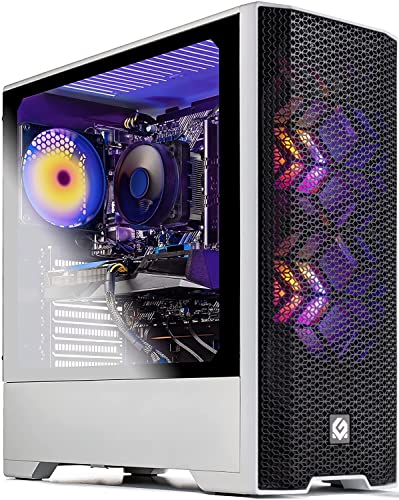
Skytech Blaze 3.0 Core i3 GTX 1650 Gaming PC
Best for: Entry-level 1080p gaming on Core i3
- Operating System
- Windows 10 Home (what this guide is about)
- Graphics Card
- NVIDIA GeForce GTX 1650 4GB
- Processor Model
- Intel Core i3-10100F
- System Memory
- 8GB
- Storage Capacity
- 500GB SSD
- Dimensions
- 17.7 × 7.8 × 18.3 inches
View on Amazon: Skytech Blaze 3.0 Core i3 GTX 1650 Gaming PC
The Skytech Blaze 3.0 gives you an Intel Core i3-10100F quad-core processor paired with an NVIDIA GeForce GTX 1650 4GB graphics card. You get 8GB of DDR4 memory, a 500GB solid-state drive, and built-in 802.11ac Wi-Fi inside a white mesh case. This setup suits you if you want an entry-level quad-core desktop for 1080p gaming with standard display connections including HDMI and DisplayPort.
Pros
- 600-watt 80 Plus Gold certified power supply
- Intel Core i3-10100F quad-core CPU reaching up to 4.3 GHz turbo
- Included gaming keyboard, mouse, and 802.11ac Wi-Fi
- Three RGB dual-ring cooling fans for airflow
Cons
- 8GB of system memory limits heavy multitasking
- 500GB SSD offers modest room for multiple modern game installs
Good fit if
- You want a dedicated GeForce GTX 1650 graphics card for 1080p gaming.
- You need an included mouse, keyboard, and built-in 802.11ac Wi-Fi.
Skip if
- You need more than 8GB of RAM for demanding applications.
- You require over 500GB of storage for large game files.
Verdict: Skytech Blaze 3.0 Core i3 GTX 1650 Gaming PC offers a balanced quad-core platform with dedicated GeForce GTX 1650 graphics for entry-level 1080p gaming. Its 8GB memory and 500GB SSD keep it focused strictly on base workloads.

Skytech Shadow Ryzen 5 3600 GTX 1660 Super PC
Best for: balanced 1080p gaming with 1TB SSD storage
- Operating System
- Windows 10 Home (what this guide is about)
- Graphics Card
- NVIDIA GeForce GTX 1660 Super 6GB
- Processor Model
- Ryzen 5 3600
- System Memory
- 16 GB DDR4
- Storage Capacity
- 1TB SSD
- Dimensions
- 17.9 × 8.3 × 16.4 inches
View on Amazon: Skytech Shadow Ryzen 5 3600 GTX 1660 Super PC
The Skytech Shadow pairs an AMD Ryzen 5 3600 6-core processor with a 6GB Nvidia GeForce GTX 1660 Super graphics card and 16GB of DDR4 memory. You also get a 1TB solid-state drive for game storage, built-in 802.11ac Wi-Fi, and three RGB case fans for airflow. This setup suits you if you want a dedicated desktop configured for 1080p gaming, everyday computing, and standard connectivity without needing immediate hardware upgrades.
Pros
- 1TB solid-state drive provides generous built-in storage
- 16GB DDR4 3000 memory with heat spreader
- Nvidia GeForce GTX 1660 Super 6GB graphics card
- Three RGB ring fans and tempered glass case
- Includes bundled RGB keyboard and mouse
Cons
- Uses 802.11ac Wi-Fi rather than newer Wi-Fi standards
- Only guarantees one HDMI and one DisplayPort video output
Good fit if
- You want a balanced 6-core processor and 16GB RAM for 1080p gaming.
- You prefer 1TB of SSD storage ready out of the box.
- You need included peripherals like an RGB keyboard and mouse.
Skip if
- You require more than two guaranteed monitor display outputs.
- You need modern Wi-Fi 6 wireless connectivity built in.
Verdict: Skytech Shadow GTX 1660 Super Gaming PC delivers balanced 1080p performance with its 6-core Ryzen processor, 16GB memory, and roomy 1TB SSD. It is a solid mainstream desktop if you want reliable specs ready to run immediately.
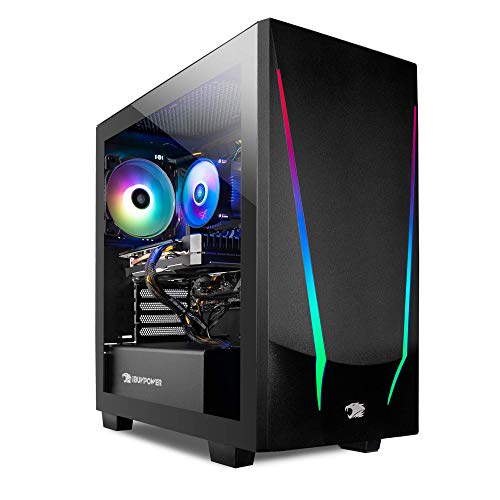
iBUYPOWER Ryzen 5 RX 5500 XT Gaming PC
Best for: entry-level 1080p gaming with Windows 10 Home
- Operating System
- Windows 10 Home (what this guide is about)
- Graphics Card
- AMD Radeon RX 5500 XT 4GB
- Processor Model
- AMD Ryzen 5 3600
- System Memory
- 8GB
- Storage Capacity
- 240GB SSD
This iBUYPOWER desktop provides an AMD Ryzen 5 3600 processor paired with an AMD Radeon RX 5500 XT 4GB graphics card. It runs Windows 10 Home 64-bit right out of the box. With 8GB of DDR4 memory and a 240GB solid-state drive, it delivers fast boot times for daily tasks. You also get built-in 802.11ac Wi-Fi, making it a practical option if you want an entry-level dedicated gaming system without pre-installed bloatware.
Pros
- Dedicated AMD Radeon RX 5500 XT 4GB graphics card
- Pre-installed Windows 10 Home 64-bit OS with no bloatware
- Built-in 802.11ac Wi-Fi connectivity
- Included keyboard and mouse
Cons
- 240GB SSD offers limited storage capacity for large game libraries
- 8GB DDR4 system memory limits heavy multitasking
Good fit if
- You want a dedicated Radeon RX 5500 XT graphics card with Windows 10 Home.
- You prefer a desktop that includes built-in Wi-Fi along with a mouse and keyboard.
- You want a clean Windows installation free of pre-installed bloatware.
Skip if
- You need more than 240GB of solid-state storage out of the box.
- You require 16GB or more of system memory for demanding workflows.
Verdict: iBUYPOWER Ryzen 5 RX 5500 XT Gaming PC delivers a six-core processor, dedicated Radeon graphics, and Windows 10 Home in a clean setup. Its 240GB solid-state drive requires careful storage management, but the core specifications handle standard computing and gaming workloads well.
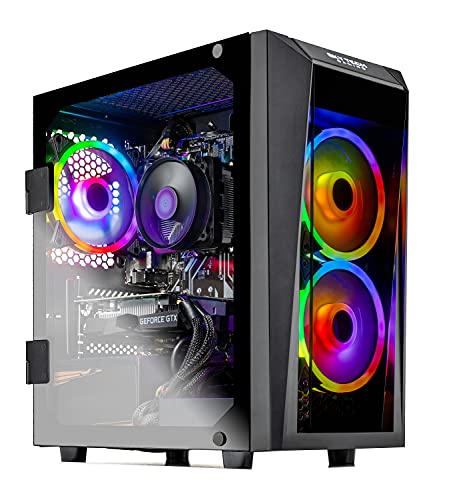
Skytech Blaze II GTX 1660 Super Gaming PC
Best for: Reliable 1080p gaming with bundled accessories
- Operating System
- Windows 10 Home (what this guide is about)
- Graphics Card
- GTX 1660 Super 6G
- Processor Model
- Ryzen 5 3600
- System Memory
- 16 GB
- Storage Capacity
- 500G SSD
- Form Factor
- mATX Mid-Tower
The Skytech Blaze II gives you a dedicated gaming setup built around an AMD Ryzen 5 3600 processor and an NVIDIA GeForce GTX 1660 Super graphics card. It ships with Windows 10 Home 64-bit pre-installed, paired with 16GB of DDR4 memory and a 500GB solid-state drive. This configuration fits you if you want dependable 1080p gaming performance, included peripherals, and built-in AC Wi-Fi without needing to build a computer yourself.
Pros
- NVIDIA GeForce GTX 1660 Super graphics card with 6GB GDDR5
- Includes 16GB of DDR4 memory
- PCIe AC Wi-Fi card with external antenna included
- Comes with an RGB gaming keyboard and mouse
Cons
- 500GB SSD provides limited storage for multiple large game installs
- Uses an entry-level A320M motherboard chipset
- No USB Type-C ports listed
Good fit if
- You play games at 1080p resolution and want steady 60+ FPS performance.
- You want a complete setup that includes a keyboard, mouse, and Wi-Fi adapter.
- You prefer an operating system pre-installed with Windows 10 Home 64-bit.
Skip if
- You need more than 500GB of storage without immediately adding secondary drives.
- You want a motherboard designed for advanced tuning or high-end expansion beyond A320M.
Verdict: Skytech Blaze II GTX 1660 Super Gaming PC delivers balanced 1080p gaming with Windows 10 Home, 16GB of RAM, and out-of-the-box wireless connectivity. It is a solid mid-tower choice if you want ready-to-use gaming hardware with included peripherals.
Specifications side by side
| Spec | Skytech Archangel GTX 1650 Gaming Desktop | HP OMEN 25L Ryzen 5 RX 5500 Gaming Desktop | HP Pavilion Ryzen 5 GTX 1650 Desktop | HP OMEN Obelisk RTX 2080 Super Core i9 Desktop | iBUYPOWER Element 9260 GTX 1660 Ti Desktop | ASUS ROG Strix RTX 3070 Ryzen 7 Gaming PC | CyberpowerPC Gamer Xtreme GTX 1660 Super | ASUS ROG Strix Ryzen 5 GTX 1650 Gaming Desktop | CyberpowerPC Gamer Xtreme RTX 3080 Gaming PC | Skytech Blaze II GTX 1660 Ti Gaming PC | Dell OptiPlex Core i5 500GB HDD Desktop | Skytech Blaze 3.0 Core i3 GTX 1650 Gaming PC | Skytech Shadow Ryzen 5 3600 GTX 1660 Super PC | iBUYPOWER Ryzen 5 RX 5500 XT Gaming PC | Skytech Blaze II GTX 1660 Super Gaming PC |
|---|---|---|---|---|---|---|---|---|---|---|---|---|---|---|---|
| Graphics Card | GeForce GTX 1650 4GB GDDR5 | AMD Radeon RX 5500 | GeForce GTX 1650 Super 4GB | NVIDIA GeForce RTX 2080 Super 8 GB | NVIDIA GeForce GTX 1660 Ti 6GB | NVIDIA GeForce RTX 3070 8GB GDDR6 | NVIDIA GeForce GTX 1660 Super 6GB | NVIDIA GeForce GTX 1650 4GB | NVIDIA GeForce RTX 3080 10GB | NVIDIA GeForce GTX 1660 Ti 6GB | not specified | NVIDIA GeForce GTX 1650 4GB | NVIDIA GeForce GTX 1660 Super 6GB | AMD Radeon RX 5500 XT 4GB | GTX 1660 Super 6G |
| Processor Model | AMD Ryzen 5 3600 | AMD Ryzen 5 3500 | AMD Ryzen 5 3500 | Intel Core i9-9900K | Intel Core i7-9700F | AMD Ryzen 7-5800X | Intel Core i5-10400F | AMD Ryzen 5 3400G | Intel Core i7-11700KF | AMD Ryzen 5 2600 | Core i5-2400 | Intel Core i3-10100F | Ryzen 5 3600 | AMD Ryzen 5 3600 | Ryzen 5 3600 |
| System Memory | 8GB DDR4 | 8GB DDR4 | 8 GB | 32 GB | 16 GB | 16GB DDR4 | 8GB DDR4 | 8GB DDR4 | 16GB DDR4 | 8 GB | 8GB DDR3 | 8GB | 16 GB DDR4 | 8GB | 16 GB |
| Storage Capacity | 500GB SSD | 512GB PCIe NVMe SSD | 256GB PCIe NVMe SSD | 1 TB SSD | 240 GB SSD + 1 TB HDD | 512GB PCIe NVMe M.2 SSD + 1TB HDD | 500GB NVMe SSD | not specified | 500GB PCI-E NVMe SSD + 2TB HDD | 500 GB SSD | 500GB HDD | 500GB SSD | 1TB SSD | 240GB SSD | 500G SSD |
| Operating System | Windows 10 Home 64-bit | Windows 10 Home | Windows 10 Home | Windows 10 Home | Windows 10 Home 64-bit | Windows 10 Home | Windows 10 Home | Windows 10 Home | Windows 10 Home 64-bit | Windows 10 Home 64-bit | not specified | Windows 11 Home 64-bit | Windows 11 Home 64-bit | Windows 10 Home 64-bit | Windows 10 Home 64-bit |
| Form Factor | not specified | not specified | not specified | not specified | not specified | not specified | not specified | Desktop | not specified | mATX Mid-Tower | not specified | not specified | not specified | not specified | mATX Mid-Tower |
| Processor | Ryzen 5 | Ryzen 5 | Ryzen 5 | Core i9 | Core i7 | Ryzen 7 | Core i5 | Ryzen 5 | Core i7 | Ryzen 5 | Core i5 | Core i3 | Ryzen 5 | Ryzen 5 | Ryzen 5 |
| Memory | 8GB RAM | 8GB RAM | 8GB RAM | 32GB RAM | 16GB RAM | 16GB RAM | 8GB RAM | 8GB RAM | 16GB RAM | 8GB RAM | not specified | 8GB RAM | 16GB RAM | 8GB RAM | 16GB RAM |
| Storage | 512GB SSD | not specified | not specified | 1TB SSD | 1TB HDD | 512GB SSD | 512GB SSD | 512GB SSD | 512GB SSD | 512GB SSD | 500GB HDD | 512GB SSD | 1TB SSD | not specified | 512GB SSD |
| Use | not specified | VR | not specified | VR | not specified | not specified | VR | not specified | VR | not specified | not specified | not specified | not specified | not specified | not specified |
| Weight | 28 pounds | not specified | not specified | 23.2 pounds | not specified | 24.3 pounds | 30 pounds | 17.6 pounds | not specified | not specified | 19.6 pounds | not specified | not specified | not specified | not specified |
| Dimensions | not specified | 17.1 × 15.5 × 6.5 inches | 20 × 16 × 12 inches | 20.5 × 19.8 × 14.8 inches | not specified | 19.6 × 7.3 × 16.6 inches | 18.8 × 8.2 × 18.6 inches | 16.9 × 7.1 × 16.9 inches | not specified | 20.1 × 9.7 × 21 inches | 12.3 × 3.65 × 11.4 inches | 17.7 × 7.8 × 18.3 inches | 17.9 × 8.3 × 16.4 inches | not specified | not specified |
| Size | AMD Ryzen 5 3600 | GTX 1650 | AMD Ryzen 5 3700X | 8GB RAM, 256GB PCIe NVMe SSD | 15.6" | Compact | 16GB DDR4 RAM | 512GB SSD + 1TB HDD | GeForce GTX 1660 Super | R8|S512 | not specified | 2600 | 1660 TI | not specified | Small | Ryzen 5 3600 | Rtx 1660 Super | Compact | 3600 | 16GB | 1660 Super |
| Color | white | Shadow Black | Black and Green | black | black | RTX 3070 | Black | Black | black | Black | Black | White | black | Black | Black |
| Model | ST-ARCH-3600-1650-500GSSD | GT12-0010 | Pavilion Gaming Desktop Computer | 5QB56AA#ABA | Element 9260 | GA15DK-AS776 | GXiVR8060A10 | GL10DH-PH552 | GXiVR8080A21 | ST-Blaze-II-2600-1660TI-8G3-500G | OptiPlex 790-5d2913a2 | ST-BLAZE3W-0290-AM | ST-SHADOW-0238-AM | Trace 4 9310 | ST-BLAZEII-0167 |
Is a Gaming Desktop with Windows 10 Home Worth It?
Every desktop in this guide comes with Windows 10 Home pre-installed. This operating system provides the standard environment for running PC games across all listed hardware, from quad-core Core i3 builds to eight-core Core i9 systems. It coordinates your components directly out of the box, supporting dedicated graphics like the GeForce GTX 1650 up to the RTX 3080. You do not need to install an operating system separately before launching 1080p or VR workloads.
Worth it if
- You want an operating system pre-installed and ready for gaming out of the box.
- You plan to run standard 1080p or VR titles on hardware ranging from Core i3 to Core i9 processors.
Skip it if
- You require advanced administrative features found exclusively in Windows Pro.
- You intend to run a non-Windows platform like Linux for your daily computing.
How We Selected These Desktops
You find prebuilt gaming PCs in this guide by checking Amazon listings that state Windows 10 Home in their title or published specifications. Each listing confirms the pre-installed operating system directly from manufacturer data. To keep choices distinct, this list includes only one variant per product family. Desktops are not physically handled or tested.
The 15 featured models are organized with products in stock first, then by Amazon sales rank (better-selling products first). Published hardware specifications such as processor models, RAM capacity, and graphics cards let you evaluate each configuration directly. Live availability details refresh daily on the page throughout 2026.
How to Choose a Windows 10 Desktop
-
Check Processor Core Counts
Review the CPU specification to match your computing needs. Prebuilt systems on Windows 10 Home feature processors ranging from quad-core chips up to 8-core flagships. A quad-core CPU handles everyday tasks and standard gaming, while six-core and eight-core processors give you smoother multitasking when you run background voice software or browser tabs alongside games. The Skytech Blaze 3.0 Core i3 GTX 1650 Gaming PC relies on a quad-core layout, which works well for entry-level workloads but offers less headroom for simultaneous background applications.
-
Evaluate Storage Drive Configurations
Check both the drive capacity and the drive technology. Solid-state drives deliver fast boot and loading speeds, but capacities like 240GB or 256GB fill quickly with modern software installations. Larger single drives like 512GB or 1TB SSDs reduce the immediate need to manage file space. Some configurations offer dual-drive solutions to balance speed and bulk capacity. For example, the iBUYPOWER Element 9260 GTX 1660 Ti Desktop pairs solid-state responsiveness with a 1TB hard disk drive, giving you dedicated space for larger secondary storage.
-
Select Dedicated Graphics Hardware
Compare the dedicated graphics card to match your intended visual fidelity and monitor resolution. Entry-tier GPUs like the GeForce GTX 1650 provide dedicated visual memory suitable for 1080p display output. Moving to cards like the GTX 1660 Ti or GTX 1660 Super increases frame throughput. If you require advanced rendering or ray tracing, target upper-tier hardware. The CyberpowerPC Gamer Xtreme RTX 3080 Gaming PC features high-tier graphics hardware, which delivers substantial rendering capability for demanding visual settings and high-resolution monitors.
-
Measure Physical Chassis Dimensions
Verify the published case measurements against your available desk or floor space before choosing a desktop. Tower dimensions vary significantly among these prebuilt models. Traditional gaming cases often reach heights around 18 to 21 inches and lengths up to 20 inches, requiring open airflow clearance. In contrast, compact office-style towers require far less desk surface. The Dell OptiPlex Core i5 500GB HDD Desktop measures just 3.65 inches wide and 11.4 inches tall, fitting into tight workstations where full-sized mid-tower cases cannot fit.
-
Match RAM to Daily Multitasking
Examine the installed system memory to prevent operating system bottlenecks. Desktops equipped with 8GB of RAM cover baseline operation for Windows 10 Home and lighter gaming tasks. Upgrading your target to 16GB gives you enough memory cushion to run modern titles while keeping web browsers and communication apps open in the background. The ASUS ROG Strix RTX 3070 Ryzen 7 Gaming PC supplies 16GB of DDR4 RAM out of the box, ensuring the system has sufficient workspace for data-intensive gaming sessions.
-
Verify Virtual Reality Compatibility
Inspect the listing attributes for explicit VR support if you plan to connect a virtual reality headset. VR requires high sustained graphics throughput and dedicated processing bandwidth to prevent stuttering and disorientation. Desktops marked specifically for VR use pair capable multi-core CPUs with dedicated graphics silicon designed to handle stereoscopic video feeds. The CyberpowerPC Gamer Xtreme GTX 1660 Super includes manufacturer-listed VR capability, confirming that its six-core processor and dedicated GeForce card meet baseline specifications for compatible virtual reality equipment.
Frequently asked questions
Which Windows 10 Home gaming desktops support VR headsets?
Several desktops on this list specify VR compatibility directly in their technical attributes. The HP OMEN 25L, HP OMEN Obelisk, CyberpowerPC Gamer Xtreme GTX 1660 Super, and CyberpowerPC Gamer Xtreme RTX 3080 include dedicated VR designations. Systems like the OMEN Obelisk feature an RTX 2080 Super with 32GB of RAM, while the Gamer Xtreme RTX 3080 pairs an Intel Core i7 with 16GB of system memory.
What storage types do these Windows 10 gaming desktops use?
The models feature either high-speed solid-state drives, traditional mechanical hard disk drives, or dual-drive configurations. For example, the Dell OptiPlex relies on a 500GB HDD, whereas the Skytech Shadow includes a 1TB SSD. Models like the iBUYPOWER Element 9260 and ASUS ROG Strix GA15DK provide dual storage setups combining solid-state drives for fast booting with 1TB mechanical hard drives for larger file storage.
How much RAM do entry-level Windows 10 gaming desktops offer?
Most entry-level desktops on this list come equipped with 8GB of system memory. Configurations like the Skytech Archangel, HP Pavilion, ASUS ROG Strix GL10DH, and Skytech Blaze 3.0 include 8GB of RAM out of the box. This capacity supports baseline multitasking in Windows 10 Home. If your gaming demands require more memory, higher-tier builds like the HP OMEN Obelisk provide 32GB.
Which desktop on this list includes an Intel Core i3 processor?
The Skytech Blaze 3.0 is the only desktop on the list configured with an Intel Core i3 processor. This system pairs a quad-core Core i3 CPU with a dedicated Nvidia GeForce GTX 1650 graphics card, 8GB of RAM, and a 512GB SSD. It runs Windows 10 Home out of the box and is specifically tailored for entry-level 1080p desktop gaming tasks.
Can you find desktops with AMD Radeon graphics running Windows 10 Home?
Yes, several listed options feature dedicated AMD Radeon graphics cards rather than Nvidia GeForce GPUs. The HP OMEN 25L includes dedicated Radeon RX 5500 graphics paired with a Ryzen 5 processor. Additionally, the iBUYPOWER Trace 4 9310 comes equipped with an AMD Radeon RX 5500 XT graphics card and 8GB of RAM, giving you dedicated AMD graphical hardware under Windows 10 Home.
What graphics cards are installed in the highest-tier systems?
The top graphical configurations on this list include the Nvidia GeForce RTX 3070, RTX 2080 Super, and RTX 3080. The ASUS ROG Strix GA15DK integrates an RTX 3070 with an 8-core Ryzen 7 processor. For even higher hardware specifications, the CyberpowerPC Gamer Xtreme features an RTX 3080 alongside a liquid-cooled Core i7, while the HP OMEN Obelisk pairs an RTX 2080 Super with a Core i9.
Are compact chassis sizes available among these Windows 10 desktops?
Yes, multiple prebuilt models list compact exterior dimensions or dedicated small-form-factor case sizes. The Dell OptiPlex measures 3.65 inches wide and 12.3 inches long, making it a slim option. Desktops like the iBUYPOWER Element 9260 and iBUYPOWER Trace 4 list compact case sizes, while the Skytech Blaze 3.0 specifies a small footprint measuring 7.8 inches wide and 18.3 inches high.