6 Best Alternatives to the HP Pavilion Desktop Intel i7 (2026)
As an Amazon Associate we earn from qualifying purchases. Links on this page are affiliate links.
The HP Pavilion Desktop Tower Computer with an Intel i7 processor delivers strong CPU performance and fast storage for everyday productivity. If you are searching for hp pavilion desktop tower computer alternatives, you might want a different graphics card, a smaller form factor, or a specific operating system. This original model suits home users and students who prioritize processing power and storage over graphical performance. It includes 16GB of RAM and a 512GB SSD, making it reliable for office tasks and light multimedia use.
We selected these alternatives because their specifications overlap with the original. You might prefer a dedicated RTX graphics card for gaming, DDR5 memory for modern business needs, or a compact small form factor to save desk space. Some options include a monitor, while others focus on workstation stability or VR capabilities. Each choice here shares the core i7 processor and sufficient RAM for demanding applications. You can compare these models to find the exact balance of size, graphics, and features that fits your specific workflow.
Our top pick: HP Pavilion Desktop Intel i7 32GB RAM.
How alternatives compare to HP Pavilion
STGAubron RTX 3060 i7-8700 Gaming PC
The STGAubron model swaps the HP’s entry-level GT 610 graphics for a dedicated RTX 3060. This gives you significantly better performance for 1080p gaming and creative workloads. The processor is an older i7-8700, so raw CPU speed is lower than the HP’s 11th Gen chip. You gain graphical power but lose the newest processor architecture. It includes peripherals and suits gamers who prioritize visuals over CPU benchmarks. Choose this if gaming is your main goal and you do not need the latest core technology.
Lenovo ThinkCentre Neo 30s SFF Core i7
The Lenovo ThinkCentre Neo 30s uses a compact Small Form Factor design, making it much smaller than the HP Pavilion tower. It features DDR5 RAM and a 13th Gen i7 processor, offering faster memory speeds and newer CPU generations. It runs Windows 11 Pro instead of Home, providing additional business features. You trade the larger tower size for a space-saving footprint and modern internals. It is ideal for office environments or users with limited desk space who need strong productivity performance without gaming capabilities.
Dell Precision 3660 Core i7 Workstation
The Dell Precision 3660 is a workstation built for intensive tasks, using a 12th Gen i7-12700 processor. It lacks a dedicated graphics card, similar to the HP, but offers higher CPU performance for heavy computational work. The chassis is larger and heavier, designed for stability rather than compactness. It suits professionals who need reliable processing power for data analysis or engineering software. You get a more robust system for workloads but sacrifice the integrated graphics solution found in the Pavilion for casual media use.
CyberpowerPC Gamer Xtreme RTX 3080 Gaming PC
The CyberpowerPC Gamer Xtreme features an RTX 3080 graphics card, providing massive graphical power compared to the HP’s basic GT 610. It uses an i7-11700KF processor, which is similar to the HP but unlocked for overclocking. The system runs Windows 10 Home, requiring an upgrade for Windows 11 compatibility. It is designed for VR gaming and high-resolution rendering. You gain enthusiast-level graphics performance but may need to manage additional software updates. Pick this if you require serious gaming or 3D rendering capabilities that the Pavilion cannot handle.
Dell OptiPlex PC with 24-Inch Monitor
The Dell OptiPlex bundle includes a 24-inch monitor, offering a complete desktop setup rather than just the tower. It uses an i7 processor with 16GB RAM and a 512GB SSD, matching the HP’s core specs. It runs Windows 11 Pro, adding business-oriented features not present in the HP’s Home edition. The system is designed for office tasks and everyday computing. You get a ready-to-use package with display and peripherals. This option suits users who want a plug-and-play solution for work or home office tasks without buying separate components.
Dell Optiplex Tower Core i7 PC
The Dell Optiplex Tower uses an older i7-7700 processor, making it slower than the HP Pavilion’s 11th Gen chip. It runs Windows 11 Pro and includes peripherals for immediate use. The system is built for business tasks and general office work, prioritizing stability over raw speed. You get a reliable desktop for standard productivity applications but accept older processor technology. It is a suitable alternative for users who need Windows 11 Pro features and do not require the higher performance of newer CPU generations found in the Pavilion.
Quick picks
Our 7 picks

HP Pavilion Desktop Intel i7 32GB RAM
Best for: home office productivity and student computing
- Graphics Card
- GeForce GT 610 2GB
- Processor Model
- Intel i7-11700F
- System Memory
- 16 GB
- Storage Capacity
- 512 GB PCIe SSD
- Operating System
- Windows 11 Home
- Form Factor
- Tower
View on Amazon: HP Pavilion Desktop Intel i7 32GB RAM Affiliate link
This HP Pavilion Tower desktop features an Intel Core i7-11700F processor, offering solid processing power for daily tasks. You get a choice of up to 32GB of DDR4 RAM and a 1TB PCIe SSD for fast storage and multitasking. It runs Windows 11 Home and includes WiFi 6 connectivity. The system is designed for home offices and students who need reliable performance without complex setup.
Pros
- Intel Core i7-11700F 8-core processor for strong multitasking
- Up to 32GB DDR4 RAM for smooth application switching
- 1TB PCIe SSD for fast boot times and ample storage
- WiFi 6 and Bluetooth for wireless connectivity
Cons
- GeForce GT 610 graphics card is limited for modern gaming
- No dedicated high-end GPU for heavy video editing
- Base model includes only 16GB RAM in some variations
Good fit if
- You need a reliable desktop for office work and school projects
- You want fast storage with a large 1TB SSD capacity
- You prefer a tower form factor for easy component access
Skip if
- You require high-end gaming with modern graphics cards
- You need professional-level video editing capabilities
- You prefer a compact small form factor PC
Verdict: HP Pavilion TG01 Tower i7 provides strong CPU performance and fast storage for everyday productivity. It suits home users and students who prioritize processing power and storage over graphical performance.
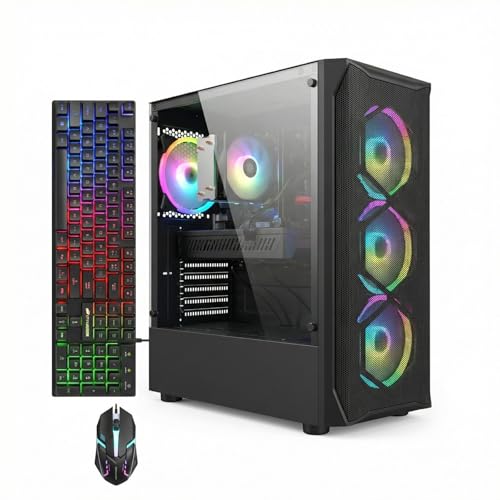
STGAubron RTX 3060 i7-8700 Gaming PC
Best for: 1080p gaming with dedicated RTX 3060 graphics
- Graphics Card
- GeForce RTX 3060 12G
- Processor Model
- Intel Core i7-8700
- System Memory
- 16 GB
- Storage Capacity
- 512 GB SSD
- Operating System
- Windows 11 Home
- Form Factor
- Tower
View on Amazon: STGAubron RTX 3060 i7-8700 Gaming PC Affiliate link
This STGAubron desktop pairs an Intel Core i7-8700 processor with an NVIDIA GeForce RTX 3060 12GB graphics card. It includes 16GB of DDR4 RAM and a 512GB SSD. The system runs Windows 11 Home and features Wi-Fi 6 connectivity. You get a complete setup with an RGB keyboard and mouse. It is designed for gaming, streaming, and general productivity tasks.
Pros
- NVIDIA GeForce RTX 3060 12GB GDDR6 graphics
- Intel Core i7-8700 processor up to 4.6GHz
- Wi-Fi 6 and Bluetooth 5.2 connectivity
- Includes RGB gaming mouse and keyboard
Cons
- Core i7-8700 is an older 8th-gen processor
- 512GB SSD storage capacity is limited
- 16GB RAM is standard, not expandable in specs
Good fit if
- You want dedicated RTX 3060 graphics performance
- You need built-in Wi-Fi 6 support
- You want a complete PC with peripherals included
Skip if
- You require the latest generation CPU
- You need more than 512GB of storage
- You prefer a newer processor architecture
Verdict: STGAubron i7-8700 RTX 3060 Gaming PC offers strong 1080p gaming capability through its dedicated GPU and includes necessary peripherals. It suits gamers who prioritize graphics power over the newest processor technology.
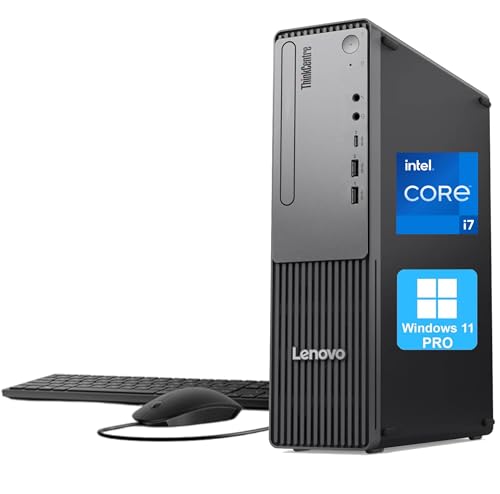
Lenovo ThinkCentre Neo 30s SFF Core i7
Best for: compact business desktops with DDR5 RAM
- Processor Model
- Intel Core i7-13620H
- System Memory
- 16GB DDR5
- Storage Capacity
- 512GB PCIe SSD
- Operating System
- Windows 11 Pro
- Form Factor
- Small Form Factor (SFF)
- Use
- Business
View on Amazon: Lenovo ThinkCentre Neo 30s SFF Core i7 Affiliate link
This small form factor desktop features a 13th Gen Intel Core i7-13620H processor and 16GB of DDR5 RAM. It includes a 512GB PCIe SSD and runs Windows 11 Pro. The compact chassis measures 3.6 x 11.5 x 13.4 inches. It suits users who need reliable business performance in a space-saving design. The system offers versatile connectivity options for office environments.
Pros
- 13th Gen Intel Core i7-13620H processor with up to 4.9GHz turbo speed
- 16GB DDR5 RAM for fast multitasking
- Compact SFF design measuring 3.6 x 11.5 x 13.4 inches
- Windows 11 Pro operating system for productivity
Cons
- No dedicated graphics card included
- Base storage is limited to 512GB
- No built-in Wi-Fi antenna listed in ports
Good fit if
- You need a compact desktop for office work
- You require DDR5 RAM speeds
- You prefer Windows 11 Pro
Skip if
- You need a dedicated GPU for gaming
- You require a full-size tower for easy upgrades
- You need more than 512GB storage base
Verdict: Lenovo ThinkCentre Neo 30s SFF is a compact business desktop with DDR5 RAM and a 13th Gen i7 processor. It fits users who prioritize space-saving design and office productivity over gaming performance.

Dell Precision 3660 Core i7 Workstation
Best for: Intensive workstation tasks
- Processor Model
- Intel Core i7-12700
- System Memory
- 16 GB
- Storage Capacity
- 512 GB SSD
- Form Factor
- Tower
- Use
- Workstation
- Dimensions
- 16.5 × 6.81 × 14.5 inches
View on Amazon: Dell Precision 3660 Core i7 Workstation Affiliate link
This Dell Precision 3660 tower uses a 12th Gen Intel Core i7-12700 processor with 12 cores. It includes 16 GB of system memory and a 512 GB SSD for storage. The unit weighs 18.7 pounds and measures 16.5 inches in length. It is designed for workstation tasks and heavy processing. You get a reliable machine for demanding workloads.
Pros
- Intel Core i7-12700 12th Gen processor
- 12-core architecture for peak performance
- 16 GB system memory
- 512 GB SSD storage capacity
- 500 W power supply unit
Cons
- No dedicated graphics card listed in specifications
- Only 512 GB storage capacity
- Heavy at 18.7 pounds
Good fit if
- You need a workstation for intensive tasks
- You prefer a 12th Gen Intel processor
- You require 16 GB of RAM
Skip if
- You need a dedicated GPU for gaming
- You require more than 512 GB storage
- You want a lightweight portable device
Verdict: Dell Precision 3660 i7-12700 Workstation suits users who need a 12th Gen Intel processor for heavy workstation tasks. It is not suitable for gaming without a dedicated graphics card.
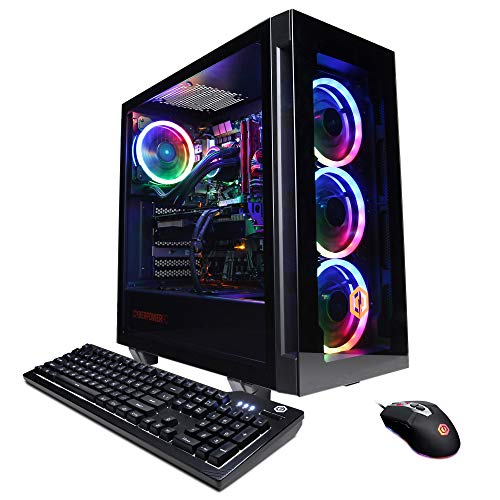
CyberpowerPC Gamer Xtreme RTX 3080 Gaming PC
Best for: VR gaming and high-resolution rendering
- Graphics Card
- NVIDIA GeForce RTX 3080 10GB
- Processor Model
- Intel Core i7-11700KF
- System Memory
- 16GB DDR4
- Storage Capacity
- 500GB PCI-E NVMe SSD + 2TB HDD
- Operating System
- Windows 10 Home 64-bit
- Use
- VR
View on Amazon: CyberpowerPC Gamer Xtreme RTX 3080 Gaming PC Affiliate link
This CyberpowerPC desktop pairs an Intel Core i7-11700KF processor with an NVIDIA GeForce RTX 3080 10GB graphics card. You get 16GB of DDR4 RAM and mixed storage consisting of a 500GB NVMe SSD and a 2TB HDD. The system includes liquid cooling and RGB lighting. It runs Windows 10 Home and targets VR gaming and high-performance tasks.
Pros
- Intel Core i7-11700KF 8-core processor
- NVIDIA GeForce RTX 3080 10GB graphics
- 500GB NVMe SSD plus 2TB HDD storage
- Liquid CPU cooling system
Cons
- Smaller 500GB SSD compared to 512GB competitors
- Windows 10 Home instead of Windows 11
- Only 1 year parts and labor warranty
Good fit if
- You need high-end graphics for VR or 4K gaming
- You want large secondary storage for media libraries
- You prefer liquid cooling for thermal management
Skip if
- You require Windows 11 Pro out of the box
- You need a longer warranty than one year
- You prefer a smaller form factor desktop
Verdict: CyberpowerPC RTX 3080 i7-11700KF Gaming PC delivers serious graphical power for enthusiasts. It fits users who prioritize raw rendering speed and VR compatibility over long-term warranty coverage.

Dell OptiPlex PC with 24-Inch Monitor
Best for: complete desktop setups for office and home use
- Processor Model
- Intel Core i7
- System Memory
- 16 GB
- Storage Capacity
- 512 GB SSD
- Operating System
- Windows 11 Pro
- Use
- Business
- Screen Size
- 24-Inch
View on Amazon: Dell OptiPlex PC with 24-Inch Monitor Affiliate link
This Dell OptiPlex desktop pairs a quad-core Intel Core i7 processor with 16GB of RAM and a 512GB SSD. It includes a 24-inch monitor and runs Windows 11 Pro. The system features customizable RGB lighting controlled via remote. It suits users who need a complete, ready-to-use setup for office work, remote learning, and general multitasking without the need for external components.
Pros
- Includes a 24-inch monitor for a complete desktop setup
- Intel Core i7 processor with 16GB RAM for smooth multitasking
- 512GB SSD provides fast boot times and ample storage
- Windows 11 Pro operating system included
- Front RGB lighting panel with remote control for customization
Cons
- Uses integrated graphics, limiting performance for demanding games
- Sold as a renewed item with a generic box
- No dedicated graphics card included out of the box
Good fit if
- You want a desktop and monitor included in one package
- You need Windows 11 Pro for professional or home use
- You prefer customizable RGB lighting on your PC case
Skip if
- You require high-end gaming performance with a dedicated GPU
- You prefer a brand-new item with original packaging
- You need a compact form factor smaller than a standard tower
Verdict: Dell OptiPlex i7 24-Inch Desktop is a practical choice for users who need a complete, monitor-included system for office tasks and everyday computing. It fits those who value Windows 11 Pro and customizable lighting over raw graphical power.

Dell Optiplex Tower Core i7 PC
Best for: Business tasks and general office work
- Processor Model
- Intel Core i7-7700
- System Memory
- 16GB
- Storage Capacity
- 512GB SSD
- Operating System
- Windows 11 Pro
- Form Factor
- Tower
- Use
- Business
View on Amazon: Dell Optiplex Tower Core i7 PC Affiliate link
This Dell OptiPlex tower uses an Intel Core i7-7700 processor with 16GB of DDR4 RAM and a 512GB SSD. It runs Windows 11 Pro and includes a keyboard and mouse. The 16x7x19 inch chassis fits standard desks. You get quick boot speeds and responsive storage for everyday tasks. It is a solid option for business use or general computing needs.
Pros
- Intel Core i7-7700 7th Gen processor
- 16GB DDR4 system memory
- 512GB SSD for fast boot speeds
- Includes keyboard and mouse
- Windows 11 Pro operating system
Cons
- 7th Gen processor is older than competitors
- No dedicated graphics card listed
- Bulky 16x7x19 inch tower footprint
Good fit if
- You need Windows 11 Pro for work
- You want a complete setup with peripherals
- You prefer a standard tower form factor
Skip if
- You require modern gaming performance
- You need a compact small form factor
- You want the latest processor generation
Verdict: Dell OptiPlex Tower i7-7700 is a reliable business desktop with Windows 11 Pro and included peripherals. It suits users who prioritize storage speed and system stability over raw gaming power.
Specifications side by side
| Spec | HP Pavilion Desktop Intel i7 32GB RAM | STGAubron RTX 3060 i7-8700 Gaming PC | Lenovo ThinkCentre Neo 30s SFF Core i7 | Dell Precision 3660 Core i7 Workstation | CyberpowerPC Gamer Xtreme RTX 3080 Gaming PC | Dell OptiPlex PC with 24-Inch Monitor | Dell Optiplex Tower Core i7 PC |
|---|---|---|---|---|---|---|---|
| Graphics Card | GeForce GT 610 2GB | GeForce RTX 3060 12G | not specified | not specified | NVIDIA GeForce RTX 3080 10GB | not specified | not specified |
| Processor Model | Intel i7-11700F | Intel Core i7-8700 | Intel Core i7-13620H | Intel Core i7-12700 | Intel Core i7-11700KF | Intel Core i7 | Intel Core i7-7700 |
| System Memory | 16 GB | 16 GB | 16GB DDR5 | 16 GB | 16GB DDR4 | 16 GB | 16GB |
| Storage Capacity | 512 GB PCIe SSD | 512 GB SSD | 512GB PCIe SSD | 512 GB SSD | 500GB PCI-E NVMe SSD + 2TB HDD | 512 GB SSD | 512GB SSD |
| Operating System | Windows 11 Home | Windows 11 Home | Windows 11 Pro | not specified | Windows 10 Home 64-bit | Windows 11 Pro | Windows 11 Pro |
| Form Factor | Tower | Tower | Small Form Factor (SFF) | Tower | not specified | not specified | Tower |
| Processor | Core i7 | Core i7 | Core i7 | Core i7 | Core i7 | Core i7 | Core i7 |
| Memory | 16GB RAM | 16GB RAM | 16GB RAM | 16GB RAM | 16GB RAM | 16GB RAM | 16GB RAM |
| Storage | 512GB SSD | 512GB SSD | 512GB SSD | 512GB SSD | 512GB SSD | 512GB SSD | 512GB SSD |
| Use | Business | not specified | Business | Workstation | VR | Business | Business |
| Screen Size | not specified | not specified | not specified | not specified | not specified | 24-Inch | not specified |
| Dimensions | not specified | 14.8 × 7.5 × 17.6 inches | 11.5 × 3.6 × 13.4 inches | 16.5 × 6.81 × 14.5 inches | not specified | not specified | 19 × 16 × 7 inches |
| Weight | not specified | not specified | not specified | 18.7 pounds | not specified | not specified | not specified |
| Color | Royal Blue | Black | not specified | Black | black | not specified | not specified |
| Model | TG01 | ABR0923 | Neo 30s | Precision 3660 | GXiVR8080A21 | OptiPlex | Optiplex |
| Size | not specified | not specified | 16GB RAM | 512GB SSD | not specified | not specified | i7/16GB/512GB/Integrated | 24" Monitor | 16GB RAM + 512GB SSD |
If you need dedicated graphics hardware, evaluate hp pavilion gaming desktop alternatives built with discrete GPUs.
Frequently asked questions
Which HP Pavilion alternative has the best graphics card?
The STGAubron RTX 3060 model is the best choice for graphics. It includes a dedicated RTX 3060 GPU, which handles 1080p gaming and creative tasks much better than integrated options. The HP Pavilion TG01 relies on weaker integrated graphics, making it less suitable for heavy visual workloads.
What is the most compact HP Pavilion alternative?
The Lenovo ThinkCentre Neo 30s SFF is the most compact option. It measures just 3.6 inches wide and 13.4 inches high. This small form factor saves desk space while still providing a 13th Gen Core i7 processor and DDR5 RAM for efficient office productivity.
Which alternative is best for serious VR gaming?
The CyberpowerPC Gamer Xtreme with an RTX 3080 is best for VR. It pairs an 11th Gen i7-11700KF with a high-end graphics card for serious graphical power. This setup delivers the raw rendering speed needed for virtual reality experiences, unlike the standard HP Pavilion models.
Are there business-focused alternatives with Windows 11 Pro?
Yes, several alternatives include Windows 11 Pro. The Lenovo ThinkCentre Neo 30s and the Dell OptiPlex Tower both come with this operating system. These models are designed for business use, offering system stability and professional features that are ideal for office environments and general work tasks.
Which alternative includes a monitor in the box?
The Dell OptiPlex PC with a 24-Inch Monitor is the only option that includes a display. It provides a complete desktop setup for office tasks and everyday computing. This bundle is practical for users who want a ready-to-use system without needing to purchase a separate screen.
Is there a workstation alternative for heavy tasks?
The Dell Precision 3660 is a dedicated workstation alternative. It features a 12th Gen Intel Core i7 processor designed for intensive workstation tasks. While it lacks a dedicated graphics card for gaming, it offers robust processing power for professional applications and heavy data processing workloads.
Which alternative is best for home office productivity?
The HP Pavilion TG01 Tower remains the top pick for home office productivity. It provides strong CPU performance and fast 512GB SSD storage. This configuration suits students and home users who prioritize processing speed and storage capacity over advanced graphical capabilities for everyday computing tasks.