14 Best HP 27-Inch All-In-One Desktops, Compared
As an Amazon Associate we earn from qualifying purchases. Links on this page are affiliate links.
Finding the best HP 27-Inch all in one desktops requires looking closely at the hardware that powers your daily workflow. We compared 14 models using only the specifications published on their listings. Our top pick is the HP OmniStudio 27 Ryzen AI 7 All-in-One. It leads because it pairs a Ryzen AI 7 processor with 16GB of RAM and a 512GB SSD. This combination supports everyday office productivity and AI-enhanced video conferencing efficiently. You do not need to sort through marketing claims to make your choice. Use this guide to decide which configuration fits your specific needs.
Quick picks
The best fit for you
- You need the best overall performance for office work HP OmniStudio 27 Ryzen AI 7 All-in-One It features a Ryzen AI 7 processor and 16GB RAM for solid everyday productivity.
- You require massive memory for heavy business multitasking HP 27-Inch Core Ultra 7 All-in-One Desktop This model includes 64GB of DDR5 RAM to handle demanding workloads efficiently.
- You want the most local storage for large files HP Pavilion 27 Touchscreen 4TB SSD All-in-One It offers a 4TB SSD and 64GB RAM for intensive data storage needs.
- You prefer a sharp display for creative or professional tasks HP OmniStudio X 27" 4K All-in-One Desktop The 4K resolution provides ultra-high-definition visuals for detailed work.
Our 14 picks

HP OmniStudio 27 Ryzen AI 7 All-in-One
Best for: everyday office productivity and AI-enhanced video conferencing
- Screen Size
- 27-Inch (what this guide is about)
- Processor
- AMD Ryzen AI 7 445
- System Memory
- 16 GB
- Storage Capacity
- 512 GB SSD
- Display Resolution
- FHD
- Graphics
- AMD Radeon 840M
View on Amazon: HP OmniStudio 27 Ryzen AI 7 All-in-One Affiliate link
This HP OmniStudio 27-inch all-in-one desktop integrates an AMD Ryzen AI 7 445 processor with integrated AMD Radeon 840M graphics. You get 16 GB of DDR5 memory alongside a 512 GB NVMe solid-state drive for day-to-day multitasking and storage. The system features a Full HD screen mounted on an adjustable stand, plus an infrared FHD camera for biometric logins. It suits you if you need a tidy workspace for office productivity and video calls.
Pros
- AMD Ryzen AI 7 445 processor paired with 16 GB DDR5 RAM
- FHD IR webcam with HDR auto-switch and Windows Hello facial recognition
- Adjustable stand with HP Eye Ease blue light reduction
- 512 GB PCIe NVMe M.2 solid-state drive
Cons
- FHD resolution provides lower pixel density than 4K panels at 27 inches
- 512 GB storage capacity is modest for large local file libraries
- No touchscreen support listed in specifications
Good fit if
- You want an AMD Ryzen AI processor with 16 GB of DDR5 memory.
- You rely on an infrared webcam for secure facial recognition logins.
- You prefer an adjustable stand for ergonomic positioning.
Skip if
- You need a touchscreen display for direct on-screen interaction.
- You require 4K display resolution or more than 512 GB of internal storage.
Verdict: HP OmniStudio 27" Ryzen AI 7 Desktop balances modern processing power with an adjustable FHD display and secure infrared login. It delivers solid performance for general computing, office workflows, and video conferencing without desktop cable clutter.

HP OmniStudio 27-Inch Ryzen 5 All-in-One
Best for: everyday home office productivity and video conferencing
- Screen Size
- 27-Inch (what this guide is about)
- Processor
- AMD Ryzen AI 5 330
- System Memory
- 16 GB DDR5
- Storage Capacity
- 512 GB SSD
- Display Resolution
- Full HD
- Use
- Business
View on Amazon: HP OmniStudio 27-Inch Ryzen 5 All-in-One Affiliate link
This HP all-in-one desktop brings an AMD Ryzen AI 5 330 processor and 16GB of DDR5 memory to a 27-inch Full HD anti-glare screen. Storage is handled by a 512GB NVMe SSD, while connectivity includes Wi-Fi 6 alongside an integrated Full HD webcam with dual speakers. It suits you if you want a clean home-office workspace ready for everyday productivity and video conferencing without requiring external peripherals.
Pros
- AMD Ryzen AI 5 330 processor with 16GB DDR5 memory
- 512GB NVMe solid-state drive for fast system boots
- 27-inch Full HD anti-glare display
- Integrated Full HD webcam and dual audio speakers
- Wi-Fi 6 wireless networking support
Cons
- No touchscreen capability listed
- Screen resolution capped at Full HD
- Storage capacity limited to 512GB
Good fit if
- You need a 27-inch all-in-one setup for office work and video meetings.
- You want modern DDR5 memory paired with a Ryzen AI processor.
- You prefer an anti-glare display over a glossy touch interface.
Skip if
- You require a touchscreen for navigation or drawing.
- You want a 4K resolution display on a 27-inch screen.
- You need more than 512GB of internal storage for large files.
Verdict: HP OmniStudio 27" Ryzen AI 5 All-in-One delivers dependable processing power, modern DDR5 memory, and built-in conferencing tools for daily tasks. It provides a balanced, clutter-free workstation for remote work and general home-office computing.

HP 27" Touchscreen Ryzen AI 7 All-in-One
Best for: memory-heavy office multitasking and touchscreen workflows
- Screen Size
- 27-Inch (what this guide is about)
- Processor
- AMD Ryzen AI 7 350
- System Memory
- 64 GB
- Storage Capacity
- 1 TB SSD
- Graphics
- AMD Radeon
- Touchscreen
- Touchscreen
View on Amazon: HP 27" Touchscreen Ryzen AI 7 All-in-One Affiliate link
This HP 27-inch all-in-one desktop pairs an AMD Ryzen AI 7 350 processor with 64GB of DDR5 memory and a 1TB SSD. You get a 1080p IPS touchscreen display with an adjustable tilt stand and an included stylus pen. Integrated AMD Radeon graphics handle visual output. It suits you if you run heavy multitasking workflows, manage extensive browser tabs, or need local AI acceleration alongside Windows 11 Pro.
Pros
- 64GB DDR5 memory provides massive bandwidth for multitasking
- AMD Ryzen AI 7 350 processor includes dedicated Copilot support
- Full HD IPS touchscreen supports tilt adjustment and includes a pen
- HP True Vision FHD IR webcam supports Windows Hello facial login
Cons
- Display resolution is limited to 1080p on a 27-inch panel
- Relies on integrated AMD Radeon graphics without a discrete GPU option
Good fit if
- You need 64GB of RAM for data-heavy work and large files
- You want direct touchscreen interaction with an included stylus
- You use Windows Hello facial recognition for quick desktop logins
Skip if
- You need higher display resolution such as 1440p or 4K
- You require dedicated GPU hardware for heavy 3D workloads
Verdict: HP 27-Inch Touchscreen All-in-One Ryzen AI 7 delivers massive memory capacity and dedicated AI processing for demanding office tasks. Its 1080p touch display and included accessories create an all-in-one workspace right out of the box.

HP OmniStudio 27 Touchscreen All-in-One PC
Best for: home office productivity needing modern ports
- Screen Size
- 27-Inch (what this guide is about)
- Processor
- Intel Core Ultra 7 355U
- System Memory
- 16 GB
- Storage Capacity
- 2 TB SSD
- Display Resolution
- Full HD
- Touchscreen
- Touchscreen
View on Amazon: HP OmniStudio 27 Touchscreen All-in-One PC Affiliate link
This HP OmniStudio all-in-one desktop integrates an Intel Core Ultra 7 355U processor, 16GB of DDR5 RAM, and a 1TB solid-state drive into a 27-inch 1080p touchscreen display. It offers high-speed connectivity via Wi-Fi 7 and dual 40Gbps USB-C 4 ports, plus an adjustable-height stand. It suits you if you need a responsive modern workstation for remote office work, multitasking, and basic content creation without separate tower clutter.
Pros
- Intel Core Ultra 7 355U processor with integrated NPU
- Wi-Fi 7 and dual 40Gbps USB-C 4 ports
- Height-adjustable stand moving up to 20.69 inches
- Includes 1080p privacy webcam and wireless peripherals
Cons
- 1080p resolution provides lower pixel density on a 27-inch panel
- No dedicated graphics processor listed
Good fit if
- You want updated connectivity such as Wi-Fi 7 and USB-C 4.
- You need an adjustable stand to set screen height ergonomically.
- You interact directly with software via a multi-touch screen.
Skip if
- You require 1440p or 4K resolution on a 27-inch monitor.
- You need a dedicated graphics card for heavy 3D workloads.
Verdict: HP OmniStudio 27 Core Ultra 7 Touchscreen AIO pairs updated Core Ultra processing with fast USB-C 4 ports and an ergonomic stand for daily business tasks. Its 1080p resolution remains the primary limitation on a screen of this size.
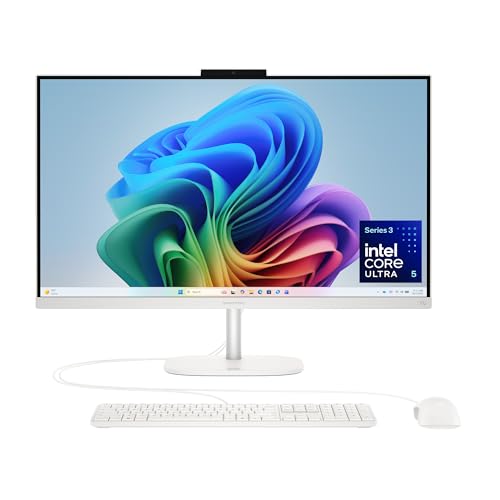
HP OmniStudio 27" Core Ultra 5 All-in-One
Best for: everyday multitasking and modern home office productivity
- Screen Size
- 27-Inch (what this guide is about)
- Processor
- Intel Core Ultra 5 325
- System Memory
- 16 GB DDR5
- Display Resolution
- FHD
- Graphics
- Intel Graphics
- Operating System
- Windows 11 Home
View on Amazon: HP OmniStudio 27" Core Ultra 5 All-in-One Affiliate link
This HP OmniStudio 27 is an all-in-one desktop built around the Intel Core Ultra 5 325 processor. It features a 27-inch FHD display mounted on an adjustable stand, alongside 16 GB of DDR5 memory and a 512 GB PCIe NVMe SSD. Integrated Intel Graphics power everyday visuals without a separate graphics card. If you need a clean desktop setup for multitasking, video calls, and daily productivity, this configuration provides modern processing power.
Pros
- Intel Core Ultra 5 325 processor with built-in Intel Graphics
- 16 GB DDR5 RAM and 512 GB PCIe NVMe M.2 SSD
- FHD IR camera with HDR auto switch and Windows Hello facial recognition
- 27-inch FHD display with adjustable stand and HP Eye Ease
Cons
- FHD screen resolution rather than 4K or QHD
- No dedicated graphics card included
- 512 GB solid-state drive offers limited local storage capacity
Good fit if
- You want an Intel Core Ultra 5 processor paired with 16 GB of DDR5 memory.
- You need a built-in FHD IR camera with Windows Hello support for video meetings.
- You prefer an all-in-one design with an adjustable stand and blue-light reduction.
Skip if
- You need a dedicated graphics card for intensive 3D rendering or gaming.
- You want a higher-resolution 4K display on a 27-inch screen.
- You require more than 512 GB of onboard storage out of the box.
Verdict: HP OmniStudio 27 Core Ultra 5 Desktop brings modern Intel Core Ultra processing and fast DDR5 memory to a clean, cable-free 27-inch workspace. It delivers balanced daily performance, reliable video conferencing features, and an ergonomic adjustable stand.

HP 27-Inch Core Ultra 7 All-in-One Desktop
Best for: heavy multitasking and memory-intensive business workflows
- Screen Size
- 27-Inch (what this guide is about)
- Processor
- Intel Core Ultra 7 255U
- System Memory
- 64GB DDR5
- Display Resolution
- FHD
- Touchscreen
- Touchscreen
- Operating System
- Windows 11 Pro
View on Amazon: HP 27-Inch Core Ultra 7 All-in-One Desktop Affiliate link
This desktop gives you an Intel Core Ultra 7 255U processor with 12 cores, 64GB of DDR5 memory, and a 1TB SSD inside a 27-inch Full HD touchscreen display. The preinstalled Windows 11 Pro operating system and Wi-Fi 6 wireless networking support demanding office workflows. It suits you if you need heavy multitasking capacity and responsive touch input on an uncluttered workspace.
Pros
- Intel Core Ultra 7 255U 12-core processor with up to 5.20 GHz boost
- 64GB of high-speed DDR5 memory and 1TB PCIe M.2 SSD
- 27-inch Full HD touchscreen display
- Windows 11 Pro preinstalled
- Wi-Fi 6, Bluetooth, and dual USB Type-C connectivity
Cons
- Display resolution is limited to 1080p Full HD
- Upgraded RAM and SSD are covered by a third-party warranty
Good fit if
- You run memory-intensive business applications and require 64GB of RAM.
- You want direct interaction via a 27-inch touchscreen.
- You need Windows 11 Pro for office device management.
Skip if
- You prefer higher than 1080p resolution on a 27-inch panel.
- You want a fully factory-sealed system without third-party upgrades.
Verdict: HP 27-Inch Core Ultra 7 Touchscreen AIO pairs a massive 64GB DDR5 memory capacity with an Intel Ultra 7 processor and Windows 11 Pro for demanding workloads. Its 1080p resolution is basic for the screen size, but the core hardware delivers substantial multitasking power.

HP OmniStudio 27" Ryzen 5 All-in-One PC
Best for: Home office multitasking and video calls
- Screen Size
- 27-Inch (what this guide is about)
- Processor
- AMD Ryzen 5 220
- System Memory
- 16 GB DDR5
- Display Resolution
- FHD
- Graphics
- AMD Radeon 740M
- Operating System
- Windows 11 Home
View on Amazon: HP OmniStudio 27" Ryzen 5 All-in-One PC Affiliate link
This HP OmniStudio brings an AMD Ryzen 5 220 processor and 16 GB of fast DDR5 memory into a sleek 27-inch all-in-one setup. You get a Full HD display with an adjustable stand, a 512 GB NVMe solid-state drive, and built-in AMD Radeon 740M graphics. An integrated FHD IR camera handles secure Windows Hello facial recognition logins. It fits home offices and everyday multitasking well.
Pros
- 16 GB high-bandwidth DDR5 system memory
- FHD IR webcam with HDR auto-switch and Windows Hello support
- Adjustable stand with HP Eye Ease blue-light filter
- AMD Radeon 740M integrated graphics
Cons
- Display capped at 1080p FHD resolution
- Storage limited to 512 GB SSD
- Touchscreen functionality not supported
Good fit if
- You need 16 GB DDR5 RAM for everyday productivity and multitasking.
- You want a secure FHD IR webcam for Windows Hello logins.
- You prefer a desktop with an adjustable display stand.
Skip if
- You require a 4K display panel or touchscreen navigation.
- You need more than 512 GB of out-of-the-box storage.
Verdict: HP OmniStudio 27" Ryzen 5 16GB All-in-One delivers dependable everyday computing power with modern DDR5 memory and a secure IR camera.
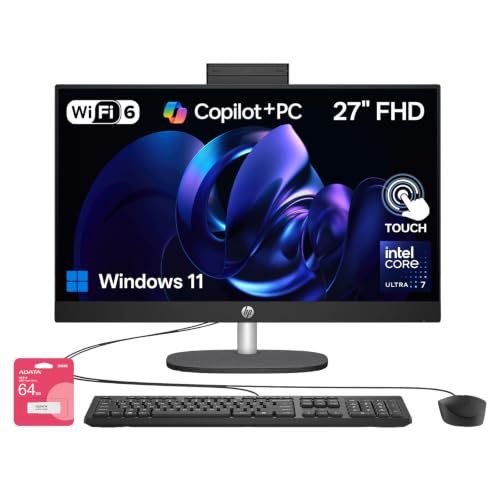
HP 27-Inch Core Ultra 7 Touchscreen All-in-One
Best for: high-memory multitasking with expansive local storage
- Screen Size
- 27-Inch (what this guide is about)
- Processor
- Intel Core Ultra 7 255U
- System Memory
- 32GB DDR5
- Storage Capacity
- 2TB SSD
- Display Resolution
- Full HD
- Touchscreen
- Touchscreen
View on Amazon: HP 27-Inch Core Ultra 7 Touchscreen All-in-One Affiliate link
This HP 27-inch all-in-one desktop pairs an Intel Core Ultra 7 processor with 32GB of RAM and a 2TB SSD. Its Full HD touchscreen gives you direct on-screen control, while the included wired peripherals make setup straightforward. The hardware handles heavy multitasking, extensive spreadsheets, and large local file storage without slowdowns. It suits you if you need generous memory and ample storage in a single, space-saving desktop unit.
Pros
- Intel Core Ultra 7 processor for responsive multitasking
- 32GB RAM accommodates demanding applications
- Spacious 2TB solid-state drive for local storage
- 27-inch Full HD interactive touchscreen
Cons
- Display is limited to Full HD resolution
- Bundled keyboard and mouse use wired connections
- RAM and storage rely on third-party upgrade warranty coverage
Good fit if
- You need 32GB of RAM for data-heavy workflows and extensive multitasking.
- You require a large 2TB solid-state drive for local file storage.
- You want direct navigation via a 27-inch Full HD touchscreen.
Skip if
- You want a higher-resolution 4K display for detailed creative editing.
- You prefer completely factory-original hardware without third-party upgrades.
Verdict: HP 27-Inch Core Ultra 7 Touchscreen Desktop delivers robust multitasking speed with its 32GB RAM, 2TB SSD, and responsive touch display. It is a capable, clutter-free choice for professionals needing ample memory and storage in one machine.

HP Pavilion 27 Touchscreen 4TB SSD All-in-One
Best for: large file storage and intensive multitasking
- Screen Size
- 27-Inch (what this guide is about)
- Processor
- Intel Core i7
- System Memory
- 64 GB
- Storage Capacity
- 4 TB SSD
- Display Resolution
- FullHD
- Touchscreen
- Touchscreen
View on Amazon: HP Pavilion 27 Touchscreen 4TB SSD All-in-One Affiliate link
This HP 27-inch all-in-one desktop pairs an Intel Core i7 processor with 64GB of RAM and a 4TB solid-state drive. You get a full HD 10-point touchscreen display, Bang & Olufsen audio, and Windows 11 Pro preinstalled. It includes HDMI input and output ports for dual-display setups. This machine suits you if you need massive onboard local storage and heavy multitasking memory for work files without adding external drives to your desk.
Pros
- 4TB solid-state drive provides massive internal storage
- 64GB system memory handles heavy multitasking
- 10-point touchscreen Full HD IPS display
- HDMI in and HDMI out ports enable flexible display configurations
Cons
- Full HD resolution rather than 1440p or 4K on a 27-inch panel
- Uses older Wi-Fi 5 instead of Wi-Fi 6 or newer standards
Good fit if
- You need 4TB of built-in storage for large local file libraries.
- You run memory-intensive workloads that benefit from 64GB of RAM.
- You want an all-in-one with both HDMI input and HDMI output.
Skip if
- You want a 4K or high-resolution display on a 27-inch screen.
- You require the faster wireless speeds of Wi-Fi 6 or Wi-Fi 6E.
Verdict: HP Pavilion 27" Touchscreen 4TB SSD All-in-One delivers massive local storage and high RAM capacity for demanding multi-application workflows. It relies on standard Full HD resolution and Wi-Fi 5, but its internal hardware offers exceptional multitasking capability.

HP OmniStudio X 27" 4K All-in-One Desktop
Best for: sharp 4K productivity and high-capacity storage
- Screen Size
- 27-Inch (what this guide is about)
- Processor
- Intel Core Ultra 7 256V
- System Memory
- 16GB
- Storage Capacity
- 2TB SSD
- Display Resolution
- 4K UHD
- Graphics
- Intel Arc Graphics
View on Amazon: HP OmniStudio X 27" 4K All-in-One Desktop Affiliate link
This HP OmniStudio X all-in-one pairs a 27-inch 4K UHD screen with an Intel Core Ultra 7 256V processor. You get 16GB of system memory, an internal 2TB solid-state drive, and integrated Intel Arc graphics. An external 1TB docking station expands your total storage. It runs Windows 11 Pro and features an adjustable height stand. It suits you if you need ultra-high-definition clarity and high-capacity storage for office tasks and creative projects.
Pros
- 27-inch 4K UHD display with adjustable height stand
- Intel Core Ultra 7 256V processor with Intel Arc graphics
- 2TB internal SSD plus external 1TB docking station storage
- Includes HDMI-in, HDMI-out, and dual USB-C ports
Cons
- No touchscreen support listed
- Integrated graphics rather than a dedicated discrete GPU
- Factory seal opened for hardware upgrades prior to sale
Good fit if
- You need a sharp 4K UHD resolution display for work and media.
- You want large local storage totaling 3TB across the internal drive and dock.
- You require Windows 11 Pro for professional workflows.
Skip if
- You want a touchscreen display.
- You need a dedicated graphics card for high-end gaming or 3D rendering.
- You prefer an unopened factory-sealed unit without third-party upgrades.
Verdict: HP OmniStudio X 27" 4K All-in-One PC delivers sharp ultra-high-definition visuals, modern Intel processing, and massive storage via an included dock. It provides a clean, capable desktop setup for daily productivity and creative work.

HP Pavilion 27-inch Touchscreen All-in-One
Best for: touchscreen productivity with 1TB hard drive storage
- Screen Size
- 27-Inch (what this guide is about)
- Processor
- Intel Core i7-7700T
- System Memory
- 12GB
- Storage Capacity
- 1TB HDD
- Display Resolution
- FHD
- Touchscreen
- Touchscreen
View on Amazon: HP Pavilion 27-inch Touchscreen All-in-One Affiliate link
This HP all-in-one pairs a 27-inch Full HD touchscreen with an Intel Core i7-7700T processor. You get 12GB of system memory for everyday multitasking and a 1TB hard drive for local file storage. It runs Windows 10 Home and includes a webcam, wireless networking, Bluetooth, and an included wireless keyboard and mouse. It suits you if you need a large touchscreen desktop with high-capacity mechanical storage.
Pros
- 27-inch Full HD touchscreen display
- 1TB hard drive capacity
- Includes wireless keyboard and mouse
- Built-in webcam and Bluetooth support
Cons
- Uses a mechanical hard drive rather than a solid-state drive
- Comes with Windows 10 Home instead of Windows 11
- 12GB system memory is lower than modern 16GB standards
Good fit if
- You want a 27-inch touchscreen for direct on-screen navigation.
- You need 1TB of local hard drive capacity for your files.
- You want an all-in-one bundle that includes a wireless mouse and keyboard.
Skip if
- You require solid-state storage for faster boot and load times.
- You want an operating system newer than Windows 10 Home.
Verdict: HP Pavilion 27-Inch Touchscreen All-in-One combines a 27-inch FHD touch display with 1TB of hard drive storage. It handles everyday home office workloads, though it relies on mechanical storage and Windows 10 Home.

HP 27" Touchscreen All-in-One Desktop
Best for: Everyday office work and touchscreen navigation
- Screen Size
- 27-Inch (what this guide is about)
- Processor
- AMD Ryzen 5 7520U
- System Memory
- 16 GB LPDDR5
- Storage Capacity
- 512 GB SSD
- Graphics
- AMD Radeon Graphics
- Touchscreen
- Touchscreen
View on Amazon: HP 27" Touchscreen All-in-One Desktop Affiliate link
This HP 27-inch all-in-one desktop combines a full HD touchscreen display with an AMD Ryzen 5 7520U processor and 16GB of LPDDR5 memory. You get an internal 512GB solid-state drive along with an included docking station that adds external storage and extra ports. With Windows 11 Pro preinstalled, it fits everyday productivity, web tasks, and video calls where you want touchscreen navigation without managing a separate computer tower and monitor.
Pros
- 27-inch 1080p IPS touchscreen display with anti-glare coating
- AMD Ryzen 5 7520U processor with 16GB LPDDR5 memory
- Built-in 1080p FHD IR tilt privacy camera
- Includes 7-in-1 docking station with external storage
Cons
- Display brightness capped at 250 nits
- Uses integrated AMD Radeon graphics rather than a discrete GPU
- Four-core processor limits heavy multitasking compared to higher core-count options
Good fit if
- You need a 27-inch touchscreen for everyday office work and web browsing.
- You want Windows 11 Pro and an integrated 1080p IR camera for video conferencing.
- You prefer an all-in-one setup that bundles extra connectivity via an included dock.
Skip if
- You need a dedicated graphics card for modern 3D gaming or heavy video rendering.
- You require a high-brightness monitor for brightly lit environments beyond 250 nits.
Verdict: HP 27" Touchscreen All-in-One Ryzen 5 delivers responsive daily computing with an intuitive touch interface, Windows 11 Pro, and convenient bundled dock accessories. It gives you a clean desktop setup for work and routine tasks without requiring separate tower hardware.

HP 27-Inch Touchscreen Ryzen 5 All-in-One PC
Best for: touchscreen office productivity and everyday video conferencing
- Screen Size
- 27-Inch (what this guide is about)
- Processor
- AMD Ryzen 5 7520U
- System Memory
- 16 GB
- Storage Capacity
- 1 TB SSD
- Display Resolution
- FHD
- Graphics
- AMD Radeon
View on Amazon: HP 27-Inch Touchscreen Ryzen 5 All-in-One PC Affiliate link
This all-in-one desktop pairs a 27-inch Full HD touchscreen with an AMD Ryzen 5 7520U processor. You get 16GB of LPDDR5 memory and a 1TB solid-state drive running Windows 11 Pro. It features a 1080p IR privacy camera and Wi-Fi 6 connectivity. This setup suits you if you need a responsive touchscreen workspace for office tasks, web browsing, and video meetings without managing a separate desktop tower.
Pros
- 27-inch Full HD IPS touchscreen display
- AMD Ryzen 5 7520U processor with 16GB LPDDR5 memory
- 1080p FHD IR camera with tilt privacy protection
- Windows 11 Pro operating system preinstalled
Cons
- Display brightness is limited to 250 nits
- Quad-core processor limits performance for heavy workloads
- Integrated Radeon graphics lack dedicated video memory
Good fit if
- You want direct touch input on a 27-inch Full HD display.
- You need Windows 11 Pro and a 1080p IR camera for daily office work.
- You prefer an all-in-one desktop to keep desk space tidy.
Skip if
- You need a dedicated graphics card for gaming.
- You work in bright rooms requiring more than 250 nits of brightness.
- You require higher multi-core processor performance for heavy rendering.
Verdict: HP 27-Inch Touchscreen Ryzen 5 Desktop provides a clear touchscreen and reliable everyday speed with Windows 11 Pro. It works well for office productivity and video calls.

HP Pavilion 27-Inch All-in-One PC
Best for: everyday office multitasking and video meetings
- Screen Size
- 27-Inch (what this guide is about)
- Processor
- 10th Gen Intel i7-10700T
- System Memory
- 16 GB
- Storage Capacity
- 1 TB SSD
- Display Resolution
- Full HD
- Graphics
- Intel UHD Graphics 630
View on Amazon: HP Pavilion 27-Inch All-in-One PC Affiliate link
This HP Pavilion all-in-one desktop pairs a 27-inch Full HD touchscreen with a 10th Gen Intel Core i7-10700T processor. You get 16 GB of system memory and a 1 TB PCIe NVMe solid-state drive for day-to-day multitasking and storage. Built-in B&O audio and a pop-up privacy camera support your video calls. It suits you if you need a responsive touchscreen desktop for home office productivity and media playback.
Pros
- 27-inch Full HD touchscreen display
- 1 TB PCIe NVMe M.2 SSD storage
- Pop-up privacy camera with quad-array digital microphone
- 16 GB RAM for smooth multitasking
Cons
- Integrated Intel UHD Graphics 630 limits heavy 3D tasks
- Ships with Windows 10 Home out of the box
Good fit if
- You want a 27-inch touchscreen for office work and media viewing.
- You need an integrated pop-up privacy webcam and microphone setup for calls.
- You require 1 TB of fast SSD storage paired with 16 GB RAM.
Skip if
- You need a dedicated graphics card for high-end gaming.
- You want a display resolution higher than 1080p Full HD.
Verdict: HP Pavilion 27-Inch Touchscreen Desktop delivers reliable everyday computing with its 10th Gen Core i7 CPU, 16 GB memory, and 1 TB SSD. It provides a clean, capable setup for home office productivity and remote meetings.
Specifications side by side
| Spec | HP OmniStudio 27 Ryzen AI 7 All-in-One | HP OmniStudio 27-Inch Ryzen 5 All-in-One | HP 27" Touchscreen Ryzen AI 7 All-in-One | HP OmniStudio 27 Touchscreen All-in-One PC | HP OmniStudio 27" Core Ultra 5 All-in-One | HP 27-Inch Core Ultra 7 All-in-One Desktop | HP OmniStudio 27" Ryzen 5 All-in-One PC | HP 27-Inch Core Ultra 7 Touchscreen All-in-One | HP Pavilion 27 Touchscreen 4TB SSD All-in-One | HP OmniStudio X 27" 4K All-in-One Desktop | HP Pavilion 27-inch Touchscreen All-in-One | HP 27" Touchscreen All-in-One Desktop | HP 27-Inch Touchscreen Ryzen 5 All-in-One PC | HP Pavilion 27-Inch All-in-One PC |
|---|---|---|---|---|---|---|---|---|---|---|---|---|---|---|
| Processor | AMD Ryzen AI 7 445 | AMD Ryzen AI 5 330 | AMD Ryzen AI 7 350 | Intel Core Ultra 7 355U | Intel Core Ultra 5 325 | Intel Core Ultra 7 255U | AMD Ryzen 5 220 | Intel Core Ultra 7 255U | Intel Core i7 | Intel Core Ultra 7 256V | Intel Core i7-7700T | AMD Ryzen 5 7520U | AMD Ryzen 5 7520U | 10th Gen Intel i7-10700T |
| System Memory | 16 GB | 16 GB DDR5 | 64 GB | 16 GB | 16 GB DDR5 | 64GB DDR5 | 16 GB DDR5 | 32GB DDR5 | 64 GB | 16GB | 12GB | 16 GB LPDDR5 | 16 GB | 16 GB |
| Storage Capacity | 512 GB SSD | 512 GB SSD | 1 TB SSD | 2 TB SSD | not stated | not stated | not stated | 2TB SSD | 4 TB SSD | 2TB SSD | 1TB HDD | 512 GB SSD | 1 TB SSD | 1 TB SSD |
| Screen Size | 27" | 27" | 27" | 27-inch | 27" | 27" | 27" | 27" | 27" | 27" | 27" | 27" | 27" | 27-inch |
| Display Resolution | FHD | Full HD | not stated | Full HD | FHD | FHD | FHD | Full HD | FullHD | 4K UHD | FHD | not stated | FHD | Full HD |
| Graphics | AMD Radeon 840M | not stated | AMD Radeon | not stated | Intel Graphics | not stated | AMD Radeon 740M | not stated | not stated | Intel Arc Graphics | not stated | AMD Radeon Graphics | AMD Radeon | Intel UHD Graphics 630 |
| Touchscreen | not stated | not stated | Touchscreen | Touchscreen | not stated | Touchscreen | not stated | Touchscreen | Touchscreen | not stated | Touchscreen | Touchscreen | Touchscreen | Touchscreen |
| Operating System | Windows 11 Home | not stated | Windows 11 Pro | Windows 11 Pro | Windows 11 Home | Windows 11 Pro | Windows 11 Home | Windows 11 Home | Win 11 PRO | Windows 11 Pro | Windows 10 Home | Windows 11 Pro | Windows 11 Pro | Windows 10 Home |
| Memory | 16GB RAM | 16GB RAM | not stated | 16GB RAM | 16GB RAM | 64GB RAM | 16GB RAM | 32GB RAM | 64GB RAM | 16GB RAM | not stated | not stated | not stated | 16GB RAM |
| Storage | 512GB SSD | 512GB SSD | 1TB SSD | 2TB SSD | 512GB SSD | 1TB SSD | 512GB SSD | 2TB SSD | 4TB SSD | 2TB SSD | 1TB HDD | 512GB SSD | 1TB SSD | 1TB SSD |
| Use | not stated | Business | Business | Business | not stated | not stated | not stated | Business | not stated | not stated | not stated | not stated | not stated | not stated |
| Display Feature | not stated | not stated | Touchscreen | Touchscreen | not stated | not stated | not stated | Touchscreen | Touchscreen | not stated | Touchscreen | Touchscreen | Touchscreen | Touchscreen |
| Dimensions | 24.1 × 7.28 × 19.2 inches | not stated | not stated | not stated | 24.1 × 7.28 × 19.2 inches | 7.34 × 24.1 × 20.4 inches | 24.1 × 7.28 × 19.2 inches | 7.34 × 24.1 × 20.4 inches | 24.1 × 8.19 × 18.7 inches | 30 × 18.8 × 6.4 inches | 25.8 × 8 × 21.8 inches | 7 × 20.4 × 28.8 inches | 7 × 20.4 × 28.8 inches | 24 × 19 × 8 inches |
| Weight | 13.1 pounds | not stated | 14.8 pounds | not stated | 13.1 pounds | 12.2 pounds | 13.1 pounds | 12.2 pounds | 19.6 pounds | 32 pounds | 22.6 pounds | 24 pounds | 24 pounds | 19.6 pounds |
| Color | Jet black | not stated | Jet Black | White | Cotton white | Black | Cotton white | Black | Sparkling Black | Silver | Black | White | White | Snowflake White |
| Model | D8YE5AA#ABA | ZK-DM-AOS27R5 | 27-ct2054 | 27-cy0074 | D1JP8AA#ABA | TPC-Q095-27 | D1JH4AA#ABA | TPC-Q095-27 | HP PAVILION 27 EXTREME | HP | 27-A210 | HP All-in-One Desktop | HP All-in-One Desktop | 27-d0080 |
| Size | not stated | not stated | not stated | not stated | not stated | 64GB RAM | 1TB SSD | not stated | 32GB RAM | 2TB SSD | not stated | 16GB | 3TB Storage | not stated | 16GB | 672GB Storage | 16GB | 2TB Storage | 27-inch |
If you want a standalone display instead of an integrated screen, view the best 27 Inch ultrawide monitors.
How to Choose the Right HP 27-Inch Desktop
-
Check Processor Generation
Processor choice defines daily speed. Modern Intel Core Ultra chips offer enhanced efficiency for background tasks and AI features. Older 10th Gen Core i7 models still handle standard office work reliably. AMD Ryzen AI processors provide strong multi-threading performance for video conferencing. You should match the processor to your workload intensity. Light users may prefer Ryzen 5, while heavy multitaskers benefit from Ryzen AI 7 or Core Ultra 7. Newer architectures generally ensure longer software support and better power management.
-
Verify RAM Capacity
Memory determines how many applications you can run simultaneously. Most models include 16GB RAM, which is sufficient for standard office productivity and web browsing. If you keep dozens of browser tabs open alongside large spreadsheets, 32GB or 64GB RAM is necessary. The HP Pavilion 27 Touchscreen offers 64GB RAM for extreme multitasking. The HP 27-Inch Core Ultra 7 also provides 64GB for business workflows. Ensure the RAM type matches your needs, as DDR5 offers faster data transfer speeds than older standards.
-
Compare Storage Types
Storage speed affects boot times and file access. Solid State Drives (SSD) provide significantly faster performance than Hard Disk Drives (HDD). Most modern HP models use SSDs ranging from 512GB to 2TB. The HP Pavilion 27-inch Touchscreen All-in-One relies on a 1TB HDD, which is slower for system responsiveness. For large media libraries, look for 4TB SSD options like the HP Pavilion 27 Touchscreen 4TB SSD model. Always prioritize SSDs for operating system and application installation to ensure smooth daily operation.
-
Evaluate Display Features
Screen interaction changes how you use the device. Touchscreen displays allow direct navigation, which is helpful for presentations or creative work. Most models feature 1080p resolution, which is standard for 27-inch screens. The HP OmniStudio X 27" 4K All-in-One offers sharper visuals for detailed tasks. However, higher resolution on smaller screens can make text very small. Check if the display supports your preferred input method. Non-touch screens are often cheaper and may offer better contrast ratios for media consumption.
-
Confirm Operating System
The operating system dictates software compatibility and security features. Windows 11 Home is standard for consumer models and offers a familiar interface. Windows 11 Pro includes advanced security tools and remote desktop capabilities for business use. Some older models still run Windows 10 Home, which may limit future software updates. Ensure the OS version matches your IT requirements. Business users should verify Pro features are included. Home users typically find Home edition sufficient for everyday tasks and media playback.
-
Assess Physical Dimensions
All-in-one desktops combine the computer and monitor, so size matters. Depth and weight vary significantly between models. The HP OmniStudio 27 is relatively compact at 7.28 inches deep. The HP Pavilion 27-inch Touchscreen All-in-One is deeper at 8 inches. Heavier models like the HP Pavilion 27 Touchscreen 4TB SSD weigh 19.6 pounds. Measure your desk space before purchasing. Ensure the stand allows for proper ventilation and ergonomic positioning. Port accessibility is also influenced by the chassis design, so check rear panel layouts.
Frequently asked questions
Which HP 27-inch all-in-one offers the highest RAM capacity?
The HP Pavilion 27 Touchscreen All-in-One provides the maximum memory with 64GB RAM. This capacity supports intensive multitasking and memory-heavy office workflows. It pairs this large memory pool with a 4TB SSD for extensive local storage. The HP 27-Inch Core Ultra 7 is another option with 64GB RAM for demanding business tasks.
Do HP 27-inch models support touch input?
Several models in this lineup feature touchscreen displays for intuitive navigation. The HP 27-Inch Touchscreen Ryzen AI 7 and the HP OmniStudio 27 Touchscreen All-in-One PC both include this feature. The HP Pavilion 27 Touchscreen 4TB SSD also offers touch capabilities. You can use these for direct interaction with documents and media without a mouse.
Are there HP 27-inch desktops with 4K resolution?
Yes, the HP OmniStudio X 27" 4K All-in-One Desktop delivers sharp ultra-high-definition visuals. It is designed for productivity and creative work requiring high pixel density. Most other models in this group use standard 1080p Full HD displays. The 4K option provides significantly better clarity for detailed tasks on a 27-inch screen.
Which model includes the largest SSD storage?
The HP Pavilion 27 Touchscreen All-in-One offers the largest storage with a 4TB SSD. This capacity is ideal for storing large files, media libraries, and extensive application data. The HP OmniStudio 27 Touchscreen All-in-One PC and the HP 27-Inch Core Ultra 7 Touchscreen also provide 2TB SSDs. These options suit users needing ample space for business workflows.
Do these all-in-ones come with Windows 11 Pro?
Several models ship with Windows 11 Pro for advanced business features. The HP OmniStudio 27 Touchscreen All-in-One PC, the HP 27-Inch Core Ultra 7, and the HP Pavilion 27 Touchscreen 4TB SSD all include this operating system. Other models like the HP OmniStudio 27 Ryzen AI 7 use Windows 11 Home. Pro offers additional security and management tools.
Which HP 27-inch desktop uses AMD Ryzen processors?
Multiple models utilize AMD Ryzen chips for efficient performance. The HP OmniStudio 27 Ryzen AI 7 and Ryzen 5 All-in-Ones feature Ryzen processors. The HP 27-Inch Touchscreen Ryzen AI 7 and Ryzen 5 models also rely on AMD hardware. These options provide solid computing power for everyday tasks, video conferencing, and office productivity without Intel chips.
Is there a white color option for HP 27-inch desktops?
Yes, several models are available in white finishes. The HP OmniStudio 27 Core Ultra 5 and Ryzen 5 All-in-Ones come in Cotton white. The HP OmniStudio 27 Touchscreen All-in-One PC is offered in White. The HP 27-Inch Touchscreen Ryzen 5 and the non-touch HP 27" Touchscreen All-in-One Desktop are also available in white.