15 Best All-In-One Desktops with Windows 11 Home, Compared
As an Amazon Associate we earn from qualifying purchases. Links on this page are affiliate links.
Finding the best all in one desktops with Windows 11 Home depends on balancing display size, processing speed, and desk space. We compared 15 models based strictly on the specifications published on their listings.
The Dell 27-Inch Core 5 All-in-One Desktop takes the top spot because its 27-inch touchscreen and Intel Core 5 processor deliver reliable daily productivity and clear video calls. This guide helps you decide which screen size, memory capacity, and processor best fit your workspace needs.
Quick picks
The best fit for you
- You need the best overall all-in-one for office work Dell 27-Inch Core 5 All-in-One Desktop It combines a 27-inch touchscreen with an adjustable pop-up webcam for video calls.
- You require heavy multitasking with large local file storage Lenovo IdeaCentre 27-Inch Ryzen 5 AIO It features 64GB of RAM and a 4TB SSD for extensive productivity tasks.
- You want the most compact model on the list ASUS 23.8-inch Core i5 Touch All-in-One PC It weighs only 6.9 pounds and measures 0.67 inches thick for easy placement.
- You need a budget option for basic home office use XFAATING 24-Inch Core i5 All-in-One Desktop It offers an 8GB RAM and 256GB SSD configuration for routine computing tasks.
Our 15 picks

Dell 27-Inch Core 5 All-in-One Desktop
Best for: everyday office productivity and video calls
- Operating System
- Windows 11 Home (what this guide is about)
- Processor
- Intel Core 5 120U
- Screen Size
- 27"
- Display Resolution
- FHD
- Graphics
- UHD Graphics
- Display Feature
- Touchscreen
This Dell all-in-one desktop pairs a 27-inch Full HD IPS screen with an Intel Core 5 120U processor and Windows 11 Home. You get integrated Intel UHD Graphics, built-in dual Bluetooth speakers with Dolby Atmos, and a pop-up 5MP IR webcam with tilt adjustment. It suits everyday productivity, remote work, and streaming if you want a clutter-free desk setup without a separate computer tower.
Pros
- 27-inch FHD IPS display with 99% sRGB color coverage
- Pop-up 5MP IR webcam with HDR and adjustable tilt
- Dual Bluetooth speakers featuring Dolby Atmos support
- Stand provides dedicated storage space for a keyboard underneath
Cons
- Relies on integrated Intel UHD Graphics rather than a discrete GPU
- Screen resolution is limited to 1080p FHD across a 27-inch panel
Good fit if
- You need an integrated tilt-adjustable webcam with physical privacy retraction.
- You want a clean desk setup with built-in speakers and keyboard storage.
- You run standard office software, browsing, and media on Windows 11 Home.
Skip if
- You need a dedicated graphics card for demanding 3D software or gaming.
- You want a higher-density 1440p or 4K resolution on a 27-inch display.
Verdict: Dell 27-Inch Core 5 All-in-One PC combines everyday Intel Core 5 processing with a spacious 27-inch IPS screen and an adjustable pop-up webcam. It delivers a clean, cable-reduced workstation for home office duties and video conferencing.

Dell 23.8" All-in-One Intel Core 3 100U Desktop
Best for: home office work and video calls
- Operating System
- Windows 11 Home (what this guide is about)
- Processor
- Intel Core 3 100U
- Screen Size
- 23.8"
- Display Resolution
- FHD
- Display Feature
- Touchscreen
- Dimensions
- 1.58 × 21.9 × 14.1 inches
View on Amazon: Dell 23.8" All-in-One Intel Core 3 100U Desktop
This Dell all-in-one desktop features a 23.8-inch Full HD IPS display, an Intel Core 3 100U processor, and Windows 11 Home. It provides 99% sRGB color coverage, a tilting 5MP infrared webcam with HDR, and integrated dual speakers with Dolby Atmos support. Designed for basic productivity, web browsing, and clear video calls, this compact setup fits neatly into smaller workspaces while keeping daily computing straightforward for you.
Pros
- 5MP infrared camera with HDR and adjustable tilt
- FHD IPS display with 99% sRGB color gamut
- Dual speakers with Dolby Atmos spatial audio
- Includes 1 year of onsite service coverage
Cons
- Intel Core 3 100U processor handles basic tasks rather than heavy multithreading
- 23.8-inch display provides less screen space than 27-inch alternatives
Good fit if
- You need a high-resolution 5MP webcam with HDR for video conferences.
- You want a compact 23.8-inch desktop that fits into tight workspaces.
- You require a display with 99% sRGB coverage for accurate colors.
Skip if
- You need a faster multi-core processor for intensive software tasks.
- You prefer a larger 27-inch or 32-inch screen for viewing multiple windows side by side.
Verdict: Dell 23.8-Inch Core 3 All-in-One Desktop delivers a color-accurate display and a quality 5MP webcam in a space-saving package. It is an ideal fit if you need an uncluttered setup for daily office work and video meetings.
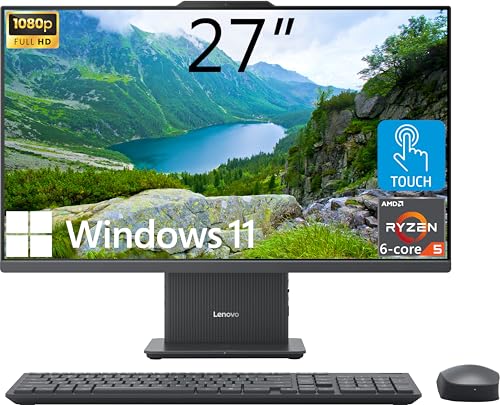
Lenovo IdeaCentre 27-Inch Ryzen 5 AIO
Best for: heavy multitasking and large local file storage
- Operating System
- Windows 11 Home (what this guide is about)
- Processor
- AMD Ryzen 5 8645HS
- System Memory
- 64GB DDR5
- Storage Capacity
- 4TB SSD
- Screen Size
- 27"
- Display Resolution
- FHD (1920x1080)
This Lenovo IdeaCentre all-in-one desktop pairs a 27-inch FHD touchscreen with an AMD Ryzen 5 8645HS processor. It comes configured with 64GB of DDR5 memory and a 4TB solid-state drive, running Windows 11 Home. Built-in features include HDMI-in, HDMI-out, and an integrated wireless charging base on the stand. It suits you if you need massive local storage capacity and heavy multitasking capability for daily office work on a clean desktop setup.
Pros
- 64GB DDR5 system memory and 4TB PCIe SSD storage
- 27-inch 1080p IPS touchscreen with 99% sRGB coverage
- HDMI-in and HDMI-out ports for dual-use display functionality
- Stand includes a built-in wireless charging base
Cons
- 1080p resolution on a 27-inch panel yields lower pixel density than 1440p or 4K
- No dedicated graphics card listed
Good fit if
- You need high memory capacity and multi-terabyte internal storage out of the box.
- You want a touchscreen display with an HDMI-in port to connect a secondary video source.
- You prefer a clutter-free desk with an integrated wireless device charging base.
Skip if
- You require a 1440p or 4K display resolution on a 27-inch monitor.
- You need a dedicated graphics card for high-end rendering or graphics processing.
Verdict: Lenovo IdeaCentre 27-Inch Touchscreen AIO delivers exceptional memory and storage capacity alongside flexible video inputs on a large touch display. It provides heavy-duty multitasking capability for productivity setups without requiring a separate desktop tower.

Acer Aspire 27-Inch Ryzen 5 All-in-One
Best for: smooth 120Hz home and office productivity
- Operating System
- Windows 11 Home (what this guide is about)
- Processor
- AMD Ryzen 5 7430U
- System Memory
- 16GB DDR4 SODIMM
- Storage Capacity
- 1TB PCIe NVMe SSD
- Screen Size
- 27"
- Display Resolution
- FHD (1920x1080)
This Acer Aspire all-in-one desktop pairs a 27-inch 120Hz IPS display with an AMD Ryzen 5 7430U six-core processor. You get 16GB of DDR4 memory and a 1TB PCIe NVMe solid-state drive running Windows 11 Home out of the box. It includes dedicated HDMI and DisplayPort connections alongside an external USB hub. It suits you if you need a spacious, fast-refresh everyday workstation for multitasking and office software.
Pros
- 27-inch 1080p IPS screen with 120Hz refresh rate
- 6-core, 12-thread AMD Ryzen 5 7430U processor
- 1TB PCIe NVMe solid-state drive
- Includes USB Type-C, HDMI, and DisplayPort outputs
Cons
- Uses DDR4 memory instead of newer DDR5
- Relies on integrated AMD Radeon graphics
- Display resolution limited to 1080p on a 27-inch panel
Good fit if
- You want a 120Hz refresh rate for smoother everyday scrolling.
- You need 1TB of built-in solid-state storage for files and applications.
- You plan to connect extra displays using HDMI or DisplayPort.
Skip if
- You require dedicated GPU hardware for heavy 3D tasks or modern gaming.
- You want a sharper 1440p or 4K resolution on a 27-inch screen.
- You prefer an all-in-one configured with DDR5 memory.
Verdict: Acer Aspire 27-Inch Ryzen 5 All-in-One delivers smooth visual performance via its 120Hz screen alongside ample 1TB storage for everyday productivity. It offers a well-rounded setup for home or office desks that do not require discrete graphics.

HP OmniStudio 27 Ryzen AI 7 All-in-One
Best for: large-screen home productivity and daily video calls
- Operating System
- Windows 11 Home (what this guide is about)
- Processor
- AMD Ryzen AI 7 445
- System Memory
- 16 GB
- Storage Capacity
- 512 GB SSD
- Screen Size
- 27"
- Display Resolution
- FHD
This 27-inch all-in-one desktop pairs an AMD Ryzen AI 7 445 processor with 16 GB of DDR5 memory and a 512 GB solid-state drive. You get Windows 11 Home preinstalled alongside built-in AMD Radeon 840M graphics and an adjustable stand. A 1080p IR webcam enables facial login, while hardware-level blue light filtering eases viewing comfort. It suits you if you need a spacious, modern home-office workstation for multitasking.
Pros
- AMD Ryzen AI 7 445 processor paired with 16 GB DDR5 RAM
- FHD infrared camera with HDR auto-switch and Windows Hello facial recognition
- Adjustable stand with HP Eye Ease low blue light filtering
- Fast 512 GB PCIe NVMe M.2 solid-state storage
Cons
- Full HD (1080p) resolution is basic for a 27-inch display
- 512 GB storage limit may require external expansion for media libraries
- Integrated AMD Radeon 840M graphics instead of a dedicated graphics card
Good fit if
- You want a 27-inch Windows 11 Home system with an ergonomically adjustable stand.
- You need an integrated IR webcam for fast facial log-in and video calls.
- You run productivity workloads that benefit from DDR5 memory and AI noise reduction.
Skip if
- You want higher pixel density than 1080p on a 27-inch panel.
- You need more than 512 GB of internal drive space out of the box.
- You require discrete graphics hardware for demanding creative rendering.
Verdict: HP OmniStudio 27" Ryzen AI 7 All-in-One delivers dependable processing power and video calling features inside an adjustable desktop chassis. The 1080p resolution and 512 GB SSD are basic for the form factor, but the modern processor and IR camera support daily office tasks effectively.

HP OmniStudio 27" Ryzen 5 All-in-One PC
Best for: everyday productivity on a large adjustable display
- Operating System
- Windows 11 Home (what this guide is about)
- Processor
- AMD Ryzen 5 220
- System Memory
- 16 GB DDR5
- Screen Size
- 27"
- Display Resolution
- FHD
- Graphics
- AMD Radeon 740M
This HP OmniStudio all-in-one desktop pairs an AMD Ryzen 5 220 processor with 16 GB of DDR5 memory and a 27-inch Full HD screen. Running Windows 11 Home, it includes a 512 GB PCIe NVMe SSD and AMD Radeon 740M graphics. You get built-in AI noise reduction and an FHD IR camera for facial log-in. It suits you if you need a spacious, modern desktop for everyday home and office productivity.
Pros
- 27-inch FHD display with an adjustable stand and HP Eye Ease
- AMD Ryzen 5 220 processor with 16 GB DDR5 RAM
- FHD IR camera supporting Windows Hello facial recognition login
- 512 GB PCIe NVMe M.2 SSD and AMD Radeon 740M graphics
Cons
- FHD resolution provides standard pixel density on a large 27-inch screen
- 512 GB SSD storage limits space for large local file libraries
- Touch display functionality is not included
Good fit if
- You want a large 27-inch display with an adjustable stand for daily work.
- You need modern DDR5 memory and a Ryzen 5 processor for smooth multitasking.
- You prefer secure sign-in via an integrated Windows Hello IR camera.
Skip if
- You require more than 512 GB of onboard solid-state storage.
- You want a higher screen resolution than 1080p on a 27-inch panel.
Verdict: HP OmniStudio 27" Ryzen 5 All-in-One gives you a large, adjustable display, fast DDR5 memory, and secure IR login for everyday productivity. It delivers balanced hardware and clean cable-free computing running Windows 11 Home.

XFAATING 24-Inch Core i5 All-in-One Desktop
Best for: everyday home office work and video conferencing
- Operating System
- Windows 11 Home (what this guide is about)
- Processor
- Intel Core i5
- Storage Capacity
- 256GB NVMe SSD
- Screen Size
- 24"
- Display Resolution
- FHD (1920x1080)
- Memory
- 8GB RAM
This 24-inch all-in-one desktop pairs an Intel Core i5 processor with a 256GB NVMe SSD and Windows 11 Home. You get a 1080p Full HD display, a built-in privacy protection HD webcam, WiFi 6, and Bluetooth 5.3 connectivity out of the box. It gives you a compact, single-cable workspace setup suited for standard home office tasks, web browsing, document editing, and remote video meetings.
Pros
- Built-in privacy protection HD webcam
- Fast 256GB NVMe SSD storage
- Modern WiFi 6 and Bluetooth 5.3 connectivity
- 24-inch 1080p Full HD display
Cons
- Base storage capacity limited to 256GB
- Specific Intel Core i5 generation not stated
- No touchscreen support listed
Good fit if
- You need a compact 24-inch desktop with built-in WiFi 6 and an HD webcam.
- You handle everyday productivity tasks like document editing and video meetings.
- You want a prebuilt system preloaded with Windows 11 Home.
Skip if
- You require more than 256GB of onboard storage for local media files.
- You prefer a touchscreen interface or a display larger than 24 inches.
Verdict: XFAATING 24-Inch Core i5 All-in-One delivers a clean workspace setup with its 1080p display, NVMe storage, and integrated privacy webcam. It handles routine home office workloads and daily computing without clutter.
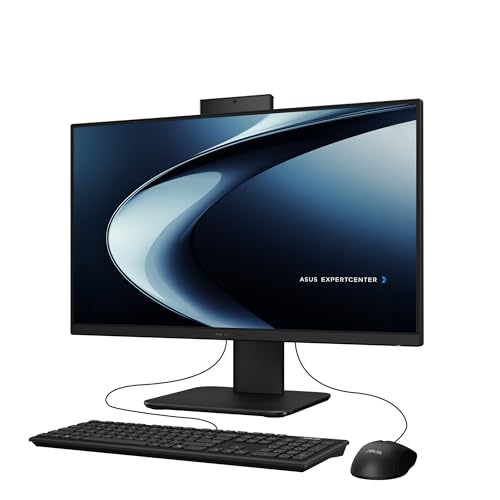
ASUS 23.8-inch Core i5 Touch All-in-One PC
Best for: compact touchscreen productivity and video calls
- Operating System
- Windows 11 Home (what this guide is about)
- Processor
- Intel Core i5-13420H
- System Memory
- 16GB DDR5
- Storage Capacity
- 1TB PCIe 4.0 SSD
- Screen Size
- 23.8"
- Display Resolution
- Full HD
This ASUS all-in-one desktop combines an Intel Core i5-13420H processor with 16GB of DDR5 memory and a 1TB PCIe 4.0 SSD. It runs Windows 11 Home and features a 23.8-inch Full HD anti-glare touchscreen. With its retractable 1080p webcam, array microphone, and wired RJ45 Ethernet port, this setup suits everyday productivity, office tasks, and direct touch navigation in workspaces where desk area is limited.
Pros
- Intel Core i5-13420H 8-core processor
- 16GB DDR5 RAM and 1TB PCIe 4.0 SSD
- 23.8-inch Full HD anti-glare touchscreen
- Retractable 1080p FHD camera with array microphone
Cons
- HDMI output is limited to standard 1.4
- Side port uses older USB 2.0 specification
Good fit if
- You want a compact 23.8-inch touchscreen for Windows 11 Home navigation.
- You need 16GB DDR5 RAM and 1TB SSD storage for daily computing.
- You prefer a retractable 1080p webcam for video calls.
Skip if
- You require a larger 27-inch or 4K resolution screen.
- You need a newer HDMI 2.0 or higher video output.
Verdict: ASUS 23.8" Touch All-in-One Desktop offers responsive DDR5 memory, fast PCIe 4.0 storage, and a pop-up 1080p camera in a space-saving touch-enabled package.
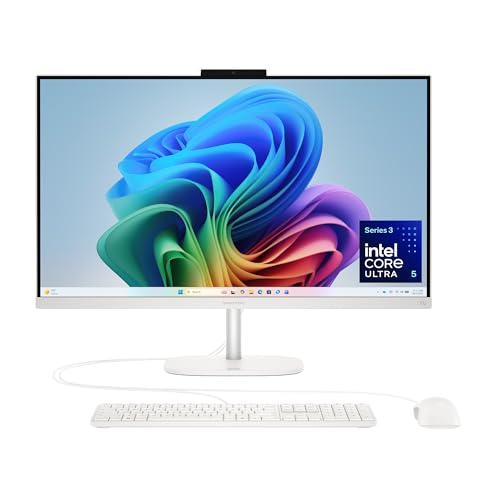
HP OmniStudio 27" Core Ultra 5 All-in-One
Best for: Office multitasking and general productivity
- Operating System
- Windows 11 Home (what this guide is about)
- Processor
- Intel Core Ultra 5 325
- System Memory
- 16 GB DDR5
- Screen Size
- 27"
- Display Resolution
- FHD
- Graphics
- Intel Graphics
The HP OmniStudio 27 inch All-in-One Desktop features an Intel Core Ultra 5 325 processor and 16 GB DDR5 RAM. It pairs these specs with a 27-inch FHD display and a 512 GB SSD. This configuration supports multitasking and general productivity. The built-in Intel Graphics handle everyday tasks without a discrete GPU. Windows 11 Home and Microsoft Copilot are included for enhanced workflow efficiency.
Pros
- Intel Core Ultra 5 325 processor for efficient multitasking
- 16 GB DDR5 RAM for smooth performance
- 27-inch FHD display with adjustable stand
- 512 GB PCIe NVMe SSD for fast storage
- FHD IR camera with Windows Hello facial recognition
Cons
- Integrated Intel Graphics limit heavy gaming performance
- 512 GB storage is smaller than some 1 TB competitors
- FHD resolution lacks the detail of 4K models
Good fit if
- You need a powerful CPU for office tasks
- You want a large 27-inch screen for productivity
- You prefer Windows Hello biometric login
Skip if
- You require a 4K UHD display
- You need a dedicated graphics card for gaming
- You want 1 TB or more of storage
Verdict: HP OmniStudio 27" Core Ultra 5 AIO suits users who prioritize processing power and screen real estate for daily work over high-end graphics. It delivers solid performance for multitasking and standard applications.
XFAATING 24" Core i3 All-in-One PC
Best for: Basic home office and student use
- Operating System
- Windows 11 Home (what this guide is about)
- Processor
- i3-9100T
- System Memory
- 8 GB
- Storage Capacity
- 256 GB SSD
- Screen Size
- 24"
- Display Resolution
- Full HD (1920×1080)
This XFAATING all-in-one desktop features a 24-inch Full HD display and an Intel Core i3-9100T processor. It includes 8 GB of RAM and a 256 GB SSD for daily tasks. The system runs Windows 11 Home and connects via WiFi 6 and Bluetooth 5.3. It comes with a wireless keyboard and mouse, making it suitable for small home offices or students who need a compact, ready-to-use setup.
Pros
- 24-inch Full HD (1920x1080) display
- Intel Core i3-9100T processor
- 8 GB RAM and 256 GB SSD
- Includes wireless keyboard and mouse
- WiFi 6 and Bluetooth 5.3 connectivity
Cons
- Older 9th generation Intel processor
- Only 256 GB of storage space
- 8 GB RAM may limit heavy multitasking
Good fit if
- You need a compact desktop for basic tasks
- You want a complete setup with included peripherals
- You require WiFi 6 for stable connections
Skip if
- You need high performance for gaming
- You require large storage for media libraries
- You prefer a larger 27-inch screen
Verdict: XFAATING 24" AIO i3 Desktop is a practical entry-level machine for students and home office users who prioritize space-saving design over raw power. It fits buyers who need reliable web browsing and document editing without extra cables.

MSI Modern 23.8-Inch All-in-One Desktop
Best for: High-memory daily productivity and multitasking
- Operating System
- Windows 11 Home (what this guide is about)
- Processor
- Intel Core 7-150U
- System Memory
- 32 GB
- Storage Capacity
- 1 TB SSD
- Screen Size
- 23.8"
- Graphics
- Intel Graphics
This MSI all-in-one desktop pairs a 23.8-inch Full HD IPS-grade display with an Intel Core 7-150U processor. It runs Windows 11 Home and comes equipped with 32 GB of system memory alongside a 1 TB NVMe SSD. Integrated Intel Graphics handles display output. It suits you if you need a compact workspace setup with substantial memory for heavy multitasking and fast local storage.
Pros
- 32 GB system memory for heavy multitasking
- 1 TB M.2 NVMe SSD for fast storage
- Intel Core 7-150U processor
- 23.8-inch Full HD IPS-grade display
Cons
- Integrated Intel Graphics instead of dedicated GPU
- 1080p display resolution rather than 1440p or 4K
Good fit if
- You want 32 GB of memory for heavy multitasking in a compact build.
- You need 1 TB of fast NVMe SSD storage out of the box.
- You prefer a 23.8-inch footprint for smaller desks.
Skip if
- You need a dedicated graphics card for heavy 3D tasks.
- You want a display resolution higher than 1080p Full HD.
Verdict: MSI Modern 23.8" Core 7 All-in-One Desktop delivers generous memory and fast SSD storage in a compact profile. It is well configured for demanding daily multitasking on Windows 11 Home.

HP 24-Inch All-in-One Ryzen 7 PC
Best for: compact workspaces needing Ryzen 7 processing power
- Operating System
- Windows 11 Home (what this guide is about)
- Processor
- AMD Ryzen 7 7730U
- System Memory
- 16 GB
- Storage Capacity
- 512 GB SSD
- Screen Size
- 24 inch
- Display Resolution
- FHD
This HP all-in-one pairs an AMD Ryzen 7 7730U processor with 16 GB of system memory and a 512 GB solid-state drive. You get a compact 24-inch full HD display with an 89 percent screen-to-body ratio, plus a tiltable pop-up privacy camera with dual-array microphones. It runs Windows 11 Home straight out of the box, making it a practical choice if you need multi-core processing in a space-saving desktop footprint.
Pros
- AMD Ryzen 7 7730U processor with 16 GB RAM
- Tiltable pop-up privacy camera with dual-array microphones
- Three-sided micro-edge 24-inch FHD display with 89% screen-to-body ratio
- Pre-installed Windows 11 Home operating system
Cons
- Integrated AMD Radeon graphics instead of a dedicated GPU
- 512 GB SSD storage limit without secondary internal drives listed
- 24-inch panel provides less screen real estate than 27-inch alternatives
Good fit if
- You want an AMD Ryzen 7 processor with 16 GB RAM in an all-in-one design.
- You need built-in video conferencing hardware with a physical pop-up privacy camera.
- You have limited desk space that fits a 24-inch desktop footprint.
Skip if
- You require dedicated GPU hardware for heavy graphical computing.
- You want a larger 27-inch or 4K resolution display panel.
- You need more than 512 GB of internal solid-state storage.
Verdict: HP 24" Ryzen 7 All-in-One Desktop delivers dependable eight-core processing power and 16 GB of memory in a compact 24-inch design. It handles general multitasking and video calls cleanly, provided you do not require discrete graphics or larger screen area.

ASUS V470 27-Inch Touchscreen All-in-One
Best for: touchscreen home office multitasking
- Operating System
- Windows 11 Home (what this guide is about)
- Processor
- Intel Core i5-13420H
- System Memory
- 16GB DDR5
- Storage Capacity
- 1TB SSD
- Screen Size
- 27"
- Display Resolution
- Full HD
This ASUS all-in-one desktop pairs an eight-core Intel Core i5-13420H processor with 16GB of DDR5 memory and a 1TB PCIe solid-state drive under Windows 11 Home. Its 27-inch Full HD anti-glare display features touchscreen support for direct on-screen navigation. You also get a built-in 1080p webcam and Gigabit Ethernet. It suits you if you need a responsive touch workspace for daily office productivity, media playback, and video meetings.
Pros
- 27-inch Full HD anti-glare touchscreen display
- Intel Core i5-13420H processor with 8 cores and up to 4.6 GHz
- 16GB DDR5 system memory and 1TB PCIe SSD storage
- 1080p Full HD webcam with array microphone and AI noise cancelation
Cons
- Display resolution is limited to 1080p Full HD
- External video output uses the older HDMI 1.4 standard
- Side connectivity includes a legacy USB 2.0 port
Good fit if
- You want a large 27-inch touchscreen running Windows 11 Home.
- You need 16GB of DDR5 memory and 1TB of solid-state storage out of the box.
- You attend frequent video calls and want an integrated 1080p camera.
Skip if
- You need a display resolution higher than 1080p on a 27-inch panel.
- You require display output standards newer than HDMI 1.4.
Verdict: ASUS 27" Touchscreen All-in-One delivers solid day-to-day speed with its Intel Core i5-13420H CPU, 16GB DDR5 memory, and spacious 1TB SSD. It provides a clutter-free workstation centered around an intuitive 27-inch touch interface.

Lenovo 24" N100 All-in-One Desktop
Best for: Small office workspaces needing 16GB RAM
- Operating System
- Windows 11 Home (what this guide is about)
- Processor
- Intel Processor N100
- System Memory
- 16GB DDR4 RAM
- Storage Capacity
- 512GB PCIe NVMe M.2 SSD
- Screen Size
- 23.8"
- Display Resolution
- FHD (1920 x 1080)
This Lenovo all-in-one pairs a 23.8-inch FHD anti-glare screen with an Intel N100 processor and 16GB of DDR4 RAM. The 512GB PCIe SSD provides fast storage for documents and media. It includes Wi-Fi 6 and a 720p camera. The compact design saves desk space. It suits home offices and business tasks that require reliable multitasking without high power needs.
Pros
- 16GB DDR4 RAM for smooth multitasking
- 512GB PCIe NVMe SSD for fast boot times
- 23.8-inch FHD anti-glare display
- Intel Wi-Fi 6 AX203 connectivity
Cons
- Intel N100 processor is entry-level
- 23.8-inch screen is smaller than competitors
- 720p camera resolution is basic
Good fit if
- You need a compact desktop for small desks
- You require 16GB RAM for office multitasking
- You want built-in Wi-Fi 6
Skip if
- You need a large 27-inch display
- You require high-end gaming performance
- You want a 4K resolution screen
Verdict: Lenovo AIO 24" N100 Desktop fits users who prioritize ample RAM and storage in a small footprint. It is a practical option for office work where screen size is less critical than performance.
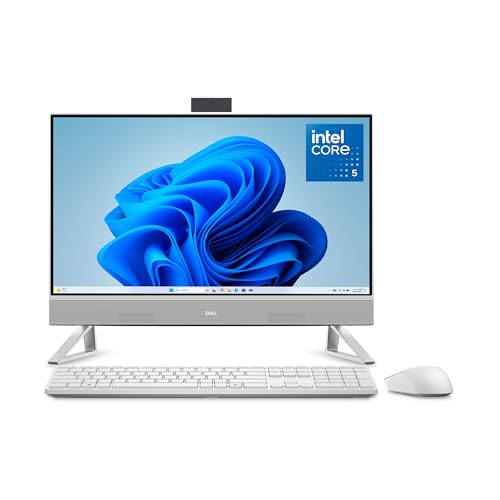
Dell 23.8" Core 5 120U All-in-One
Best for: compact home office setups and video calls
- Operating System
- Windows 11 Home (what this guide is about)
- Processor
- Intel Core 5 120U
- Screen Size
- 23.8"
- Display Resolution
- FHD
- Dimensions
- 1.61 × 21.9 × 15.2 inches
- Weight
- 11.1 pounds
This Dell all-in-one desktop pairs a 23.8-inch Full HD display with an Intel Core 5 120U processor and Windows 11 Home. The IPS screen covers 99% sRGB and includes ComfortView Plus to limit blue light emissions. You also get a 5MP plus IR webcam with HDR, dual Bluetooth speakers with Dolby Atmos, and a 1-year onsite service warranty. It suits you if you want a compact setup for daily work, streaming, and video calls.
Pros
- Intel Core 5 120U processor running Windows 11 Home
- 23.8-inch FHD IPS display with 99% sRGB color coverage
- 5MP and IR webcam featuring HDR and tilt adjustment
- Dual Bluetooth speakers with Dolby Atmos spatial sound
- 1-year onsite service warranty included
Cons
- Display resolution capped at 1080p FHD
- RAM and internal storage capacities not specified in listing
Good fit if
- You need a sharp 5MP HDR webcam with physical tilt adjustment for calls.
- You want an Intel Core 5 120U machine in a compact 23.8-inch footprint.
- You value an IPS screen with factory 99% sRGB color coverage.
Skip if
- You require a larger 27-inch or 32-inch monitor for multitasking.
- You want a sharper QHD or 4K resolution screen.
Verdict: Dell 23.8" Core 5 120U All-in-One delivers solid daily performance with accurate color coverage and an advanced HDR webcam. It provides an efficient, all-inclusive workspace for users who prefer a smaller 24-inch profile.
Specifications side by side
| Spec | Dell 27-Inch Core 5 All-in-One Desktop | Dell 23.8" All-in-One Intel Core 3 100U Desktop | Lenovo IdeaCentre 27-Inch Ryzen 5 AIO | Acer Aspire 27-Inch Ryzen 5 All-in-One | HP OmniStudio 27 Ryzen AI 7 All-in-One | HP OmniStudio 27" Ryzen 5 All-in-One PC | XFAATING 24-Inch Core i5 All-in-One Desktop | ASUS 23.8-inch Core i5 Touch All-in-One PC | HP OmniStudio 27" Core Ultra 5 All-in-One | XFAATING 24" Core i3 All-in-One PC | MSI Modern 23.8-Inch All-in-One Desktop | HP 24-Inch All-in-One Ryzen 7 PC | ASUS V470 27-Inch Touchscreen All-in-One | Lenovo 24" N100 All-in-One Desktop | Dell 23.8" Core 5 120U All-in-One |
|---|---|---|---|---|---|---|---|---|---|---|---|---|---|---|---|
| Processor | Intel Core 5 120U | Intel Core 3 100U | AMD Ryzen 5 8645HS | AMD Ryzen 5 7430U | AMD Ryzen AI 7 445 | AMD Ryzen 5 220 | Intel Core i5 | Intel Core i5-13420H | Intel Core Ultra 5 325 | i3-9100T | Intel Core 7-150U | AMD Ryzen 7 7730U | Intel Core i5-13420H | Intel Processor N100 | Intel Core 5 120U |
| System Memory | not specified | not specified | 64GB DDR5 | 16GB DDR4 SODIMM | 16 GB | 16 GB DDR5 | not specified | 16GB DDR5 | 16 GB DDR5 | 8 GB | 32 GB | 16 GB | 16GB DDR5 | 16GB DDR4 RAM | not specified |
| Storage Capacity | not specified | not specified | 4TB SSD | 1TB PCIe NVMe SSD | 512 GB SSD | not specified | 256GB NVMe SSD | 1TB PCIe 4.0 SSD | not specified | 256 GB SSD | 1 TB SSD | 512 GB SSD | 1TB SSD | 512GB PCIe NVMe M.2 SSD | not specified |
| Screen Size | 27" | 23.8" | 27" | 27" | 27" | 27" | 24" | 23.8" | 27" | 24" | 23.8" | 24 inch | 27" | 23.8" | 23.8" |
| Display Resolution | FHD | FHD | FHD (1920x1080) | FHD (1920x1080) | FHD | FHD | FHD (1920x1080) | Full HD | FHD | Full HD (1920×1080) | not specified | FHD | Full HD | FHD (1920 x 1080) | FHD |
| Graphics | UHD Graphics | not specified | not specified | AMD Radeon Integrated Graphics | AMD Radeon 840M | AMD Radeon 740M | not specified | not specified | Intel Graphics | not specified | Intel Graphics | AMD Radeon Graphics | not specified | not specified | not specified |
| Touchscreen | not specified | not specified | Touchscreen | not specified | not specified | not specified | not specified | Touchscreen | not specified | not specified | not specified | not specified | Touchscreen | not specified | not specified |
| Operating System | Windows 11 Home | Windows 11 Home | Windows 11 Home | Windows 11 Home-64 | Windows 11 Home | Windows 11 Home | Win11 Home | Windows 11 Home | Windows 11 Home | Win 11 Home | Windows 11 Home | Windows 11 Home | Windows 11 Home | Windows 11 Home | Windows 11 Home |
| Memory | not specified | not specified | 64GB RAM | 16GB RAM | 16GB RAM | 16GB RAM | 8GB RAM | 16GB RAM | 16GB RAM | 8GB RAM | not specified | 16GB RAM | 16GB RAM | 16GB RAM | not specified |
| Storage | not specified | not specified | 4TB SSD | 1TB SSD | 512GB SSD | 512GB SSD | 256GB SSD | 1TB SSD | 512GB SSD | 256GB SSD | not specified | 512GB SSD | 1TB SSD | 512GB SSD | not specified |
| Use | not specified | not specified | not specified | not specified | not specified | not specified | not specified | not specified | not specified | not specified | not specified | not specified | not specified | Business | not specified |
| Display Feature | Touchscreen | Touchscreen | Touchscreen | not specified | not specified | not specified | not specified | Touchscreen | not specified | not specified | not specified | not specified | Touchscreen | not specified | not specified |
| Dimensions | 1.64 × 24.2 × 15.7 inches | 1.58 × 21.9 × 14.1 inches | 24.1 × 7.55 × 18.6 inches | not specified | 24.1 × 7.28 × 19.2 inches | 24.1 × 7.28 × 19.2 inches | not specified | 21.3 × 16.4 × 0.67 inches | 24.1 × 7.28 × 19.2 inches | not specified | 21.3 × 7.66 × 21.1 inches | 21.3 × 7.33 × 16.1 inches | 24.1 × 17.6 × 0.67 inches | 21.2 × 7.3 × 16.7 inches | 1.61 × 21.9 × 15.2 inches |
| Weight | 13.6 pounds | 12.3 pounds | not specified | not specified | 13.1 pounds | 13.1 pounds | not specified | 6.9 pounds | 13.1 pounds | not specified | 13.6 pounds | 11.6 pounds | 9 pounds | not specified | 11.1 pounds |
| Size | UHD Graphics | 23.8-inches | 64GB RAM | 4TB SSD | 16GB RAM|1TB SSD | not specified | not specified | not specified | 16.38 x 21.3 x 0.67 inches | not specified | not specified | not specified | 16 GB | 16GB | 1TB SSD | 16GB DDR4 RAM, 512GB PCIe SSD | 23.8-inches |
| Color | White | White | not specified | Ryzen 5 | Jet black | Cotton white | not specified | Black | Cotton white | not specified | Black | white | Black | Black | White |
| Model | DEC27250-5208WHT-PUS | DEC24250-3413WHT-PUS | IdeaCentre | Aspire | D8YE5AA#ABA | D1JH4AA#ABA | XFAATING-3 | P440VA-DS504T | D1JP8AA#ABA | XFAATING-4 | MAM242TP1M1093 | 24-cr0032 | V470VA-MS504T | 24 | DEC24250-5352WHT-PUS |
For those who prefer a smaller form factor, see our list of the best mini PCs with Windows 11 ranked by specs.
How to Choose an All-In-One Desktop
-
Select the Right Processor Class
Evaluate your daily software demands before selecting a processor family. Everyday web browsing and basic document work run well on entry-level chips like the Intel Core 3 100U found in the Dell 23.8-Inch desktop. If your workload involves compiling data, running virtual meetings simultaneously, or handling heavy spreadsheets, look for eight-core platforms like the AMD Ryzen 7 or Intel Core Ultra 7. Checking processor tier prevents system slowdowns during intensive office tasks.
-
Check Solid-State Drive Capacity
Internal solid-state drive size dictates how many local files and applications you can keep offline. Models with 256GB SSD storage suit users who rely primarily on cloud services for files. If you archive documents, download large software suites, or keep high-resolution media locally, target configurations with 512GB or 1TB drives. Faster interfaces like PCIe 4.0 NVMe, featured in the ASUS 23.8-inch desktop, provide rapid boot times and quick data access for demanding workplace routines.
-
Evaluate Touchscreen Functionality
Decide whether your workflow benefits from direct on-screen interaction before choosing your hardware. A touchscreen allows you to tap, pinch-to-zoom, and sign forms directly on the glass panel. Desktops like the ASUS V470 27-Inch include this touch feature for intuitive navigation. However, if your workstation relies strictly on standard mouse and keyboard inputs, a non-touch panel prevents accidental inputs while keeping the glass free from fingerprint smudges throughout daily computing tasks.
-
Review Screen Refresh Specifications
Examine display resolution and refresh rate specifications to ensure visual comfort during long work sessions. Most all-in-one models feature standard 1080p resolution matching common office software layouts. If you want smoother window movement, page scrolling, and reduced eye fatigue, look for elevated refresh rates. The Acer Aspire 27-Inch provides a 120Hz screen, doubling the fluid motion of standard 60Hz panels. Verify whether your daily visual tasks require higher refresh rates or higher native resolution.
-
Inspect Integrated Camera Hardware
Video conference quality depends directly on the integrated camera sensor and privacy mechanisms built into the frame. Basic setups feature standard 1080p sensors with manual privacy shutters for physical security. If you conduct frequent remote meetings or need facial authentication, check for higher-grade modules. The HP OmniStudio 27 features an infrared camera designed for secure login through Windows 11 Home. Pop-up designs also retract completely into the chassis, preventing accidental video broadcasting when calls finish.
-
Verify Wireless Networking Standards
Wireless networking specifications determine your data transfer speeds and connection stability across your local network. Because all-in-one desktops eliminate Ethernet cable clutter, their Wi-Fi generation matters. Standard units offer Wi-Fi 6 for reliable home office connections. If your workspace handles massive file transfers over high-bandwidth networks, look for cutting-edge standards. The HP OmniStudio X 31.5-Inch includes Wi-Fi 7 connectivity, delivering higher throughput and reduced network latency. Confirm that your home router matches the desktop wireless protocol.
Frequently asked questions
Do all-in-one desktops with Windows 11 Home include touchscreens?
Many models in this selection feature touch-enabled displays, though it depends on the specific unit. The Dell 27-Inch Core 5 and the Lenovo IdeaCentre 27-Inch Ryzen 5 both include touchscreen functionality for direct interaction. The ASUS V470 27-Inch also offers a touch interface. However, the HP OmniStudio 27 Ryzen AI 7 and the XFAATING 24-Inch Core i5 do not list touch capabilities in their specifications.
Which all-in-one desktop has the most memory for heavy multitasking?
The Lenovo IdeaCentre 27-Inch Ryzen 5 AIO provides the highest memory capacity with 64GB of RAM. This configuration supports intensive multitasking and large local file storage without slowing down. Other models like the HP OmniStudio 27 Ryzen 5 and the MSI Modern 23.8-Inch offer 16GB of RAM, which is sufficient for standard office work but less capable for heavy data processing.
Are there compact all-in-one desktops under 25 inches available?
Yes, several models feature screens smaller than 25 inches to save desk space. The Dell 23.8" All-in-One Intel Core 3 and the XFAATING 24-Inch Core i5 both offer a 24-inch profile. The ASUS 23.8-inch Core i5 Touch is also a compact option. These units are ideal for tight workspaces where a larger 27-inch display would not fit comfortably.
Which all-in-one desktop offers the largest storage capacity?
The Lenovo IdeaCentre 27-Inch Ryzen 5 AIO includes a 4TB SSD, which is the largest storage option in this list. This capacity is suitable for users who store extensive local files. The Acer Aspire 27-Inch Ryzen 5 and the ASUS V470 27-Inch both provide 1TB SSDs, which is ample for most productivity tasks but significantly less than the 4TB option.
Do these all-in-one desktops use DDR5 memory?
Some models utilize faster DDR5 memory for improved speed, while others use DDR4. The ASUS 23.8-inch Core i5 Touch and the ASUS V470 27-Inch both specify DDR5 memory. The Lenovo 24" N100 All-in-One Desktop uses DDR4 RAM instead. Most other listed models do not explicitly state the memory type in their provided specifications, so you should check the detailed listing for confirmation.
Which all-in-one is best for video conferencing?
Several models prioritize video calling features with integrated webcams. The Dell 27-Inch Core 5 includes an adjustable pop-up webcam for clear video calls. The HP OmniStudio 27 Ryzen 7 All-in-One PC features secure IR login and a camera suitable for daily office tasks. The ASUS 23.8-inch Core i5 Touch also includes a pop-up 1080p camera for clean video communication.