Best All-In-One Desktops with 1TB SSD: 15 Spec-Based Picks
As an Amazon Associate we earn from qualifying purchases. Links on this page are affiliate links.
An all in one desktop with 1TB SSD gives you ample high-speed storage without the footprint of a traditional tower. We compared 15 models based on the specifications published on their listings.
The Apple iMac 24-inch M1 1TB SSD takes the top position because it pairs responsive storage with a sharp 4.5K Retina display. Each option in this guide details core hardware specs like processor type, display size, and RAM capacity. This comparison helps you decide which setup matches your workspace needs and daily multitasking workload.
Quick picks
The best fit for you
- You want a high-resolution macOS screen with 1TB storage Apple iMac 24-inch M1 1TB SSD Its 24-inch 4.5K Retina display provides crisp visuals alongside built-in 1TB storage.
- You need maximum system memory for demanding desktop workloads HP 27-Inch Core Ultra 7 All-in-One Desktop The 64GB of DDR5 RAM delivers extensive capacity alongside a fast 1TB SSD.
- You want a large touchscreen display with generous memory Lenovo IdeaCentre 27" Ryzen 5 Touchscreen AIO It features a 27-inch touchscreen paired with 32GB RAM and a 1TB SSD.
- You want dedicated graphics hardware for entry-level gaming Suevery 27-inch RTX 3050 All-in-One An RTX 3050 graphics card and 120Hz screen support graphics-heavy computing.
Our 15 picks

Apple iMac 24-inch M1 1TB SSD
Best for: macOS users prioritizing high-resolution screen clarity
- Storage
- 1TB SSD (what this guide is about)
- Processor
- Apple M1 Chip with 8-core CPU
- System Memory
- 8GB unified memory
- Storage Capacity
- 1TB SSD
- Screen Size
- 24-inch
- Display Resolution
- 4.5K Retina (4480x2520)
This all-in-one desktop integrates an Apple M1 chip with an 8-core CPU, 8GB of unified memory, and a 1TB solid-state drive. Its 24-inch display delivers a 4.5K Retina resolution of 4480 by 2520 pixels. You also get two Thunderbolt USB 4 ports, Wi-Fi 6, and a 1080p FaceTime HD camera. It suits you if you need high-resolution visuals and solid storage in a compact footprint.
Pros
- 24-inch 4.5K Retina display with 4480x2520 resolution
- 1TB solid-state drive
- Apple M1 chip with 8-core CPU
- Two Thunderbolt USB 4 ports
Cons
- Limited to 8GB unified memory
- Only two Thunderbolt ports for external connections
Good fit if
- You want a 4.5K display for visual clarity.
- You need 1TB of built-in solid-state storage.
Skip if
- You need more than 8GB of unified memory.
- You require more than two physical data ports.
Verdict: Apple iMac 24-Inch M1 Desktop combines 1TB of storage with a sharp 4.5K Retina display. It gives you capable everyday performance in a single slim unit.
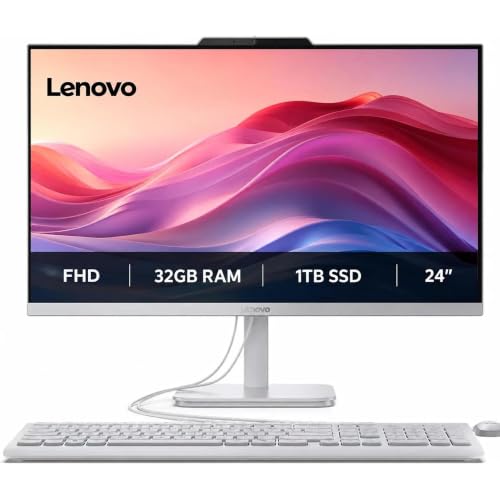
Lenovo IdeaCentre 24" All-in-One Desktop
Best for: multitasking office work and video meetings
- Storage
- 1TB SSD (what this guide is about)
- Processor
- Intel Processor N100
- System Memory
- 32 GB
- Storage Capacity
- 1 TB SSD
- Screen Size
- 24"
- Weight
- 9.19 pounds
This Lenovo IdeaCentre brings together a 24-inch Full HD display, a quad-core Intel Processor N100, and a 1TB SSD. With 32GB of system memory, you get ample headroom for keeping numerous browser tabs and everyday office applications running simultaneously. It suits you if you need an uncluttered workspace setup for web tasks, document editing, and video conferences without adding external speakers or a standalone desktop tower.
Pros
- 32GB RAM provides high memory capacity for multitasking
- 1TB PCIe M.2 SSD delivers fast local storage
- Built-in 5MP webcam with noise-cancelling audio
- Integrated Harman audio-enhanced speakers
Cons
- Intel Processor N100 is limited to 4 cores and 4 threads
- Display panel is 1080p FHD rather than QHD
Good fit if
- You need an all-in-one workspace with 32GB RAM for multitasking across office apps.
- You want a built-in 5MP webcam and Harman speakers for video calls.
- You require 1TB of internal solid-state storage for files and media.
Skip if
- You run heavy workloads requiring more processing power than an Intel N100 chip.
- You prefer a screen size larger than 24 inches or a display resolution above 1080p.
Verdict: Lenovo IdeaCentre 24" AIO N100 Desktop pairs a high 32GB memory capacity and 1TB SSD with an entry-level quad-core processor in a tidy package. It handles everyday office tasks, video calls, and web multitasking efficiently on a compact desk.

HP OmniStudio 27" Ryzen 5 All-in-One PC
Best for: home-office multitasking needing high-capacity memory
- Storage
- 1TB SSD (what this guide is about)
- Processor
- AMD Ryzen AI 5 330
- System Memory
- 32 GB
- Storage Capacity
- 1 TB SSD
- Screen Size
- 27"
- Display Resolution
- Full HD
This HP OmniStudio is a 27-inch all-in-one desktop designed for home office productivity. It pairs an AMD Ryzen 5 processor with 32GB of DDR5 memory and a 1TB NVMe solid-state drive for responsive daily multitasking. You also get an anti-glare Full HD display, Wi-Fi 6, dual speakers, and a built-in FHD webcam. It suits you if you need generous memory and ample internal storage in a streamlined workspace.
Pros
- 32GB of DDR5 memory handles heavy multitasking
- 1TB NVMe solid-state drive delivers fast file access
- Integrated Full HD webcam and dual speakers for video calls
- Wi-Fi 6 connectivity supports fast wireless networking
Cons
- Display resolution caps at 1080p on a 27-inch screen
- No dedicated graphics hardware listed for demanding visual workloads
Good fit if
- You want a spacious 27-inch screen combined with 32GB of fast DDR5 memory.
- You need a fast 1TB NVMe SSD for storing office documents and media locally.
- You take frequent video conferences using an integrated FHD camera and dual speakers.
Skip if
- You require a sharper 1440p or 4K resolution on a 27-inch display.
- You need a dedicated graphics card for intensive 3D rendering or heavy workloads.
Verdict: HP OmniStudio 27" 32GB DDR5 All-in-One gives you high memory capacity and responsive 1TB NVMe storage in an integrated workstation. It provides the hardware needed for serious home-office workflows.

Apple iMac 24-Inch M3 16GB RAM 1TB SSD
Best for: compact macOS setups needing 1TB storage
- Storage
- 1TB SSD (what this guide is about)
- Processor
- Apple M3
- System Memory
- 16 GB
- Storage Capacity
- 1 TB SSD
- Screen Size
- 24"
- Dimensions
- 21.5 × 5.79 × 18.1 inches
This 24-inch Apple iMac is an all-in-one desktop equipped with an Apple M3 8-core CPU, 16GB of RAM, and a 1TB SSD. At 9.75 pounds, it combines your display and internal hardware into a compact silver chassis. It suits you if you need a macOS workstation with generous built-in solid-state storage and sufficient memory for daily multitasking without dedicated desktop tower clutter.
Pros
- Apple M3 chip with an 8-core CPU
- 1TB SSD internal solid-state storage
- 16GB system RAM for multitasking
- Lightweight 9.75-pound integrated all-in-one build
Cons
- Pre-owned unit packaged with non-original accessories
- 24-inch display is smaller than 27-inch alternatives
- Unit is not Apple-certified
Good fit if
- You want an Apple M3 processor paired with 1TB of SSD storage.
- You prefer a compact 24-inch all-in-one desktop weighing under 10 pounds.
- You need 16GB of system memory for your daily workflow.
Skip if
- You require a larger 27-inch display for your workspace.
- You insist on a factory-sealed machine with original manufacturer accessories.
Verdict: Apple iMac 24-Inch M3 16GB RAM 1TB SSD delivers fast Apple M3 processing and 1TB storage inside a compact, space-saving all-in-one enclosure. It is a capable choice if you want modern Mac hardware without sacrificing internal drive capacity.

Lenovo ThinkCentre 24-Inch All-in-One Desktop
Best for: RAM-heavy office multitasking in compact spaces
- Storage
- 1TB SSD (what this guide is about)
- Processor
- Intel U300
- System Memory
- 64GB DDR5
- Storage Capacity
- 1TB SSD
- Screen Size
- 23.8 inch
- Display Resolution
- FHD (1920x1080)
View on Amazon: Lenovo ThinkCentre 24-Inch All-in-One Desktop
This Luna Grey all-in-one desktop pairs a 5-core Intel U300 processor with 64GB of DDR5 memory and a 1TB SSD. You get a 23.8-inch 1080p IPS display running at 100Hz, plus Windows 11 Pro preinstalled. Dedicated HDMI-in and HDMI-out ports let you use the screen with outside video sources. It suits you if you need high memory capacity for heavy office workflows without a separate PC tower.
Pros
- 64GB DDR5 RAM and 1TB SSD storage
- 23.8-inch FHD IPS screen with 100Hz refresh rate and 99% sRGB
- Includes both HDMI-In and HDMI-Out ports
- Preinstalled Windows 11 Pro operating system
Cons
- Non-touch display
- Display brightness capped at 250 nits
- Includes wired rather than wireless peripherals
Good fit if
- You need 64GB of memory for demanding multitasking and business tools.
- You want HDMI-in to use the display with external hardware.
- You require Windows 11 Pro for professional networking features.
Skip if
- You need a touchscreen interface for your work.
- You operate in very bright rooms that require more than 250 nits of screen output.
Verdict: Lenovo ThinkCentre 24" Intel U300 AIO delivers substantial memory capacity and flexible HDMI-in connectivity in a compact form factor. It gives you a clean desktop setup optimized for extensive office productivity.
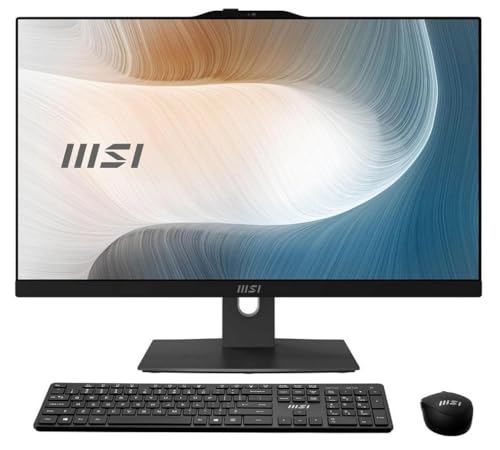
MSI Modern 23.8" Touchscreen All-in-One
Best for: Touchscreen workflows needing dual-drive storage
- Storage
- 1TB SSD (what this guide is about)
- Processor
- Intel Core 7-150U
- System Memory
- 16 GB
- Storage Capacity
- 1 TB SSD + 1 TB HDD
- Screen Size
- 23.8"
- Display Resolution
- Full HD
This MSI all-in-one desktop pairs an Intel Core 7-150U processor with a 23.8-inch 1080p touchscreen. Along with the required 1TB SSD for operating system speed, you get a secondary 1TB mechanical hard drive for extra local file capacity, plus 16GB of system memory. It suits you if you want a compact touchscreen workstation that provides dual-drive storage for extensive everyday document and media archiving.
Pros
- Dual storage configuration with a 1TB SSD and a 1TB HDD
- Intel Core 7-150U processor with dedicated NPU support
- 23.8-inch Full HD touchscreen display
- 16GB of system memory for multitasking
Cons
- Display resolution is limited to 1920 x 1080
- Secondary storage drive is a slower mechanical hard drive
Good fit if
- You need both fast solid-state storage and extra mechanical hard drive capacity.
- You want direct touch input on a 23.8-inch Full HD display.
- You plan to run everyday productivity apps using an Intel Core 7 processor.
Skip if
- You need a display resolution higher than 1080p.
- You prefer an all-solid-state setup without a spinning hard disk.
Verdict: MSI Modern 23.8" Touchscreen All-in-One gives you 2TB of total storage split across an SSD and an HDD, paired with responsive touch controls. It is a solid, space-saving desktop choice for mixed productivity and bulk data saving.
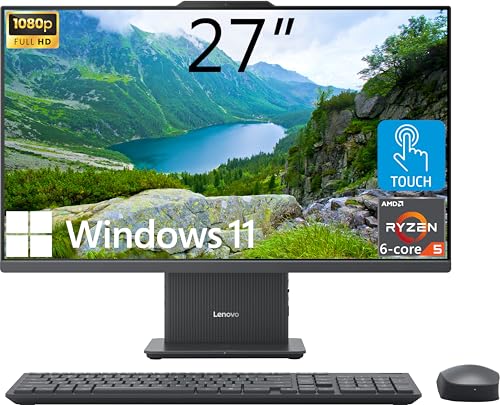
Lenovo IdeaCentre 27" Ryzen 5 Touchscreen AIO
Best for: multitasking home offices needing touchscreen input
- Storage
- 1TB SSD (what this guide is about)
- Processor
- AMD Ryzen 5 8645HS
- System Memory
- 32GB DDR5
- Storage Capacity
- 1TB SSD
- Screen Size
- 27"
- Display Resolution
- FHD (1920x1080)
View on Amazon: Lenovo IdeaCentre 27" Ryzen 5 Touchscreen AIO
This Lenovo IdeaCentre is an all-in-one desktop featuring a 27-inch 1080p touchscreen, a 6-core AMD Ryzen 5 8645HS processor, 32GB of DDR5 memory, and a 1TB PCIe SSD. It suits you if you need generous memory and responsive local storage for multitasking, combined with HDMI-in and HDMI-out video flexibility and a wireless charging base on your desk.
Pros
- AMD Ryzen 5 8645HS 6-core processor up to 5.0 GHz
- 32GB DDR5 RAM paired with a 1TB PCIe M.2 SSD
- 27-inch FHD IPS touchscreen with 99% sRGB coverage
- Both HDMI-in and HDMI-out ports included
- Built-in wireless charging base in the stand
Cons
- 1920x1080 resolution offers lower pixel density across 27 inches
- 300 nits display brightness may struggle in brightly lit spaces
Good fit if
- You want 32GB DDR5 memory and 1TB SSD storage out of the box.
- You need a large 27-inch touchscreen with HDMI-in to connect external video sources.
- You want integrated desk utilities like a wireless charging base.
Skip if
- You require 1440p or 4K resolution on a 27-inch screen.
- You work in direct sunlight where 300 nits brightness is insufficient.
Verdict: Lenovo IdeaCentre 27" Touchscreen AIO delivers capable performance with its 32GB DDR5 RAM, 1TB SSD, and 6-core Ryzen 5 processor. Its built-in HDMI-in port and wireless charging base make it a practical workspace center despite standard 1080p resolution.

HP 24" Touchscreen Core i3 All-in-One
Best for: everyday office tasks needing touchscreen navigation
- Storage
- 1TB SSD (what this guide is about)
- Processor
- Intel Processor N300
- System Memory
- 16GB DDR4
- Storage Capacity
- 1TB SSD
- Screen Size
- 23.8"
- Display Resolution
- Full HD
This HP all-in-one desktop combines an Intel Core i3 N300 processor with 16GB of DDR4 RAM and a 1TB SSD. You get a 23.8-inch Full HD IPS touchscreen running Windows 11 Pro, paired with Intel UHD Graphics. It includes Wi-Fi 6, a FHD IR camera with Windows Hello, and wired accessories. It suits you if you need compact daily computing, office tasks, and direct touchscreen interaction with generous local solid-state capacity.
Pros
- 1TB SSD provides generous internal storage space
- 23.8-inch 1080p IPS display features touchscreen functionality
- HP True Vision FHD IR camera supports Windows Hello sign-in
- Current connectivity with Wi-Fi 6 and Bluetooth 5.3
Cons
- Uses entry-level Intel UHD integrated graphics
- Supplied mouse and keyboard are wired rather than wireless
- Built with DDR4 memory instead of DDR5
Good fit if
- You need a responsive touchscreen display for everyday office tasks.
- You want 1TB of internal SSD storage paired with 16GB RAM.
- You prefer fast facial login using a built-in FHD IR camera.
Skip if
- You need dedicated graphics hardware for gaming or heavy 3D rendering.
- You require a larger 27-inch viewing area.
Verdict: HP 23.8" Core i3 Touchscreen All-in-One delivers 1TB of SSD storage, 16GB of memory, and convenient touch input for day-to-day productivity. Its compact build fits standard desks without taking up excessive workspace.

Acer Aspire 27-Inch Ryzen 5 All-in-One
Best for: everyday multitasking on a 120Hz display
- Storage
- 1TB SSD (what this guide is about)
- Processor
- AMD Ryzen 5 7430U
- System Memory
- 16GB DDR4 SODIMM
- Storage Capacity
- 1TB PCIe NVMe SSD
- Screen Size
- 27"
- Display Resolution
- FHD (1920x1080)
The Acer Aspire C27 is a 27-inch all-in-one desktop built for everyday productivity and home office workloads. It pairs a 6-core AMD Ryzen 5 7430U processor with 16GB of DDR4 memory and a responsive 1TB PCIe NVMe solid-state drive. You get an expansive 120Hz Full HD display for smooth visuals alongside comprehensive connectivity options. This setup suits you if you need ample local storage and dependable multitasking capability.
Pros
- 27-inch Full HD IPS screen with a 120Hz refresh rate
- 1TB PCIe NVMe SSD provides fast boot and load speeds
- 6-core, 12-thread AMD Ryzen 5 7430U processor
- Comprehensive connectivity including USB-C, DisplayPort, and HDMI
Cons
- Uses integrated graphics rather than a dedicated GPU
- Configured with DDR4 SODIMM memory instead of DDR5
- Includes two older USB 2.0 ports
Good fit if
- You want a large 27-inch screen with a smooth 120Hz refresh rate.
- You need 1TB of high-speed NVMe storage for your local files and applications.
- You need flexible display connections including both HDMI and DisplayPort.
Skip if
- You require dedicated GPU hardware for intensive gaming or 3D modeling.
- You prefer an all-in-one platform utilizing faster DDR5 system memory.
Verdict: Acer Aspire C27 27-Inch Ryzen 5 AIO combines a high-refresh 120Hz display with a fast 1TB NVMe SSD for smooth everyday computing. Its 6-core processor and wide port selection deliver solid performance for home and office tasks.

HP 27-Inch Touchscreen All-in-One PC
Best for: Everyday productivity needing a large touchscreen
- Storage
- 1TB SSD (what this guide is about)
- Processor
- AMD Ryzen 5 7520U
- System Memory
- 16 GB LPDDR5
- Storage Capacity
- 1 TB SSD
- Screen Size
- 27"
- Graphics
- AMD Radeon Graphics
This HP all-in-one desktop pairs a 27-inch 1080p touchscreen with a 1TB SSD. You get an AMD Ryzen 5 7520U 4-core processor, 16GB of LPDDR5 RAM, and Windows 11 Pro. The bundle adds external storage via an included docking station. It suits you if you need a large touch-enabled screen and fast internal solid-state storage for daily office tasks.
Pros
- 1TB internal SSD supplemented by external docking storage
- 27-inch 1080p IPS touchscreen display with anti-glare
- 1080p FHD IR privacy camera with noise reduction
- Wi-Fi 6 connectivity and Windows 11 Pro included
Cons
- 4-core Ryzen 5 7520U CPU limits heavy computing workloads
- Screen brightness capped at 250 nits
- Integrated AMD Radeon graphics not built for heavy gaming
Good fit if
- You want a large 27-inch touchscreen for navigation and daily productivity.
- You need 1TB SSD storage combined with Windows 11 Pro.
- You need an integrated 1080p IR camera and Wi-Fi 6 for video calls.
Skip if
- You need a dedicated graphics card for modern 3D gaming.
- You work in bright spaces requiring more than 250 nits of brightness.
- You run intensive multi-core rendering tasks that exceed 4 CPU cores.
Verdict: HP 27" Touchscreen All-in-One Desktop delivers a responsive 1080p touch display, 1TB SSD speed, and Windows 11 Pro for office multitasking. Its four-core processor and integrated graphics target everyday business use rather than gaming.
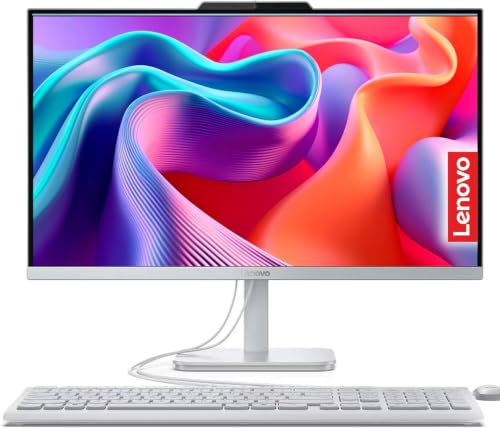
Lenovo IdeaCentre 24" AIO Desktop
Best for: everyday office multitasking with high memory
- Storage
- 1TB SSD (what this guide is about)
- Processor
- Intel N100
- System Memory
- 32GB
- Storage Capacity
- 1TB SSD
- Screen Size
- 23.8"
- Display Resolution
- Full HD
This Lenovo IdeaCentre 24" AIO Desktop combines a 23.8-inch Full HD IPS display with a 1TB PCIe SSD and 32GB of DDR4 memory. Powered by a four-core Intel N100 processor, it is built for everyday home office tasks, web browsing, and multi-tab productivity. You also get HDMI-in and HDMI-out ports, Gigabit Ethernet, an HD webcam, and included wired peripherals for a space-saving desktop workstation setup.
Pros
- Generous 32GB DDR4 memory for multi-tab workflows
- 1TB PCIe SSD provides ample fast storage
- HDMI-in and HDMI-out ports support dual-display setups
- 23.8-inch IPS panel with 99% sRGB color coverage
Cons
- Entry-level Intel N100 processor limited to four threads
- Display brightness tops out at 250 nits
- Included mouse and keyboard are wired rather than wireless
Good fit if
- You need 32GB RAM for memory-heavy office workflows and browser tabs.
- You want HDMI-in connectivity to use the display with external video sources.
- You need a compact all-in-one with integrated speakers, webcam, and Gigabit Ethernet.
Skip if
- You require high CPU computing power for demanding rendering or heavy workloads.
- You work in bright lighting conditions requiring more than 250 nits brightness.
Verdict: Lenovo IdeaCentre 24" AIO Desktop pairs generous 32GB RAM and a 1TB SSD with an entry-level Intel N100 processor. It delivers a compact, cable-conscious workstation for everyday document handling and standard multitasking.

Lenovo 23.8-Inch All-in-One Desktop
Best for: Everyday office multitasking with high memory capacity
- Storage
- 1TB SSD (what this guide is about)
- Processor
- Intel N100
- System Memory
- 32 GB
- Storage Capacity
- 1 TB SSD
- Screen Size
- 23.8 Inch
- Display Resolution
- FHD
This Lenovo all-in-one desktop pairs a 1TB SSD with 32GB of RAM and an Intel N100 processor behind a 23.8-inch Full HD IPS screen. You get plenty of local storage for files and ample memory for running multiple office programs at once. With included wired peripherals and Windows 11 Pro pre-installed, it suits you if you need a space-saving workstation for basic productivity, browsing, and everyday administrative tasks.
Pros
- 32GB RAM supports heavy browser tabs and routine multitasking
- Spacious 1TB SSD handles local document and file storage
- 23.8-inch Full HD IPS screen offers wide viewing angles
- Built-in 720p webcam includes a physical privacy shutter
- Equipped with Wi-Fi 6, Bluetooth 5.2, and an HDMI-out port
Cons
- Entry-level Intel N100 CPU limits heavy computing workloads
- Integrated webcam resolution is limited to 720p
- Lacks USB-C connectivity
Good fit if
- You want 32GB of memory alongside a 1TB SSD for daily productivity.
- You need a compact workspace setup pre-installed with Windows 11 Pro.
- You plan to run standard office software and attach a second monitor via HDMI.
Skip if
- You require a high-performance processor for demanding creative software.
- You need a 1080p or sharper webcam for frequent video conferences.
Verdict: Lenovo 24-Inch All-in-One Desktop, 32GB RAM provides large storage and plenty of memory in a compact footprint. It serves as a sensible desktop for general office duties if you do not need high CPU compute power.

Dell 24 Touchscreen Core 7 AIO Desktop
Best for: touchscreen office multitasking with 32GB DDR5 memory
- Storage
- 1TB SSD (what this guide is about)
- Processor
- Intel Core 7 150U
- System Memory
- 32 GB
- Storage Capacity
- 1 TB SSD
- Screen Size
- 23.8"
- Display Resolution
- Full HD
This Dell desktop combines a 23.8-inch Full HD touchscreen display with an Intel Core 7 150U processor. You get a 1TB PCIe NVMe SSD for local storage paired with 32GB of DDR5 memory to handle heavy office multitasking. It includes Wi-Fi 6E, a built-in webcam, and a wireless keyboard and mouse. It suits you if you need a responsive touchscreen workspace that keeps your desk clear of cables.
Pros
- Intel Core 7 150U 10-core processor
- 32GB DDR5 RAM with 1TB NVMe SSD
- 23.8-inch Full HD IPS touchscreen
- Includes wireless keyboard and mouse
Cons
- Uses integrated Intel graphics rather than a dedicated GPU
- Full HD 1080p resolution rather than 1440p or 4K
Good fit if
- You want 32GB of DDR5 memory and 1TB SSD storage in a compact setup.
- You prefer navigating through an integrated 23.8-inch touchscreen.
- You need Wi-Fi 6E and a built-in webcam for remote meetings.
Skip if
- You require a dedicated graphics card for heavy gaming or 3D rendering.
- You prefer a larger 27-inch display or a resolution above 1080p.
Verdict: Dell 24-Inch Touch Core 7 All-in-One delivers 32GB of DDR5 memory and a 1TB NVMe SSD inside an efficient touchscreen build. It gives you capable multi-threaded processing for home and office tasks without cluttering your desk.

Suevery 27-inch RTX 3050 All-in-One
Best for: multitasking, video editing, and entry-level gaming
- Storage
- 1TB SSD (what this guide is about)
- Processor
- Intel Core i5-13400F
- System Memory
- 32GB
- Storage Capacity
- 1TB SSD
- Screen Size
- 27"
- Display Resolution
- 2K
This all-in-one desktop combines a 27-inch 2K 120Hz display with dedicated graphics. Inside, you get a 10-core Intel Core i5-13400F processor, 32GB of RAM, and a 1TB NVMe SSD. The inclusion of a dedicated RTX 3050 6GB graphics card sets it apart from typical office machines. It suits you if you need a high-refresh screen and dedicated GPU performance for gaming and video editing alongside standard tasks.
Pros
- Dedicated RTX 3050 6GB graphics card for gaming and rendering
- 27-inch 2K display with 120Hz refresh rate and 360-degree rotation
- 10-core Intel Core i5-13400F processor paired with 32GB RAM
- 1TB M.2 NVMe SSD for high-capacity local storage
- Includes keyboard, mouse, and 5MP adjustable camera
Cons
- No touchscreen support listed
- Total weight exceeds 17 pounds
Good fit if
- You need dedicated graphics for gaming, 3D rendering, or video editing.
- You want a 2K 120Hz display with tilt and 360-degree rotation support.
- You require 32GB of system RAM for heavy multitasking.
Skip if
- You want a touchscreen display for direct navigation.
- You prefer an ultra-lightweight desktop setup under 15 pounds.
Verdict: Suevery 27-inch RTX 3050 All-in-One delivers discrete GPU power and a fast 120Hz 2K display rarely found in standard desktop bundles. It is a capable choice if you need 32GB RAM and 1TB storage for work and entry-level gaming.

HP 27-Inch Core Ultra 7 All-in-One Desktop
Best for: Core Ultra 7 performance and massive memory
- Storage
- 1TB SSD (what this guide is about)
- Processor
- Intel Core Ultra 7 255U
- System Memory
- 64GB DDR5
- Screen Size
- 27"
- Display Resolution
- FHD
- Touchscreen
- Touchscreen
This HP all-in-one desktop integrates a 27-inch FHD touchscreen with an Intel Core Ultra 7 255U 12-core processor. For fast file access and heavy workloads, you get a 1TB PCIe M.2 SSD alongside 64GB of DDR5 memory. It includes Wi-Fi 6, two USB-C ports, and Windows 11 Pro. It suits you if you need high-capacity memory, modern AI-capable processing, and responsive touch controls on a spacious desktop display.
Pros
- Intel Core Ultra 7 255U 12-core processor with AI acceleration
- 64GB DDR5 memory paired with a 1TB PCIe M.2 SSD
- 27-inch Full HD touchscreen display
- Includes Windows 11 Pro, Wi-Fi 6, and dual USB-C ports
Cons
- Original packaging opened by seller for hardware upgrades
- 1080p FHD resolution on a 27-inch panel
- Warranty split between third-party upgrader and manufacturer
Good fit if
- You need 64GB of DDR5 RAM for high-demand multitasking.
- You want an Intel Core Ultra 7 chip with touchscreen functionality.
- You require Windows 11 Pro and modern Wi-Fi 6 connectivity.
Skip if
- You require a factory-sealed machine untouched by third-party upgraders.
- You want a display resolution higher than 1080p on a 27-inch screen.
- You need a dedicated graphics card for gaming or 3D rendering.
Verdict: HP 27-Inch Core Ultra 7 Touchscreen All-in-One delivers massive memory bandwidth and efficient 12-core performance for intensive office multitasking. It combines responsive touch input with a 1TB PCIe SSD and 64GB of DDR5 RAM.
Specifications side by side
| Spec | Apple iMac 24-inch M1 1TB SSD | Lenovo IdeaCentre 24" All-in-One Desktop | HP OmniStudio 27" Ryzen 5 All-in-One PC | Apple iMac 24-Inch M3 16GB RAM 1TB SSD | Lenovo ThinkCentre 24-Inch All-in-One Desktop | MSI Modern 23.8" Touchscreen All-in-One | Lenovo IdeaCentre 27" Ryzen 5 Touchscreen AIO | HP 24" Touchscreen Core i3 All-in-One | Acer Aspire 27-Inch Ryzen 5 All-in-One | HP 27-Inch Touchscreen All-in-One PC | Lenovo IdeaCentre 24" AIO Desktop | Lenovo 23.8-Inch All-in-One Desktop | Dell 24 Touchscreen Core 7 AIO Desktop | Suevery 27-inch RTX 3050 All-in-One | HP 27-Inch Core Ultra 7 All-in-One Desktop |
|---|---|---|---|---|---|---|---|---|---|---|---|---|---|---|---|
| Processor | Apple M1 Chip with 8-core CPU | Intel Processor N100 | AMD Ryzen AI 5 330 | Apple M3 | Intel U300 | Intel Core 7-150U | AMD Ryzen 5 8645HS | Intel Processor N300 | AMD Ryzen 5 7430U | AMD Ryzen 5 7520U | Intel N100 | Intel N100 | Intel Core 7 150U | Intel Core i5-13400F | Intel Core Ultra 7 255U |
| System Memory | 8GB unified memory | 32 GB | 32 GB | 16 GB | 64GB DDR5 | 16 GB | 32GB DDR5 | 16GB DDR4 | 16GB DDR4 SODIMM | 16 GB LPDDR5 | 32GB | 32 GB | 32 GB | 32GB | 64GB DDR5 |
| Storage Capacity | 1TB SSD | 1 TB SSD | 1 TB SSD | 1 TB SSD | 1TB SSD | 1 TB SSD + 1 TB HDD | 1TB SSD | 1TB SSD | 1TB PCIe NVMe SSD | 1 TB SSD | 1TB SSD | 1 TB SSD | 1 TB SSD | 1TB SSD | not specified |
| Screen Size | 24-inch | 24" | 27" | 24" | 23.8 inch | 23.8" | 27" | 23.8" | 27" | 27" | 23.8" | 23.8 Inch | 23.8" | 27" | 27" |
| Display Resolution | 4.5K Retina (4480x2520) | not specified | Full HD | not specified | FHD (1920x1080) | Full HD | FHD (1920x1080) | Full HD | FHD (1920x1080) | not specified | Full HD | FHD | Full HD | 2K | FHD |
| Graphics | not specified | not specified | not specified | not specified | not specified | not specified | not specified | Intel UHD Graphics | AMD Radeon Integrated Graphics | AMD Radeon Graphics | Intel UHD Graphics | Intel UHD Graphics | Intel Integrated Graphics | RTX 3050 6G | not specified |
| Touchscreen | not specified | not specified | not specified | not specified | Non-Touch | Touchscreen | Touchscreen | Touchscreen | not specified | Touchscreen | not specified | not specified | Touchscreen | not specified | Touchscreen |
| Operating System | not specified | not specified | not specified | not specified | Windows 11 Pro | Windows 11 Home | Windows 11 Home | Windows 11 Pro | Windows 11 Home-64 | Windows 11 Pro | Windows 11 Home | Windows 11 Pro | Windows 11 Home | not specified | Windows 11 Pro |
| Memory | 8GB RAM | 32GB RAM | 32GB RAM | 16GB RAM | not specified | not specified | 32GB RAM | 16GB RAM | 16GB RAM | not specified | 32GB RAM | 32GB RAM | 32GB RAM | not specified | 64GB RAM |
| Storage | 1TB SSD | 1TB SSD | 1TB SSD | 1TB SSD | 1TB SSD | 1TB SSD | 1TB SSD | 1TB SSD | 1TB SSD | 1TB SSD | 1TB SSD | 1TB SSD | 1TB SSD | 1TB SSD | 1TB SSD |
| Use | not specified | not specified | Business | not specified | not specified | not specified | not specified | not specified | not specified | not specified | not specified | not specified | not specified | not specified | not specified |
| Display Feature | not specified | not specified | not specified | not specified | not specified | Touchscreen | Touchscreen | not specified | not specified | Touchscreen | not specified | not specified | Touchscreen | not specified | not specified |
| Dimensions | 30 × 11 × 27 inches | not specified | not specified | 21.5 × 5.79 × 18.1 inches | not specified | 7.66 × 21.1 × 21.3 inches | 24.1 × 7.55 × 18.6 inches | not specified | not specified | 7 × 20.4 × 28.8 inches | 24.1 × 18.6 × 7.55 inches | not specified | not specified | 24.2 × 7.28 × 14.7 inches | 7.34 × 24.1 × 20.4 inches |
| Weight | not specified | 9.19 pounds | 9.19 pounds | 9.75 pounds | not specified | 13.6 pounds | not specified | 11.6 pounds | not specified | 24 pounds | 5 pounds | not specified | not specified | 17.6 pounds | 12.2 pounds |
| Size | 8GB - 1TB | not specified | not specified | 1TB | not specified | 21.1" x 21.3" x 7.7" | 32GB RAM | 1TB SSD | Intel UHD Graphics | 16GB RAM|1TB SSD | 16GB | 1.16TB Storage | not specified | 32GB RAM | 1TB SSD | 32GB RAM|1TB SSD | not specified | 64GB RAM | 1TB SSD |
| Color | Silver | not specified | not specified | Silver | Luna Grey | Black | not specified | Shell White | Ryzen 5 | White | not specified | not specified | not specified | White | Black |
| Model | MGPD3LL/A | A24A100AN | ZK-DM-AOS27R5 | A2438 | ThinkCentre AIO | Modern AM242TP 1M-839US | IdeaCentre | HP 23.8" Touch-Screen All-in-One | Aspire | HP All-in-One Desktop | A24A100AN | A100 | 24 | I22X W1-99 | TPC-Q095-27 |
When you consider upgrading internal storage later, you can compare standalone drive specifications across the best 1TB nvme SSDs.
How to Choose an All-In-One Desktop
-
Screen Size and Desk Footprint
Screen size dictates your visual workspace and how much desk space the machine requires. Models in this category typically feature 23.8-inch, 24-inch, or 27-inch panels. If you work in a tight cubicle or small bedroom, a 24-inch screen keeps equipment compact. If you regularly view side-by-side documents, spreadsheets, or large media windows, step up to a 27-inch panel. For example, the HP OmniStudio 27" Ryzen 5 All-in-One PC provides a broader display surface while keeping your desk organized with its integrated profile.
-
Operating System Selection
Your operating system determines software compatibility and overall workflow integration. Desktops on this list run either macOS, Windows 11 Home, or Windows 11 Pro. If your daily productivity relies on Apple software, iCloud services, and iOS device pairing, choose an Apple machine. For standard consumer software and typical office tools, Windows 11 Home works reliably. If your workplace requires dedicated domain joining or enterprise management features, choose a model running Windows 11 Pro, such as the Lenovo ThinkCentre 24-Inch All-in-One Desktop.
-
Touchscreen Display Features
Evaluate whether direct touch interaction benefits your day-to-day workflow. Traditional non-touch displays rely entirely on a standard mouse and keyboard. In contrast, an integrated touchscreen allows you to tap buttons, sign forms, scroll through feeds, and zoom into visual documents with your fingers. This feature suits kiosk operations, presentation desks, and casual browsing. If your daily routine involves direct physical interaction with your monitor, look for touchscreen models like the HP 24" Touchscreen Core i3 All-in-One to simplify navigation on your desk.
-
Processor Class and Workload
Match the processor class to the complexity of your daily computing tasks. Entry-level chips handle lightweight typing, web searching, and video streaming. If you manage multiple concurrent browser tabs, large spreadsheets, or background utilities, select a 6-core processor or modern multi-threaded architecture. For demanding tasks, higher-tier silicon provides faster data execution and responsive task switching. When your workflow requires consistent multitasking speed, consider a machine equipped with a capable CPU, such as the Dell 24 Touchscreen Core 7 AIO Desktop with its responsive multi-core processor.
-
Graphics Hardware and Refresh Rates
Most all-in-one systems rely on integrated graphics processors, which share system memory to render desktop windows and basic media playback. Integrated graphics suit typical office productivity and video calls. However, if your setup involves entry-level gaming, 3D rendering, or video editing, check for a dedicated graphics processing unit and a high-refresh display panel. A machine like the Suevery 27-inch RTX 3050 All-in-One includes discrete RTX 3050 graphics and a 120Hz display, offering smoother visual output and dedicated processing power beyond standard integrated solutions.
-
Total Drive Storage Architecture
Every computer in this guide includes a 1TB SSD for fast application loading and swift boot times. However, you should check whether the desktop includes secondary internal storage for archiving bulk data. If you maintain massive video files, raw photo libraries, or system backups, a dual-drive configuration saves you from relying immediately on external drives. For example, the MSI Modern 23.8" Touchscreen All-in-One pairs an SSD with a secondary hard disk drive, giving you 2TB of total storage space inside the computer chassis.
Frequently asked questions
Is a 1TB SSD enough storage for an all-in-one desktop?
Yes, a 1TB SSD provides sufficient local space for your operating system, everyday applications, and large personal document libraries. Solid-state storage enables fast system boot times and responsive file loading compared to mechanical drives. If you collect massive media archives, units like the MSI Modern 23.8" pair a 1TB SSD with a secondary hard drive to expand total onboard space without external drives.
Can you use an all-in-one desktop as an external monitor for another PC or console?
You can use select all-in-one desktops as external displays if the hardware specifically includes an HDMI-in port. Standard video ports on many systems only send video out. However, options like the Lenovo IdeaCentre 27" Touchscreen and Lenovo ThinkCentre 24-Inch feature dedicated HDMI-in ports. This connectivity lets you plug in a secondary laptop or console directly to use the integrated display.
Do all-in-one PCs with a 1TB SSD feature touchscreen displays?
No, touchscreen functionality varies by model and is not standard across all 1TB SSD systems. You can find touch-enabled panels on units like the Dell 24 Touchscreen Core 7, HP 24" Touchscreen Core i3, and HP 27-Inch Touchscreen. Meanwhile, traditional displays like the Apple iMac 24-inch models and Lenovo ThinkCentre 24-Inch rely exclusively on standard keyboard, trackpad, or mouse navigation.
Can you play games on an all-in-one desktop with a 1TB SSD?
You can run casual titles on integrated graphics, but dedicated graphics hardware is necessary for demanding 3D games. Most all-in-one systems rely on integrated processors designed for everyday office productivity. For actual gaming performance, look for hardware with discrete graphics like the Suevery 27-inch model, which pairs an RTX 3050 graphics chip with a 120Hz 2K display to ensure smoother frame rates.
Which operating systems are available on 1TB SSD all-in-one computers?
You can choose between macOS and different editions of Windows 11 across these 1TB SSD configurations. Apple iMac options run macOS on proprietary processors such as the M1 and M3 chips. If you prefer the Windows platform, models offer either Windows 11 Home, found on the Acer Aspire 27-Inch, or Windows 11 Pro, available on the Lenovo ThinkCentre 24-Inch and HP 27-Inch Touchscreen.
How do display refresh rates differ among 1TB SSD all-in-one models?
Most all-in-one systems feature standard refresh rates, but select models provide higher 120Hz panels for smoother motion. Standard desktop screens refresh at baseline rates suitable for standard document editing and media playback. If you prioritize fluid on-screen motion and reduced blur during everyday tasks or playback, units like the Acer Aspire 27-Inch Ryzen 5 and the Suevery 27-inch integrate faster 120Hz displays.
What processor options come paired with a 1TB SSD in an all-in-one PC?
You can find processors ranging from efficient entry chips up to multi-core Intel, AMD, and Apple silicon. Entry-level office tasks run on processors like the Intel N100 in the Lenovo IdeaCentre 24" or an Intel Core i3. Demanding multi-threaded workflows benefit from the AMD Ryzen 5, Apple M3, or the 12-core Intel Core Ultra 7 found in high-tier HP 27-Inch models.