Best All-In-One Desktops Under $1500: 15 Spec-Based Picks
As an Amazon Associate we earn from qualifying purchases. Links on this page are affiliate links.
Finding the best all in one desktops under $1500 requires focusing on the specs that matter most for your workflow. We compared 15 models based strictly on the specifications published on their listings. Our top pick is the Apple iMac 24-Inch M4 All-in-One. It leads because it pairs an M4 processor with a high-resolution display in a slim chassis. This guide helps you decide which machine fits your space and performance needs. You will see how screen size, memory, and storage vary across these integrated systems. We break down the data so you can choose a reliable desktop without guessing.
Quick picks
The best fit for you
- You want the best overall performance and display Apple iMac 24-Inch M4 All-in-One The M4 chip and high-resolution screen deliver top-tier visuals and processing speed.
- You need massive RAM for heavy multitasking Lenovo ThinkCentre 24-Inch All-in-One Desktop This model features 64GB of RAM, allowing you to run many apps simultaneously.
- You want a budget PC with gaming graphics Suevery 27-Inch Core i5 RTX 3050 All-in-One PC The included RTX 3050 graphics card supports light gaming on a large 27-inch screen.
- You prefer a compact Windows desktop for small desks Dell 24 AIO Intel Core 7 16GB 1TB The 24-inch size and 1TB SSD offer a space-saving design with ample storage.
Our 15 picks

Apple iMac 24-Inch M4 All-in-One
Best for: compact macOS workspaces needing high-resolution visuals
- Processor
- Apple M4 (8-core CPU)
- System Memory
- 16GB Unified Memory
- Storage Capacity
- 256GB SSD
- Screen Size
- 24-inch
- Display Resolution
- 4.5K Retina
- Graphics
- 8-core GPU
View on Amazon: Apple iMac 24-Inch M4 All-in-One Affiliate link
This Apple all-in-one desktop pairs an 8-core Apple M4 processor with a 24-inch 4.5K Retina display. You get 16GB of unified memory and a 256GB SSD running macOS. The panel delivers 500 nits of brightness with support for one billion colors. It fits you if you want high-resolution visuals, integrated Apple Intelligence capability, and a compact workspace footprint without needing a separate computer tower or external display.
Pros
- 24-inch 4.5K Retina display with 500 nits brightness
- Apple M4 chip with 8-core CPU and 8-core GPU
- 16GB unified memory
- 12MP Center Stage camera and six-speaker sound system
Cons
- 256GB SSD offers limited onboard storage capacity
- Screen size tops out at 24 inches compared to 27-inch alternatives
Good fit if
- You need a high-resolution 4.5K display for creative tasks.
- You use macOS and want seamless integration with an iPhone.
- You prefer a compact, all-in-one build with built-in mics and speakers.
Skip if
- You need more than 256GB of internal storage out of the box.
- You prefer a larger 27-inch display workspace.
Verdict: Apple iMac 24-Inch M4 Desktop provides exceptional display resolution and M4 processing power in an integrated, slim chassis. It delivers a streamlined macOS setup for daily productivity and creative tasks, provided 256GB of storage meets your requirements.

Apple 24-inch iMac M4
Best for: Users prioritizing 4.5K display quality and macOS
- Processor
- Apple M4
- System Memory
- 16GB Unified Memory
- Storage Capacity
- 256GB SSD
- Screen Size
- 24-inch
- Display Resolution
- 4.5K Retina
- Graphics
- 10-core GPU
View on Amazon: Apple 24-inch iMac M4 Affiliate link
This Apple iMac pairs a 24-inch 4.5K Retina display with the M4 chip and 16GB of unified memory. The 256GB SSD provides baseline storage for everyday tasks. Its 10-core CPU and GPU handle creative workloads efficiently. The compact design fits well in smaller spaces. You get a high-resolution screen and strong processing power in a single unit.
Pros
- 24-inch 4.5K Retina display with 500 nits brightness
- Apple M4 chip with 10-core CPU and 10-core GPU
- 16GB unified memory for smooth multitasking
- 256GB SSD storage
Cons
- 256GB SSD storage is lower than many competitors offering 1TB
- 16GB unified memory is less than models with 32GB options
Good fit if
- You want a high-resolution 4.5K display for creative work
- You prefer the macOS ecosystem and Apple Silicon efficiency
- You need a compact all-in-one for a small desk
Skip if
- You require more than 256GB of internal storage
- You need 32GB or more of unified memory
- You prefer Windows 11 and Intel or AMD processors
Verdict: Apple 2024 iMac M4 24-inch delivers a premium 4.5K screen and efficient M4 performance for users who value display quality and macOS integration. It suits creatives who do not need extensive local storage or high-end RAM.

Dell 27" Core 7 All-in-One Desktop
Best for: Home office multitasking and video conferencing
- Processor
- Intel Core 7 150U
- System Memory
- 16GB
- Storage Capacity
- 1TB PCIe NVMe SSD
- Screen Size
- 27"
- Display Resolution
- FHD
- Graphics
- Intel Graphics
View on Amazon: Dell 27" Core 7 All-in-One Desktop Affiliate link
The Dell 27" Core 7 All-in-One Desktop pairs a 27-inch Full HD display with an Intel Core 7 150U processor and 16GB of system memory. It runs Windows 11 Home and relies on integrated Intel UHD Graphics. You get a retractable 5MP pop-up webcam and integrated Dolby Atmos speakers. This setup suits you if you need a spacious screen for office work, video calls, and everyday multitasking.
Pros
- Intel Core 7 150U processor with 16GB system memory
- 27-inch FHD IPS display with 99% sRGB coverage
- Pop-up 5MP IR webcam with tilt adjustment and HDR
- Integrated audio system with Dolby Atmos support
Cons
- FHD resolution provides lower pixel density on a 27-inch panel
- Integrated Intel UHD Graphics limits 3D rendering performance
Good fit if
- You need a large screen for document editing and daily productivity.
- You take frequent video calls and want an adjustable pop-up webcam.
- You prefer tucking your keyboard under the stand to keep your desk clear.
Skip if
- You need a 1440p or 4K panel for detailed graphic design.
- You require dedicated GPU hardware for demanding 3D games.
Verdict: Dell 27" Core 7 All-in-One Desktop delivers dependable productivity performance and sharp video conferencing on a large display. It keeps your desk uncluttered while handling daily multitasking with ease.
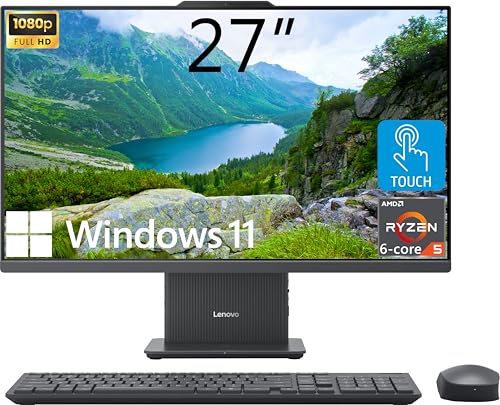
Lenovo IdeaCentre 27" AIO Ryzen 5
Best for: Users needing high RAM and strong CPU performance
- Processor
- AMD Ryzen 5 8645HS
- System Memory
- 32GB DDR5
- Storage Capacity
- 2TB SSD
- Screen Size
- 27"
- Display Resolution
- FHD (1920x1080)
- Touchscreen
- Touchscreen
View on Amazon: Lenovo IdeaCentre 27" AIO Ryzen 5 Affiliate link
This Lenovo IdeaCentre all-in-one desktop pairs a 27-inch FHD touchscreen with a six-core AMD Ryzen 5 8645HS processor. You get 32GB of DDR5 RAM and 2TB of SSD storage for smooth multitasking. The 99% sRGB display offers accurate colors, while the included wireless charging base adds convenience. It runs Windows 11 Home and fits well for users needing strong performance in a compact form factor.
Pros
- Six-core AMD Ryzen 5 8645HS processor with up to 5 GHz turbo
- 32GB DDR5 RAM for efficient multitasking
- 27-inch FHD IPS touchscreen with 99% sRGB color coverage
- 2TB SSD storage for ample file space
- Includes wireless charging base for compatible devices
Cons
- 300-nit brightness is lower than typical high-end displays
- FHD resolution on a 27-inch screen yields lower pixel density
- Windows 11 Home lacks advanced enterprise management features
Good fit if
- You need a powerful CPU for productivity tasks
- You prefer a large touchscreen for navigation
- You want high RAM and storage capacity
Skip if
- You require 4K display clarity
- You need professional-grade color accuracy beyond sRGB
- You prefer macOS or Linux operating systems
Verdict: Lenovo IdeaCentre 27" Ryzen 5 AIO delivers strong processing power and ample storage for users who value performance and touch interaction. It is ideal for those who need a capable Windows machine with a large, colorful screen.

Apple iMac 24-inch M4 All-in-One
Best for: Compact Apple ecosystem users needing 4K display
- Processor
- Apple M4
- System Memory
- 16GB
- Storage Capacity
- 256GB SSD
- Screen Size
- 24-inch
- Display Resolution
- 4.5K Retina
- Operating System
- macOS
View on Amazon: Apple iMac 24-inch M4 All-in-One Affiliate link
This 24-inch iMac features an Apple M4 chip and 16GB of RAM. It includes a 4.5K Retina display and 256GB of SSD storage. The design is thin and colorful. It suits users who want a compact, stylish desktop. The macOS operating system integrates well with other Apple devices. It is a solid option for everyday tasks and creative work within a budget.
Pros
- Apple M4 processor for efficient performance
- 24-inch 4.5K Retina display with 500 nits brightness
- 16GB system memory for smooth multitasking
- Compact 21.5-inch width and 5.79-inch depth
Cons
- 256GB SSD storage is smaller than many competitors offering 1TB
- 16GB RAM is less than models with 32GB available in this category
- 24-inch screen is smaller than the 27-inch options on this list
Good fit if
- You prefer a compact 24-inch footprint for tight spaces
- You are already invested in the Apple ecosystem
- You want a vibrant color option like Blue
Skip if
- You require Windows 11 for specific software compatibility
- You need at least 1TB of internal storage
- You prefer a 27-inch display for more screen real estate
Verdict: Apple iMac 24-inch M4 delivers a high-resolution display and efficient M4 performance in a small form factor. It fits users who value macOS integration and style over maximum storage or screen size.

Acer Aspire C27 27-Inch Core 5 Desktop
Best for: multitasking users needing 32GB of RAM
- Processor
- Intel Core 5 120U
- System Memory
- 32 GB DDR5
- Storage Capacity
- 1 TB SSD
- Screen Size
- 27"
- Display Resolution
- Full HD
- Operating System
- Windows 11 Home
View on Amazon: Acer Aspire C27 27-Inch Core 5 Desktop Affiliate link
The Acer Aspire C27 is a 27-inch all-in-one desktop built for daily productivity and home office tasks. It features a 10-core Intel Core 5 120U processor, 32GB of DDR5 memory, and a 1TB PCIe NVMe SSD. You get a Full HD IPS display with wide viewing angles, along with Wi-Fi 6E connectivity. This configuration suits you if you need generous system memory for heavy multitasking alongside fast local solid-state storage.
Pros
- 32GB DDR5 SO-DIMM system memory for heavy multitasking
- 1TB PCIe NVMe SSD storage for fast boots and file access
- 10-core Intel Core 5 120U processor with up to 5.0GHz clock speeds
- Includes both HDMI-out and DisplayPort-out video connections
- Modern wireless connectivity with Wi-Fi 6E and Bluetooth 5.3
Cons
- Full HD 1080p resolution provides lower pixel density on a 27-inch panel
- Three of the included USB ports are slower USB 2.0 standards
Good fit if
- You need 32GB of RAM to keep numerous background applications active.
- You want external monitor support via dedicated HDMI and DisplayPort outputs.
- You prefer a 27-inch IPS display with wide viewing angles for office tasks.
Skip if
- You want a sharper screen resolution higher than 1920 x 1080.
- You need all USB ports to run at high-speed USB 3.0 or faster rates.
Verdict: Acer Aspire C27 27-Inch Core 5 Desktop pairs 32GB of DDR5 RAM with a 10-core Intel processor for capable multitasking. It offers solid desktop connectivity and fast storage inside a streamlined 27-inch profile.

HP 27" FHD Touch AIO, Ultra 7
Best for: Business users needing touch and docking
- Processor
- Intel Core Ultra 7 155U
- System Memory
- 16GB DDR5
- Storage Capacity
- 1TB SSD
- Screen Size
- 27"
- Display Resolution
- FHD
- Touchscreen
- Touchscreen
View on Amazon: HP 27" FHD Touch AIO, Ultra 7 Affiliate link
This HP all-in-one desktop pairs a 27-inch FHD touchscreen with an Intel Core Ultra 7 155U processor. You get 16GB of DDR5 RAM and a 1TB SSD for reliable multitasking. Windows 11 Pro adds business-grade security. It includes a USB-C docking station for cleaner desk setups. This system suits professionals who need a responsive, touch-enabled workspace without clutter.
Pros
- Intel Core Ultra 7 155U processor for smooth multitasking
- 27-inch FHD touchscreen for direct interaction
- 16GB DDR5 RAM and 1TB SSD storage
- Includes USB-C docking station for expanded connectivity
- Windows 11 Pro for advanced security features
Cons
- 16GB RAM is lower than the 32GB options available on other list picks
- FHD resolution is lower than the 4K or higher-end displays found on some competitors
- Core Ultra 7 155U is a lower-tier chip compared to the Core Ultra 7 155H or M4 chips in other models
Good fit if
- You want a large 27-inch touchscreen for intuitive navigation
- You need Windows 11 Pro for business security features
- You prefer a clean desk setup with included docking station
Skip if
- You require 32GB of RAM for heavy data workloads
- You need a 4K or higher resolution display
- You prefer a smaller 24-inch form factor
Verdict: HP 27" FHD Touch AIO Core Ultra 7 offers a balanced mix of performance and touch interaction for business users. It fits professionals who value a clutter-free workspace and Windows 11 Pro security over maximum RAM or display resolution.
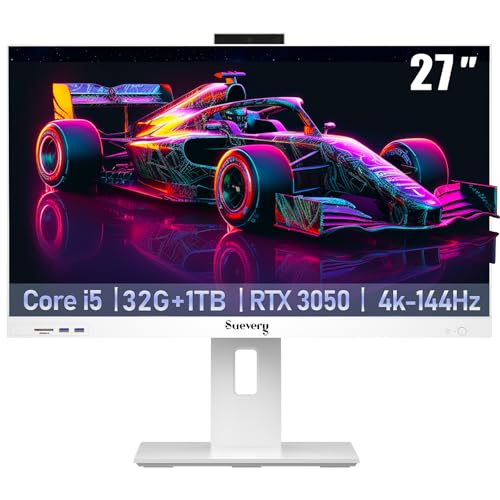
Suevery 27-Inch Core i5 RTX 3050 All-in-One PC
Best for: Large screen multitasking and budget gaming
- Processor
- Intel Core i5-14400F
- System Memory
- 32 GB
- Storage Capacity
- 1 TB SSD
- Screen Size
- 27"
- Display Resolution
- Full HD
- Graphics
- RTX 3050 6G
View on Amazon: Suevery 27-Inch Core i5 RTX 3050 All-in-One PC Affiliate link
This Suevery all-in-one desktop pairs a 27-inch Full HD display with an Intel Core i5-14400F processor and 32GB of DDR4 RAM. The included RTX 3050 6G graphics card and 1TB SSD provide ample power for multitasking and light gaming. You get a complete setup with a keyboard, mouse, and 144Hz screen in a space-saving white design.
Pros
- Intel Core i5-14400F processor for strong multitasking
- 32GB DDR4 system memory for smooth performance
- RTX 3050 6G graphics for enhanced visuals
- 1TB SSD storage for ample space
- 27-inch Full HD display with 144Hz refresh rate
Cons
- Full HD resolution is lower than 2K or 4K options on this list
- DDR4 RAM is older technology compared to DDR5 systems
- 27-inch build is bulkier than 23.8 or 24-inch alternatives
Good fit if
- You want a large 27-inch screen for immersive viewing
- You need 32GB of RAM for heavy multitasking
- You prefer a complete package with included peripherals
Skip if
- You require 4K display resolution for sharp detail
- You need the latest DDR5 memory for maximum speed
- You prefer a compact 23.8-inch footprint for small desks
Verdict: Suevery 27" i5-14400F RTX 3050 AIO suits users who prioritize screen size and high RAM capacity over resolution. It is a solid choice for those who want a ready-to-use system with a large display and strong multitasking capabilities.

HP OmniStudio 27 Ryzen AI 7 All-in-One
Best for: Multitasking and light gaming on a large screen
- Processor
- AMD Ryzen AI 7 445
- System Memory
- 16 GB
- Storage Capacity
- 512 GB SSD
- Screen Size
- 27"
- Display Resolution
- FHD
- Graphics
- AMD Radeon 840M
View on Amazon: HP OmniStudio 27 Ryzen AI 7 All-in-One Affiliate link
The HP OmniStudio 27" is a Windows 11 all-in-one desktop featuring an AMD Ryzen AI 7 445 processor and AMD Radeon 840M graphics. It pairs these with 16 GB of DDR5 RAM and a 512 GB SSD. The 27-inch FHD display includes an adjustable stand and eye comfort features. This setup suits users who want a capable machine for multitasking, light gaming, and daily productivity in a compact form factor.
Pros
- AMD Ryzen AI 7 445 processor handles advanced computing tasks
- AMD Radeon 840M graphics deliver sharp visuals and top-tier gaming experiences
- 27-inch FHD display with adjustable stand for comfortable viewing angles
- 16 GB DDR5 RAM and 512 GB SSD ensure fast performance
Cons
- 512 GB SSD storage is smaller than the 1 TB or 4 TB options found on many competitors
- 16 GB RAM is less than the 32 GB available in several other picks on this list
- FHD resolution is lower than the QHD or 4K displays offered by some rivals
Good fit if
- You need a capable desktop for multitasking and light gaming
- You prefer a 27-inch screen with an adjustable stand
- You want a Windows 11 system with AI-enhanced productivity tools
Skip if
- You require more than 512 GB of internal storage
- You need 32 GB of RAM for heavy professional workloads
- You are looking for a high-resolution QHD or 4K display
Verdict: The HP OmniStudio 27" AIO Ryzen AI 7 offers a balanced mix of performance and display size for everyday users. It is a practical choice for those who value a large, adjustable screen and solid multitasking capabilities over maximum storage or RAM capacity.

Dell 24 AIO Intel Core 7 16GB 1TB
Best for: compact home office setups and remote work
- Processor
- 15th Gen Ultra 7 355
- System Memory
- 16GB DDR5
- Storage Capacity
- 1TB PCIe NVMe SSD
- Screen Size
- 23.8"
- Display Resolution
- FHD (1920x1080)
- Graphics
- Intel Graphics
View on Amazon: Dell 24 AIO Intel Core 7 16GB 1TB Affiliate link
The Dell 24 All-in-One Desktop pairs a 23.8-inch Full HD touchscreen with an Intel Core 7 150U processor and 16GB of DDR5 RAM. This configuration supports smooth multitasking for office work and media consumption. The 1TB SSD provides ample storage for daily files. It includes Wi-Fi 6E and a built-in webcam for remote meetings. This compact unit suits users who want a space-saving setup with reliable performance.
Pros
- Intel Core 7 150U processor with 10 cores
- 16GB DDR5 RAM for responsive multitasking
- 1TB M.2 PCIe NVMe SSD storage
- 23.8-inch Full HD IPS touchscreen display
- Wi-Fi 6E AX211 connectivity
Cons
- 23.8-inch screen is smaller than the 27-inch displays on most other picks
- 16GB RAM is less than the 32GB or 64GB options available on competing models
- FHD resolution is lower than the higher-resolution panels found on some rivals
Good fit if
- You need a compact desktop for a small desk or home office
- You want a touchscreen for intuitive navigation and presentations
- You require fast Wi-Fi 6E for stable remote work connections
Skip if
- You prefer a larger 27-inch or bigger display for media viewing
- You need more than 16GB of RAM for heavy professional workloads
- You are looking for a 4K or higher resolution screen
Verdict: The Dell 24 All-in-One Desktop fits users who prioritize a compact footprint and modern connectivity over screen size. It delivers solid productivity performance for everyday tasks and remote work in a space-saving design.

Lenovo ThinkCentre 24-Inch All-in-One Desktop
Best for: memory-heavy multitasking and home office productivity
- Processor
- Intel U300
- System Memory
- 64GB DDR5
- Storage Capacity
- 1TB SSD
- Screen Size
- 23.8 inch
- Display Resolution
- FHD (1920x1080)
- Touchscreen
- Non-Touch
View on Amazon: Lenovo ThinkCentre 24-Inch All-in-One Desktop Affiliate link
This all-in-one desktop combines a 23.8-inch Full HD display with an Intel U300 processor, 64GB of DDR5 memory, and a 1TB solid-state drive. You get Windows 11 Pro preinstalled, along with HDMI input and output ports. The high memory capacity suits you if you run multiple browser tabs and background applications at once, while the 100Hz refresh rate keeps screen motion smooth during daily office tasks.
Pros
- Generous 64GB DDR5 system memory
- 100Hz refresh rate on an IPS display
- Both HDMI-in and HDMI-out ports
- Comes with Windows 11 Pro
Cons
- Entry-level 5-core Intel U300 processor
- Display lacks touch functionality
- Screen brightness is limited to 250 nits
Good fit if
- You need high memory capacity for heavy multitasking
- You want to use the screen as a monitor via HDMI-in
- You require Windows 11 Pro for work features
Skip if
- You want a touchscreen display
- You need high CPU performance for demanding computing tasks
- You work in brightly lit rooms requiring high screen brightness
Verdict: Lenovo ThinkCentre 24" 64GB AIO pairs massive memory with versatile video ports for multitasking, though its entry-level processor limits heavy compute tasks.

HP 23.8" Touchscreen AIO, 32GB RAM
Best for: Everyday productivity with high RAM and storage
- Processor
- Intel Core i3-N300
- System Memory
- 32 GB
- Storage Capacity
- 1 TB SSD
- Screen Size
- 23.8"
- Display Resolution
- Full HD
- Graphics
- Intel UHD Graphics
View on Amazon: HP 23.8" Touchscreen AIO, 32GB RAM Affiliate link
This HP all-in-one desktop pairs an Intel Core i3-N300 processor with 32GB of RAM and a 1TB SSD. The 23.8-inch FHD touchscreen features anti-glare coating and wide viewing angles. Windows 11 Pro and an FHD IR camera with AI noise removal support video calls. It includes Wi-Fi 6 and Bluetooth 5.3 for connectivity. The compact design fits well in home offices or study spaces.
Pros
- 32GB RAM for smooth multitasking
- 1TB SSD for ample storage
- 23.8" FHD touchscreen with anti-glare
- FHD IR camera with AI noise removal
Cons
- Intel Core i3-N300 processor is less powerful than the Core i5 or i7 options on this list
- 23.8-inch display is smaller than the 27-inch screens found on several competing models
Good fit if
- You need high RAM capacity for everyday productivity tasks
- You prefer a touchscreen interface for intuitive navigation
- You want Windows 11 Pro for professional features
Skip if
- You require a larger 27-inch display for better visibility
- You need a high-performance processor for gaming or heavy editing
- You are looking for a model with an M4 or Core i7 chip
Verdict: HP 24" Touch AIO i3 32GB is a capable machine for users who prioritize memory and storage over raw processing power. It suits students and home office workers who value a touchscreen and professional OS features.

Lenovo 24" Core i3-N305 All-in-One Desktop
Best for: compact home office productivity and everyday computing
- Processor
- Intel Core i3-N305
- System Memory
- 16GB DDR4-3200
- Storage Capacity
- 1TB M.2 PCIe NVMe SSD
- Screen Size
- 23.8"
- Display Resolution
- Full HD (1920x1080)
- Graphics
- Intel UHD Graphics
View on Amazon: Lenovo 24" Core i3-N305 All-in-One Desktop Affiliate link
This all-in-one desktop pairs an Intel Core i3-N305 eight-core processor with 16GB of DDR4 memory and a 1TB PCIe NVMe solid-state drive. You get a 23.8-inch Full HD IPS screen covering 99% sRGB alongside Wi-Fi 6 connectivity. It suits you if you need a compact, space-saving workstation for everyday productivity tasks, web browsing, and media playback without managing a separate desktop tower.
Pros
- 1TB M.2 PCIe NVMe solid-state drive provides generous internal storage
- 23.8-inch Full HD IPS panel covers 99% of the sRGB color space
- Equipped with fast Wi-Fi 6, Bluetooth 5.2, and Gigabit Ethernet
- Dual 10Gbps USB 3.2 Gen 2 ports support rapid external data transfers
Cons
- Screen brightness reaches a maximum of 250 nits
- Integrated Intel UHD Graphics lacks dedicated graphical power
- Includes a mono microphone rather than a dual-mic array
Good fit if
- You want a compact 23.8-inch workspace setup with 1TB of NVMe storage.
- You need an accurate 99% sRGB display for office tasks and everyday media.
- You rely on Wi-Fi 6 or wired Gigabit Ethernet for home networking.
Skip if
- You need a dedicated graphics card for modern 3D workloads.
- You operate in high-glare environments that require more than 250 nits of brightness.
Verdict: Lenovo 24" Core i3-N305 All-in-One Desktop delivers dependable everyday computing with its 8-core processor, 1TB SSD, and color-accurate IPS display. It offers a tidy workspace footprint for routine office workloads and web tasks.

Dell 24-Inch Touchscreen All-in-One Desktop
Best for: compact workspaces needing touch interaction
- Processor
- Intel Core 7 150U
- System Memory
- 16GB RAM
- Storage Capacity
- 512GB SSD
- Screen Size
- 24"
- Display Resolution
- FHD (1920 x 1080)
- Touchscreen
- Touchscreen
View on Amazon: Dell 24-Inch Touchscreen All-in-One Desktop Affiliate link
This Dell all-in-one desktop features a 24-inch FHD touchscreen and an Intel Core 7 150U processor. It includes 16GB of RAM and a 512GB SSD for responsive performance. The system runs Windows 11 Pro and offers Dolby Atmos audio. It suits users who want a compact, interactive display for everyday tasks without needing a separate monitor.
Pros
- Intel Core 7 150U 10-core processor
- 24-inch FHD touchscreen display
- 16GB RAM and 512GB SSD storage
- Windows 11 Pro operating system
- Dolby Atmos spatial sound
Cons
- 512GB SSD is half the storage of the 1TB drives found in several other picks
- 16GB RAM is lower than the 32GB options available on some competitors
- 24-inch screen is smaller than the 27-inch displays offered by other models
Good fit if
- You need a compact desktop for a small workspace
- You want direct touch interaction with Windows 11 Pro
- You prefer a mid-range processor for daily productivity
Skip if
- You require a 27-inch or larger display
- You need 32GB of RAM for heavy multitasking
- You want 1TB of storage without external drives
Verdict: Dell 24" FHD Touch AIO delivers a balanced mix of processing power and interactive display for users with limited desk space. It fits buyers who prioritize touch capability and a compact footprint over maximum screen size or storage capacity.
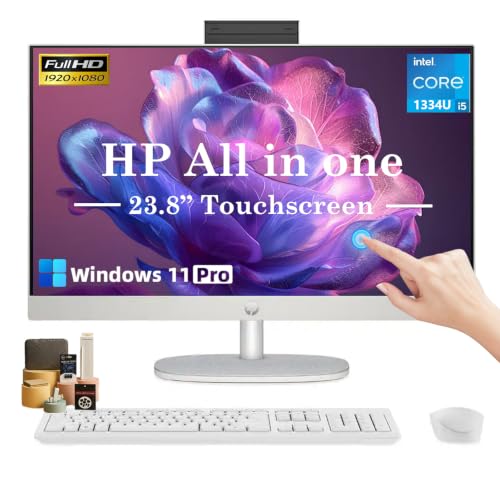
HP 23.8" FHD Touch AIO
Best for: small home offices needing touchscreen convenience
- Processor
- Intel Core i5-1334U
- System Memory
- 16 GB
- Storage Capacity
- 1 TB SSD
- Screen Size
- 23.8"
- Display Resolution
- Full HD (1920 x 1080)
- Graphics
- Intel UHD Graphics
View on Amazon: HP 23.8" FHD Touch AIO Affiliate link
This HP all-in-one pairs a 23.8-inch FHD touchscreen with a 10-core Intel Core i5-1334U processor. You get 16GB of RAM and a 1TB SSD for smooth multitasking and storage. The compact design saves desk space while offering Wi-Fi 6 and USB-C connectivity. It suits home offices and business users who need a clean, responsive system for daily tasks.
Pros
- 10-core Intel Core i5-1334U processor with up to 4.6 GHz boost
- 23.8-inch FHD IPS touchscreen with anti-glare coating
- 16GB RAM and 1TB PCIe SSD included
- Built-in 1080p privacy webcam and dual microphones
- Wi-Fi 6 and Bluetooth connectivity
Cons
- 23.8-inch display is smaller than the 27-inch screens on many competitors
- DDR4 RAM is slower than the DDR5 found in newer high-end models
- Single 1TB SSD limits storage compared to dual-drive options
Good fit if
- You want a compact desktop that fits on a small desk
- You need touchscreen navigation for quick access
- You require a built-in webcam for video calls
Skip if
- You prefer a larger 27-inch or 32-inch display
- You need a dedicated graphics card for heavy gaming
- You want the latest DDR5 memory speeds
Verdict: HP 24" FHD Touch AIO Desktop delivers solid performance for office work in a space-saving frame. It fits buyers who prioritize a clean setup and touchscreen convenience over maximum screen size.
Specifications side by side
| Spec | Apple iMac 24-Inch M4 All-in-One | Apple 24-inch iMac M4 | Dell 27" Core 7 All-in-One Desktop | Lenovo IdeaCentre 27" AIO Ryzen 5 | Apple iMac 24-inch M4 All-in-One | Acer Aspire C27 27-Inch Core 5 Desktop | HP 27" FHD Touch AIO, Ultra 7 | Suevery 27-Inch Core i5 RTX 3050 All-in-One PC | HP OmniStudio 27 Ryzen AI 7 All-in-One | Dell 24 AIO Intel Core 7 16GB 1TB | Lenovo ThinkCentre 24-Inch All-in-One Desktop | HP 23.8" Touchscreen AIO, 32GB RAM | Lenovo 24" Core i3-N305 All-in-One Desktop | Dell 24-Inch Touchscreen All-in-One Desktop | HP 23.8" FHD Touch AIO |
|---|---|---|---|---|---|---|---|---|---|---|---|---|---|---|---|
| Processor | Apple M4 (8-core CPU) | Apple M4 | Intel Core 7 150U | AMD Ryzen 5 8645HS | Apple M4 | Intel Core 5 120U | Intel Core Ultra 7 155U | Intel Core i5-14400F | AMD Ryzen AI 7 445 | 15th Gen Ultra 7 355 | Intel U300 | Intel Core i3-N300 | Intel Core i3-N305 | Intel Core 7 150U | Intel Core i5-1334U |
| System Memory | 16GB Unified Memory | 16GB Unified Memory | 16GB | 32GB DDR5 | 16GB | 32 GB DDR5 | 16GB DDR5 | 32 GB | 16 GB | 16GB DDR5 | 64GB DDR5 | 32 GB | 16GB DDR4-3200 | 16GB RAM | 16 GB |
| Storage Capacity | 256GB SSD | 256GB SSD | 1TB PCIe NVMe SSD | 2TB SSD | 256GB SSD | 1 TB SSD | 1TB SSD | 1 TB SSD | 512 GB SSD | 1TB PCIe NVMe SSD | 1TB SSD | 1 TB SSD | 1TB M.2 PCIe NVMe SSD | 512GB SSD | 1 TB SSD |
| Screen Size | 24-inch | 24-inch | 27" | 27" | 24-inch | 27" | 27" | 27" | 27" | 23.8" | 23.8 inch | 23.8" | 23.8" | 24" | 23.8" |
| Display Resolution | 4.5K Retina | 4.5K Retina | FHD | FHD (1920x1080) | 4.5K Retina | Full HD | FHD | Full HD | FHD | FHD (1920x1080) | FHD (1920x1080) | Full HD | Full HD (1920x1080) | FHD (1920 x 1080) | Full HD (1920 x 1080) |
| Graphics | 8-core GPU | 10-core GPU | Intel Graphics | not stated | not stated | not stated | not stated | RTX 3050 6G | AMD Radeon 840M | Intel Graphics | not stated | Intel UHD Graphics | Intel UHD Graphics | not stated | Intel UHD Graphics |
| Touchscreen | not stated | not stated | not stated | Touchscreen | not stated | not stated | Touchscreen | not stated | not stated | Touchscreen | Non-Touch | Touchscreen | not stated | Touchscreen | Touchscreen |
| Operating System | macOS | macOS | Windows 11 Home | Windows 11 Home | macOS | Windows 11 Home | Windows 11 Pro | not stated | Windows 11 Home | Windows 11 Home | Windows 11 Pro | Windows 11 Pro | Windows 11 Home | Windows 11 Pro | Windows 11 Pro |
| Graphics Card | not stated | not stated | not stated | not stated | not stated | not stated | not stated | RTX 3050 | not stated | not stated | not stated | not stated | not stated | not stated | not stated |
| Memory | not stated | not stated | not stated | 32GB RAM | 16GB RAM | 32GB RAM | 16GB RAM | not stated | 16GB RAM | 16GB RAM | not stated | 32GB RAM | 16GB RAM | 16GB RAM | 16GB RAM |
| Storage | 256GB SSD | 256GB SSD | not stated | 2TB SSD | 256GB SSD | 1TB SSD | 1TB SSD | 1TB SSD | 512GB SSD | 1TB SSD | 1TB SSD | 1TB SSD | not stated | 512GB SSD | 1TB SSD |
| Use | not stated | not stated | not stated | not stated | not stated | not stated | Business | Business | not stated | not stated | not stated | Business | Business | not stated | Business |
| Display Feature | not stated | not stated | Touchscreen | Touchscreen | not stated | not stated | Touchscreen | not stated | not stated | Touchscreen | not stated | Touchscreen | not stated | Touchscreen | Touchscreen |
| Dimensions | 21.5 × 5.79 × 18.1 inches | 21.5 × 5.79 × 18.1 inches | 1.64 × 24.2 × 15.7 inches | 24.1 × 7.55 × 18.6 inches | 21.5 × 5.79 × 18.1 inches | not stated | not stated | 24.2 × 7.28 × 14.7 inches | 24.1 × 7.28 × 19.2 inches | not stated | not stated | 21.3 × 7.33 × 16.1 inches | not stated | 16.3 × 20.9 × 7.9 inches | not stated |
| Weight | 9.74 pounds | 9.79 pounds | 13.6 pounds | not stated | 9.74 pounds | not stated | not stated | not stated | 13.1 pounds | 15.6 pounds | not stated | not stated | not stated | not stated | not stated |
| Color | Pink | Silver | White | not stated | Blue | Core 5 | not stated | White 27Inch | Jet black | not stated | Luna Grey | not stated | not stated | not stated | White |
| Model | MWUG3LL/A | MWUU3LL/A | DEC27250-7215WHT-PUS | IdeaCentre | not stated | Aspire | cr100t | I22X W1-99 | D8YE5AA#ABA | DEC24260-7157WHT-PUS | ThinkCentre AIO | HP 23.8 All in One Computer | 24 | not stated | Intel Core i5 1334U |
| Size | not stated | 16GB Unified Memory, 256GB SSD Storage | UHD Graphics | 32GB RAM | 2TB SSD | not stated | 32GB RAM|1TB SSD | 16GB DDR5 | 1TB SSD | not stated | not stated | 16GB RAM|1TB SSD | not stated | not stated | not stated | not stated | not stated |
If you need outdoor cooking gear, see the best grills under 1500 for spec-based recommendations.
How to choose the right one
-
Check memory capacity
You should verify the RAM size before buying. Many models in this list include 32GB of DDR5 memory, which handles heavy multitasking smoothly. The HP OmniStudio and Acer Aspire C27 both offer this amount. If you only need basic office work, 16GB is sufficient. The Lenovo IdeaCentre with the N100 processor includes 32GB, ensuring smooth performance for everyday tasks without slowing down during web browsing or document editing.
-
Evaluate storage needs
Storage capacity varies significantly across these devices. Most include 1TB of SSD space, which is ample for most users. However, the Apple iMac M4 provides only 256GB, which may fill up quickly if you store many files locally. If you need massive local storage, consider the Lenovo IdeaCentre 24 with 4TB of SSD. This allows you to keep large libraries and archives on the device without relying on external drives or cloud services.
-
Select screen size
Screen size determines your desk footprint and viewing comfort. The 27-inch models, like the Dell Core 7 and HP OmniStudio, offer more workspace for spreadsheets and video editing. The 24-inch options, such as the Apple iMac and Lenovo ThinkCentre, are better for compact desks. A larger screen requires more physical space but improves productivity. Measure your desk area to ensure the chassis fits comfortably without crowding your workflow environment.
-
Consider display features
Touchscreen functionality adds versatility for creative work or presentations. Several models, including the Dell 27 and Lenovo IdeaCentre 27, feature touchscreens. This allows you to navigate directly on the display. If you prefer a traditional mouse and keyboard setup, a non-touch display is sufficient. The HP 27-inch Touchscreen Ryzen AI 7 also supports stylus input, which is useful for drawing or precise selections. Choose based on your interaction preference.
-
Review processor power
Processor choice impacts speed and efficiency. The Apple iMac M4 delivers high performance in a slim chassis. For Windows users, the Intel Core i7 and AMD Ryzen 5 options provide strong multitasking capabilities. The Lenovo IdeaCentre 24 with the N100 processor is entry-level and suited for basic productivity. Avoid entry-level chips if you plan to run demanding creative software. Match the processor to your workload intensity for optimal performance and system responsiveness.
Frequently asked questions
Which all-in-one desktop has the largest screen size?
The Dell 27" Core 7, Lenovo IdeaCentre 27" AIO, and HP 27" FHD Touch models all feature 27-inch displays. These larger screens provide more workspace for multitasking and detailed visual work. If you prefer a more compact setup, the Apple iMac 24-Inch and Dell 24 AIO options offer smaller footprints that fit better in tighter spaces.
Do any of these models include a touchscreen?
Yes, several models feature touchscreen capabilities for direct interaction. The Dell 27" Core 7, Lenovo IdeaCentre 27" AIO, HP 27" FHD Touch, Dell 24 AIO, Dell 24-Inch Touchscreen, and HP 23.8" Touchscreen AIO all support touch input. This feature allows you to navigate menus and apps directly on the display without using a mouse or keyboard.
Which all-in-one offers the most RAM for multitasking?
The Lenovo ThinkCentre 24-Inch All-in-One Desktop includes 64GB of RAM, which is the highest capacity listed. This massive memory allows you to run many applications simultaneously without slowdowns. Other strong options include the Lenovo IdeaCentre and Acer Aspire C27, both of which come with 32GB of RAM for heavy multitasking needs.
Are there any all-in-one PCs with dedicated graphics cards?
The Suevery 27-Inch Core i5 RTX 3050 All-in-One PC is the only model in this list with a dedicated RTX 3050 graphics card. This setup is suitable for budget gaming or graphics-intensive tasks. Most other models rely on integrated graphics, such as UHD Graphics or Apple’s M4 chip, which are sufficient for general productivity and media consumption.
Which operating systems are available on these desktops?
You can choose between macOS and Windows 11. The Apple iMac models run macOS, providing a streamlined ecosystem for creative work. The remaining models, including those from Dell, Lenovo, HP, Acer, and Suevery, all ship with Windows 11 Home or Windows 11 Pro. The HP and Dell business models specifically include the Pro version for enhanced security features.
Which all-in-one desktop is the lightest to move?
The Apple iMac 24-Inch M4 models are the lightest, weighing between 9.74 and 9.79 pounds. Their slim chassis makes them easy to reposition or mount. Heavier options include the Dell 27" Core 7 at 13.6 pounds and the HP OmniStudio 27 at 13.1 pounds. Consider weight if you plan to move the computer frequently between rooms.
Do any models include 1TB of SSD storage?
Several models provide 1TB of SSD storage for ample space for files and applications. These include the Acer Aspire C27, HP 27" FHD Touch, Dell 24 AIO, HP 23.8" Touchscreen AIO, Lenovo 24" Core i3-N305, and HP 23.8" FHD Touch. The Apple iMac models offer only 256GB, so you may need external storage for large media libraries.
Which all-in-one is best for a small home office?
The Dell 24 AIO and Apple iMac 24-Inch models are ideal for small spaces due to their compact 24-inch screens and slim profiles. The Dell 24 AIO also includes a touchscreen and 1TB of storage in a space-saving design. These options keep your desk uncluttered while still providing enough screen real estate for productive daily tasks.