Best Gaming Desktops Under $5000 in 2026: 15 Picks Ranked by Specs
As an Amazon Associate we earn from qualifying purchases. Links on this page are affiliate links.
Finding the right gaming desktop under 5000 requires balancing processing power, graphics capability, and system dimensions. We compared 15 models using only the specifications published on their listings.
The ASUS ROG NUC 16 RTX 5080 Mini Gaming PC leads the rankings by packing an RTX 5080 GPU, 64GB of RAM, and a 2TB SSD into a compact 3-liter chassis measuring 2.22 inches high. This guide helps you choose the ideal system setup for your space limits, storage needs, and hardware requirements.
Our top pick: Dell Alienware Aurora RTX 5080 Gaming Desktop.
Quick picks
The best fit for you
- You want balanced high-end 4K gaming performance Dell Alienware Aurora RTX 5080 Gaming Desktop It combines an RTX 5080 graphics card with 32GB of RAM and a 2TB SSD.
- You need massive internal solid-state storage capacity MSI Aegis R2 AI RTX 5070 Ti Desktop This desktop includes an expansive 8TB SSD alongside 64GB of RAM.
- You require maximum memory capacity for heavy workloads Lenovo ThinkStation P3 Tower RTX 2000 Ada The system packs 128GB of RAM alongside an Intel Core Ultra 9 processor.
- You want a white chassis with large storage CyberpowerPC RTX 5080 Ryzen 9 Gaming PC It features a white case, a 16-core Ryzen 9 processor, and a 4TB SSD.
Our 15 picks

Dell Alienware Aurora RTX 5080 Gaming Desktop
Best for: High-end 4K gaming and heavy creative workloads
- Graphics Card
- NVIDIA GeForce RTX 5080 16GB GDDR7
- Processor Model
- Intel Core Ultra 9 285K
- System Memory
- 32 GB
- Storage Capacity
- 2 TB SSD
- Operating System
- Windows 11 Pro
- Dimensions
- 22 × 15 × 20 inches
View on Amazon: Dell Alienware Aurora RTX 5080 Gaming Desktop (paid link)
The Dell Alienware Aurora is a high-end prebuilt gaming desktop configured with an Intel Core Ultra 9 285K processor and an NVIDIA GeForce RTX 5080 graphics card. You get 32GB of DDR5 memory, a 2TB PCIe solid-state drive, and built-in Wi-Fi 7 connectivity. It suits you if you need top-tier 24-core processing power and modern GDDR7 graphics for demanding games and productivity workloads without building your own system.
Pros
- Intel Core Ultra 9 285K 24-core processor reaching up to 5.7GHz
- NVIDIA GeForce RTX 5080 GPU with 16GB of GDDR7 memory
- Fast wireless networking with Wi-Fi 7 support
- Ten total USB ports including three USB-C and seven USB-A connections
Cons
- Third-party RAM and SSD upgrade splits warranty coverage across two providers
- Heavy chassis weighing nearly 34 pounds
Good fit if
- You want 24 CPU cores and a GeForce RTX 5080 for advanced gaming performance.
- You need high-speed connectivity via Wi-Fi 7 and multiple USB-C ports.
- You prefer an out-of-the-box configuration with 2TB of PCIe storage and 32GB of DDR5 memory.
Skip if
- You want a factory-sealed machine with all components covered under a single manufacturer warranty.
- You need a lightweight desktop that is easy to move regularly.
Verdict: Dell Alienware Aurora RTX 5080 Gaming Desktop delivers flagship gaming and multi-core processing speeds backed by modern GDDR7 graphics and Wi-Fi 7. It provides immense compute performance in an out-of-the-box build, though the third-party memory and storage upgrades mean split warranty terms.

MSI Aegis ZS2 RTX 5080 Gaming Desktop
Best for: high-end VR and heavy gaming setups
- Graphics Card
- NVIDIA GeForce RTX 5080
- Processor Model
- AMD Ryzen R9-9900X
- System Memory
- 64GB DDR5
- Storage Capacity
- 2TB M.2 NVMe SSD
- Operating System
- Windows 11 Home
- Use
- VR
View on Amazon: MSI Aegis ZS2 RTX 5080 Gaming Desktop (paid link)
This desktop pairs an AMD Ryzen 9 9900X processor with an NVIDIA GeForce RTX 5080 graphics card. You get 64GB of DDR5 memory alongside a 2TB NVMe SSD for storage. A 360mm liquid cooler manages processor thermals inside the mid-size chassis. The configuration suits you if you run high-resolution gaming or VR setups and want standardized, modular components that allow straightforward hardware upgrades later.
Pros
- NVIDIA GeForce RTX 5080 graphics card
- AMD Ryzen 9 9900X processor
- 64GB DDR5 memory and 2TB M.2 NVMe SSD
- 360mm CPU liquid cooling solution
- Standardized components designed for easy upgrades
Cons
- Comes with Windows 11 Home instead of Windows 11 Pro
- Heavy chassis weighing 26.9 pounds
Good fit if
- You want an RTX 5080 GPU paired with 64GB of DDR5 RAM.
- You need a 360mm liquid-cooled CPU for intensive gaming or VR workloads.
- You prioritize standard desktop components for future part replacements.
Skip if
- You need Windows 11 Pro preinstalled for business network environments.
- You have limited desk space for a 19.4-inch tall tower.
Verdict: MSI Aegis ZS2 RTX 5080 Gaming Desktop delivers high-end gaming and VR capability using its Ryzen 9 9900X CPU and generous memory pool. A 360mm liquid cooler and standardized MSI hardware keep thermals steady and maintenance straightforward.

MSI Aegis ZS2 RTX 5080 Ryzen 9 Desktop
Best for: High-end gaming and heavy memory multitasking
- Graphics Card
- NVIDIA GeForce RTX 5080 16GB GDDR7
- Processor Model
- AMD Ryzen 9 9900X
- System Memory
- 64 GB DDR5
- Storage Capacity
- 3 TB (2 TB SSD + 1 TB Dock)
- Operating System
- Windows 11 Pro
- Dimensions
- 23 × 13 × 24 inches
View on Amazon: MSI Aegis ZS2 RTX 5080 Ryzen 9 Desktop (paid link)
The MSI Aegis ZS2 is a high-performance prebuilt gaming desktop configured with AMD's 12-core Ryzen 9 9900X processor and an NVIDIA GeForce RTX 5080 16GB GDDR7 graphics card. You get 64GB of DDR5 memory, a 2TB internal PCIe SSD, and an external 1TB docking station for added storage. It suits you if you want high-end graphical performance, Wi-Fi 7 connectivity, and ample multitasking capacity without building your own system.
Pros
- NVIDIA GeForce RTX 5080 with 16GB of GDDR7 memory
- AMD Ryzen 9 9900X 12-core processor with 360mm liquid cooling
- 64GB of high-speed DDR5 memory
- Built-in Wi-Fi 7 wireless connectivity
- Includes 7-in-1 docking station with 1TB expansion drive
Cons
- Factory seal is opened to install upgraded memory and storage components
- Rear I/O panel relies on four legacy USB 2.0 ports alongside USB 3.2
- Total 3TB capacity requires using an external docking station for 1TB of storage
Good fit if
- You need 64GB of DDR5 RAM paired with a 12-core CPU for gaming and heavy workloads.
- You plan to connect over high-speed Wi-Fi 7 wireless networks.
- You want an RTX 5080 GPU kept cool by an included 360mm liquid cooler.
Skip if
- You prefer a factory-sealed build without third-party hardware modifications.
- You want all 3TB of storage housed entirely inside the desktop case.
Verdict: MSI Aegis ZS2 RTX 5080 Ryzen 9 Desktop delivers potent 12-core computing, next-generation RTX 5080 graphics, and 64GB of RAM for demanding games and productivity workloads. Its 360mm liquid cooling and Wi-Fi 7 support make it a formidable prebuilt choice in 2026.

MSI Aegis R2 AI RTX 5070 Ti Desktop
Best for: massive SSD storage and high-speed networking
- Graphics Card
- NVIDIA GeForce RTX 5070 Ti 16GB
- Processor Model
- Intel 24-core Ultra 9 285
- System Memory
- 64 GB
- Storage Capacity
- 8 TB SSD
- Operating System
- Windows 11 Professional
- Dimensions
- 19.4 × 9.1 × 19 inches
View on Amazon: MSI Aegis R2 AI RTX 5070 Ti Desktop (paid link)
This prebuilt desktop combines an Intel 24-core Ultra 9 285 processor with an NVIDIA GeForce RTX 5070 Ti graphics card. It includes 64GB of RAM and an 8TB SSD for substantial memory and high-capacity storage. You also get Wi-Fi 7 and 5Gb Ethernet for fast network connections. This setup suits you if you need massive onboard storage and strong computing hardware for intensive gaming tasks without adding drives.
Pros
- 8TB SSD provides extensive internal storage
- 64GB RAM supports heavy multitasking
- Equipped with Wi-Fi 7 and 5Gb Ethernet
- Features dedicated NVIDIA GeForce RTX 5070 Ti graphics
Cons
- Uses an RGB CPU air fan cooler instead of liquid cooling
- Includes four USB 2.0 ports alongside newer connections
- Equipped with a 750W power supply
Good fit if
- You want 8TB of built-in SSD storage for large libraries.
- You need 64GB of system memory for demanding applications.
- You require high-speed wired 5Gb Ethernet or Wi-Fi 7 connectivity.
Skip if
- You prefer a liquid-cooled desktop over air fan cooling.
- You need a power supply higher than 750W for future upgrades.
Verdict: MSI Aegis R2 AI RTX 5070 Ti Desktop provides massive 8TB SSD storage alongside 64GB of RAM and dedicated graphics. It gives you expansive capacity and fast network speeds straight out of the box.

Lenovo ThinkStation P3 Tower RTX 2000 Ada
Best for: extreme memory capacity and professional workflows
- Graphics Card
- NVIDIA RTX 2000 Ada 16GB
- Processor Model
- Intel Core Ultra 9 285 vPro
- System Memory
- 128 GB
- Storage Capacity
- 4 TB SSD
- Operating System
- Windows 11 Pro
- Form Factor
- Tower
View on Amazon: Lenovo ThinkStation P3 Tower RTX 2000 Ada (paid link)
This Lenovo ThinkStation P3 Tower is a workstation desktop built for heavy compute tasks. You get an Intel Core Ultra 9 285 vPro processor paired with 128GB of DDR5 memory and a 4TB PCIe Gen4 SSD. Graphics are handled by an NVIDIA RTX 2000 Ada Generation card with 16GB VRAM. It suits you if you need massive memory and fast storage for technical workflows alongside gaming.
Pros
- Intel Core Ultra 9 285 vPro processor with up to 5.40 GHz P-core clock
- 128GB of DDR5 system memory
- 4TB PCIe Gen4 M.2 SSD storage
- NVIDIA RTX 2000 Ada Generation GPU with 16GB GDDR6 memory
Cons
- Workstation GPU rather than dedicated consumer GeForce gaming card
- Heavy chassis starting at 30.0 pounds
- Standard 1-year warranty coverage
Good fit if
- You need 128GB of DDR5 memory for heavy compute and multitasking.
- You want 4TB of high-speed PCIe Gen4 storage pre-installed.
- You run professional workstation applications alongside desktop gaming.
Skip if
- You prioritize a consumer-grade GeForce RTX graphics card for pure gaming.
- You want a lightweight chassis that is easy to relocate.
Verdict: Lenovo ThinkStation P3 Tower RTX 2000 Ada delivers exceptional headroom with 128GB RAM, 4TB of storage, and an Intel Core Ultra 9 processor. It functions best as an enterprise-grade workstation desktop that handles graphics and gaming workloads.

MSI Aegis ZS2 RTX 5080 Ryzen 9 Gaming PC
Best for: high-end gaming and memory-intensive workflows
- Graphics Card
- NVIDIA GeForce RTX 5080 16GB GDDR7
- Processor Model
- AMD Ryzen 9 9900X
- System Memory
- 64GB DDR5
- Storage Capacity
- 2TB PCIe SSD + 1TB Docking Station
- Operating System
- Windows 11 Home
- Dimensions
- 23 × 13 × 24 inches
View on Amazon: MSI Aegis ZS2 RTX 5080 Ryzen 9 Gaming PC (paid link)
This MSI Aegis ZS2 desktop pairs an AMD Ryzen 9 9900X processor with an NVIDIA GeForce RTX 5080 graphics card and 64GB of DDR5 memory. You get a 2TB internal PCIe solid-state drive complemented by an external 1TB docking station for storage. A 360mm liquid cooler manages processor heat, while Wi-Fi 7 provides wireless networking. It suits you if you need heavy multitasking and high-fidelity gaming performance in a prebuilt tower.
Pros
- NVIDIA GeForce RTX 5080 with 16GB GDDR7 memory
- AMD Ryzen 9 9900X 12-core processor with 360mm liquid cooling
- 64GB of high-speed DDR5 RAM
- Wi-Fi 7 wireless support
- Includes 7-in-1 docking station with 1TB secondary storage
Cons
- 1TB of the 3TB total storage requires an external docking station
- Four of the rear ports use older USB 2.0 standards
- Split warranty coverage between upgraded components and original factory parts
Good fit if
- You want a liquid-cooled 12-core Ryzen 9 9900X processor.
- You need 64GB of DDR5 memory out of the box for heavy multitasking.
- You plan to connect using modern Wi-Fi 7 networks.
Skip if
- You require all 3TB of storage to be installed internally.
- You prefer an unopened factory build without third-party upgrade parts.
Verdict: MSI Aegis ZS2 RTX 5080 Ryzen 9 Gaming PC delivers top-tier graphical power, 64GB of RAM, and effective liquid cooling for high-end gaming. Keep in mind that a portion of the storage capacity relies on an included external dock.
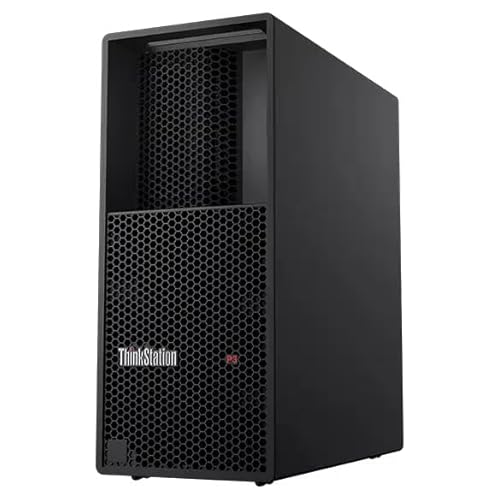
Lenovo ThinkStation P3 RTX 4000 Ada Tower
Best for: hybrid gaming and workstation computing
- Graphics Card
- NVIDIA RTX 4000 Ada 20GB
- Processor Model
- Intel Core Ultra 9 285 vPro
- System Memory
- 64 GB
- Storage Capacity
- 1 TB SSD
- Operating System
- Windows 11 Pro
- Form Factor
- Tower
View on Amazon: Lenovo ThinkStation P3 RTX 4000 Ada Tower (paid link)
This Lenovo ThinkStation P3 is a workstation tower configured with an Intel Core Ultra 9 285 vPro processor and an NVIDIA RTX 4000 Ada Generation graphics card with 20GB of GDDR6 memory. You also get 64GB of DDR5 RAM and a 1TB PCIe Gen4 SSD. It suits you if you need enterprise-grade workstation hardware, large video memory capacity for demanding workloads, and heavy multithreaded compute power alongside your gaming.
Pros
- Intel Core Ultra 9 285 vPro processor with P-cores up to 5.40 GHz
- NVIDIA RTX 4000 Ada Generation GPU with 20GB GDDR6 memory
- 64GB of high-speed DDR5 RAM
- 1TB M.2 PCIe Gen4 NVMe solid-state drive
Cons
- 1TB storage capacity is modest for extensive software and game installations
- Heavy chassis starting at 30 pounds
Good fit if
- You need 20GB of dedicated GPU memory for graphical workloads and gaming.
- You require 64GB of DDR5 memory out of the box.
- You want Intel vPro platform features for management and security.
Skip if
- You need more than 1TB of factory storage for large media libraries.
- You prefer a lightweight desktop that is easy to relocate.
Verdict: Lenovo ThinkStation P3 RTX 4000 Ada Tower delivers substantial computing power with its Intel Core Ultra 9 processor and 20GB professional graphics card. It is a capable choice if you split time between workstation software and gaming.

CyberpowerPC RTX 5080 Ryzen 9 Gaming PC
Best for: large game libraries and high-end gaming
- Graphics Card
- NVIDIA GeForce RTX 5080 16GB
- Processor Model
- AMD Ryzen 9 9950X3D2
- System Memory
- 64GB DDR5
- Storage Capacity
- 4TB PCIe 4.0 NVMe SSD
- Operating System
- Windows 11 Home
View on Amazon: CyberpowerPC RTX 5080 Ryzen 9 Gaming PC (paid link)
This desktop pairs a 16-core AMD Ryzen 9 9950X3D2 processor with an NVIDIA GeForce RTX 5080 16GB graphics card. You also get 64GB of DDR5 memory and a 4TB PCIe 4.0 NVMe SSD for storage. A liquid cooler manages processor thermals inside the tempered-glass chassis. It suits you if you need massive local solid-state storage and top-tier computing power for high-resolution gaming and heavy multitasking.
Pros
- AMD Ryzen 9 9950X3D2 16-core processor with liquid cooling
- NVIDIA GeForce RTX 5080 graphics card with 16GB VRAM
- Large 4TB PCIe 4.0 NVMe solid-state drive
- 64GB DDR5 system memory
- Includes keyboard and mouse
Cons
- Features standard WiFi 6 rather than WiFi 6E or WiFi 7
- Includes three slower USB-A 2.0 ports
- Limited to a 1-year parts and labor warranty
Good fit if
- You want a spacious 4TB NVMe SSD for a large game library without adding drives.
- You need 64GB of DDR5 RAM alongside a high-core-count Ryzen 9 processor.
- You prefer liquid CPU cooling and a pre-included keyboard and mouse setup.
Skip if
- You require modern WiFi 7 or WiFi 6E wireless networking out of the box.
- You prefer a multi-year hardware warranty standard with your build.
Verdict: CyberpowerPC RTX 5080 Ryzen 9 Gaming PC delivers a 16-core processor, an RTX 5080 GPU, and an expansive 4TB SSD for demanding workloads. It provides plenty of memory and liquid cooling for high-end gaming.

Dell Alienware Aurora RTX 5080 Gaming Desktop
Best for: high-end gaming and multi-core processing
- Graphics Card
- NVIDIA GeForce RTX 5080 16GB GDDR7
- Processor Model
- Intel Core Ultra 9 285K
- System Memory
- 32GB DDR5
- Storage Capacity
- 1TB PCIe SSD
- Operating System
- Windows 11 Pro
- Dimensions
- 22 × 15 × 20 inches
View on Amazon: Dell Alienware Aurora RTX 5080 Gaming Desktop (paid link)
This Dell Alienware Aurora gaming desktop features an Intel Core Ultra 9 285K processor and an NVIDIA GeForce RTX 5080 graphics card. You get 32GB of DDR5 memory along with a 1TB internal SSD and an included 1TB storage dock. It supports Wi-Fi 7 networking and comes with Windows 11 Pro installed. This desktop suits you if you want high computing power and fast graphics for demanding games and productivity.
Pros
- Intel Core Ultra 9 285K processor with 24 cores
- NVIDIA GeForce RTX 5080 GPU with 16GB GDDR7
- High-speed Wi-Fi 7 wireless connectivity
- Includes 7-in-1 dock with 1TB extra storage
Cons
- Internal SSD capacity is limited to 1TB
- Heavy desktop chassis weighing 33.89 pounds
Good fit if
- You want an Intel 24-core processor paired with an RTX 5080 graphics card.
- You need Wi-Fi 7 wireless connectivity for low latency.
- You want bundled accessories including a matching keyboard and mouse.
Skip if
- You require more than 1TB of internal SSD storage out of the box.
- You need a lightweight system that is easy to move.
Verdict: Dell Alienware Aurora RTX 5080 Gaming Desktop delivers top-tier graphics and 24-core processing power for high-demand titles. Its modern Wi-Fi 7 and included accessories make it ready for heavy workloads.
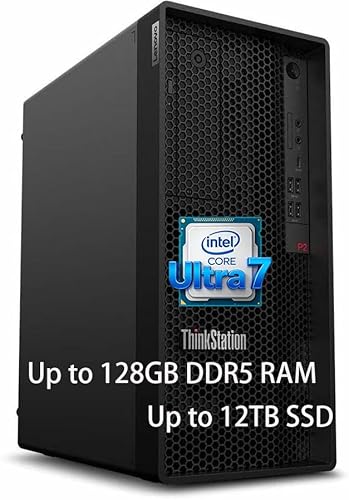
Lenovo ThinkStation P2 Core Ultra 7 128GB RAM
Best for: memory-heavy computing and certified professional software
- Processor Model
- Intel Core Ultra 7 265K
- System Memory
- 128 GB
- Storage Capacity
- 5 TB (4TB SSD + 1TB HDD)
- Operating System
- Windows 11 Pro
- Use
- Workstation
- Weight
- 13 pounds
View on Amazon: Lenovo ThinkStation P2 Core Ultra 7 128GB RAM (paid link)
This Lenovo workstation features an Intel Core Ultra 7 265K processor with 20 cores, reaching speeds up to 5.5 GHz. It includes 128GB of DDR5 memory and 5TB of total storage space. Running Windows 11 Pro, the tool-less chassis weighs 13 pounds. It suits you if you need massive memory capacity, multi-threaded compute power, and ISV-certified application stability.
Pros
- Intel Core Ultra 7 265K processor with 20 cores and up to 5.5 GHz
- 128GB DDR5 system memory for large datasets and virtualization
- 5TB total storage capacity
- Tool-less chassis for straightforward hardware maintenance
Cons
- No discrete graphics card listed in specifications
- Workstation-focused build without dedicated gaming GPU hardware
Good fit if
- You need 128GB of DDR5 RAM for memory-heavy applications.
- You run ISV-certified engineering or content creation software.
- You want a 20-core Intel Core Ultra 7 desktop with a tool-less chassis.
Skip if
- You need a dedicated graphics card for high-end gaming.
- You want a top-tier Intel Core Ultra 9 processor.
Verdict: Lenovo ThinkStation P2 Core Ultra 7 128GB RAM delivers massive memory capacity and 20 compute cores for demanding professional workflows. Its workstation design emphasizes certified stability and memory capacity rather than pre-installed gaming graphics.

MSI Aegis R2 RTX 5080 Gaming Desktop
Best for: high-end Windows 11 Home gaming setups
- Graphics Card
- NVIDIA GeForce RTX 5080
- Processor Model
- Intel Ultra 9 285
- System Memory
- 64GB
- Storage Capacity
- 2TB SSD
- Operating System
- Windows 11 Home
- Dimensions
- 19.4 × 9.1 × 19 inches
View on Amazon: MSI Aegis R2 RTX 5080 Gaming Desktop (paid link)
This MSI prebuilt desktop combines a 24-core Intel Ultra 9 285 processor with an NVIDIA GeForce RTX 5080 graphics card. You get 64GB of RAM and a 2TB SSD for storage, along with a 360mm liquid cooler and an 850W Gold power supply. It suits you if you need high-end graphical processing, modern Wi-Fi 7 connectivity, and fast 5Gb Ethernet in a standard Windows 11 Home setup.
Pros
- Intel 24-core Ultra 9 285 processor
- NVIDIA GeForce RTX 5080 dedicated graphics
- 64GB RAM and 2TB SSD storage
- Fast networking with 5Gb RJ45 Ethernet and Wi-Fi 7
Cons
- Comes with Windows 11 Home rather than Windows 11 Pro
- Four of the USB ports are legacy USB 2.0 speeds
- Large 26.9-pound chassis requires substantial desk clearance
Good fit if
- You need a 24-core Intel CPU paired with RTX 5080 graphics for heavy gaming workloads.
- You want 64GB of system memory and 2TB of solid-state storage without immediate upgrades.
- You plan to use high-bandwidth networking via 5Gb Ethernet or Wi-Fi 7.
Skip if
- You need Windows 11 Pro features for enterprise management or domain access.
- You need a compact computer that takes up minimal floor or desk space.
Verdict: MSI Aegis R2 RTX 5080 Gaming Desktop delivers heavy-duty performance using an Intel 24-core Ultra 9 chip, RTX 5080 graphics, and 64GB of memory. It is a capable choice if your setup only requires Windows 11 Home.

MSI Aegis ZS2 RTX 5080 Gaming Desktop
Best for: high-end gaming and 64GB multitasking setups
- Graphics Card
- NVIDIA GeForce RTX 5080 16GB GDDR7
- Processor Model
- AMD Ryzen 9 9900X
- System Memory
- 64 GB
- Storage Capacity
- 2TB PCIe SSD + 1TB Docking Station
- Operating System
- Windows 11 Pro
- Dimensions
- 23 × 13 × 24 inches
View on Amazon: MSI Aegis ZS2 RTX 5080 Gaming Desktop (paid link)
This MSI Aegis ZS2 configuration pairs a 12-core AMD Ryzen 9 9900X processor with an NVIDIA GeForce RTX 5080 16GB graphics card. You receive 64GB of DDR5 memory, a 360mm liquid cooling setup, and Wi-Fi 7 networking. The system includes 2TB of internal PCIe SSD storage along with an external 1TB docking station. It suits you if you need heavy multitasking and high-tier graphics without building a desktop yourself.
Pros
- AMD Ryzen 9 9900X 12-core processor with 360mm liquid cooling
- NVIDIA GeForce RTX 5080 graphics card with 16GB GDDR7
- 64GB DDR5 system memory
- Wi-Fi 7 support and 850W 80+ Gold power supply
Cons
- Total 3TB storage includes a 1TB external docking station rather than all-internal drive space
- Factory seal opened to perform RAM and SSD upgrades
- Rear I/O panel lacks USB Type-C ports
Good fit if
- You need high-end graphics performance from an RTX 5080 paired with 64GB DDR5 memory.
- You want a prebuilt system featuring a 360mm liquid cooler and Wi-Fi 7 support.
- You value bundled accessories including a mouse, keyboard, and external docking station.
Skip if
- You prefer a strictly factory-sealed desktop without third-party hardware upgrades.
- You require all storage drives to be mounted internally inside the case.
Verdict: MSI Aegis ZS2 RTX 5080 Gaming Desktop delivers powerful 12-core AMD processing and modern 16GB graphics backed by 64GB of RAM. It offers robust hardware, though one terabyte of its advertised storage relies on an external dock.
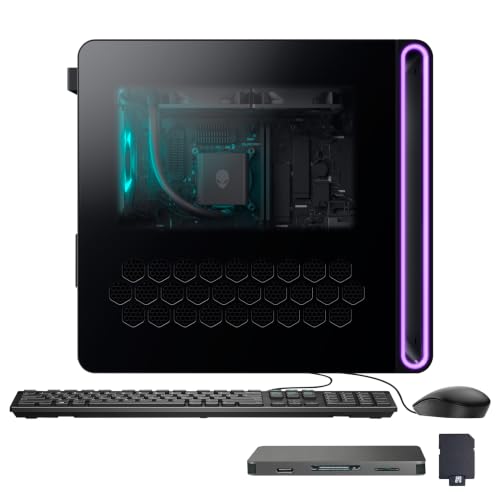
Dell Alienware Aurora RTX 5080 Gaming Desktop
Best for: high-end gaming with modern RTX 5080 performance
- Graphics Card
- NVIDIA GeForce RTX 5080 16GB GDDR7
- Processor Model
- Intel Core Ultra 9 285K
- System Memory
- 32GB DDR5
- Storage Capacity
- 1TB PCIe SSD
- Operating System
- Windows 11 Home
- Dimensions
- 22 × 15 × 20 inches
View on Amazon: Dell Alienware Aurora RTX 5080 Gaming Desktop (paid link)
This Dell Alienware Aurora gaming desktop pairs a 24-core Intel Core Ultra 9 285K processor with an NVIDIA GeForce RTX 5080 16GB GDDR7 graphics card. You get 32GB of DDR5 memory alongside a 1TB PCIe solid-state drive for storage, plus an external 1TB docking station bundle. Built-in Wi-Fi 7 handles fast wireless connectivity. It suits you if you need strong processing power and modern graphics for demanding gaming setups.
Pros
- Intel Core Ultra 9 285K processor with 24 cores and up to 5.7GHz clock speed
- NVIDIA GeForce RTX 5080 graphics card with 16GB GDDR7 memory
- Equipped with Wi-Fi 7 and wired RJ-45 connectivity
- Includes keyboard, mouse, and 7-in-1 docking station with 1TB drive
Cons
- Internal storage is limited to a single 1TB PCIe SSD
- Tower chassis is heavy at 33.89 pounds
- Upgrade seal was opened, resulting in split warranty coverage
Good fit if
- You want an Intel Core Ultra 9 285K processor paired with an RTX 5080 GPU.
- You need Wi-Fi 7 connectivity and multiple USB-A and USB-C ports.
- You want bundled peripherals and an external storage dock included.
Skip if
- You need more than 1TB of internal SSD space without using external drives.
- You prefer a lightweight desktop chassis that is easy to move.
- You prefer a factory-sealed unit with single-source warranty coverage.
Verdict: Dell Alienware Aurora RTX 5080 Gaming Desktop delivers exceptional compute and graphics capability via the Intel Core Ultra 9 285K and 16GB RTX 5080. It provides modern Wi-Fi 7 networking and rich peripheral bundles for heavy gaming and multitasking.
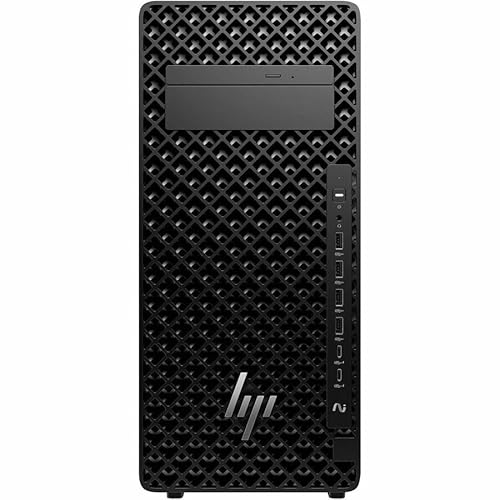
HP Z2 Tower Intel Core Ultra 9 285K
Best for: Heavy multi-core computing and memory expansion
- Graphics Card
- NVIDIA 8 GB GDDR6
- Processor Model
- Intel Core Ultra 9 285K
- System Memory
- 32 GB DDR5 SDRAM
- Storage Capacity
- 1 TB SSD
- Operating System
- Windows 11 Pro
- Form Factor
- Tower
View on Amazon: HP Z2 Tower Intel Core Ultra 9 285K (paid link)
The HP Z2 Tower Intel Core Ultra 9 285K pairs Intel's 24-core processor with 32 GB of DDR5 memory and a 1 TB PCIe 4.0 SSD. It includes dedicated NVIDIA graphics with 8 GB of GDDR6 VRAM and runs Windows 11 Pro. You get a workstation built for multi-threaded tasks, heavy background workloads, and memory expansion up to 128 GB. This machine suits you if your gaming setup doubles as a professional workstation.
Pros
- 24-core Intel Core Ultra 9 285K processor
- 32 GB DDR5 memory expandable to 128 GB
- 1 TB PCIe 4.0 solid-state drive
- Dedicated NVIDIA 8 GB GDDR6 graphics
- Preinstalled Windows 11 Pro operating system
Cons
- Graphics memory is limited to 8 GB GDDR6
- 1 TB storage capacity limits extensive local game libraries
Good fit if
- You prioritize heavy 24-core CPU performance for work and play
- You plan to expand system memory up to 128 GB DDR5
- You need Windows 11 Pro features for professional tasks
Skip if
- You want a dedicated graphics card with more than 8 GB VRAM
- You require multiple terabytes of internal storage out of the box
Verdict: HP Z2 Tower Intel Core Ultra 9 285K provides substantial 24-core processing power and 32 GB of expandable DDR5 memory for multi-threaded demands. Its 8 GB dedicated graphics unit suits moderate visual workloads but provides less VRAM than dedicated high-tier gaming systems.

Lenovo ThinkStation P8 Threadripper PRO 7945WX Tower
Best for: CPU-intensive computing and massive memory expansion
- Graphics Card
- NVIDIA 4 GB Graphics
- Processor Model
- AMD Ryzen Threadripper PRO 7945WX
- System Memory
- 32 GB DDR5
- Storage Capacity
- 1 TB NVMe SSD
- Operating System
- Windows 11 Pro
- Form Factor
- Tower
View on Amazon: Lenovo ThinkStation P8 Threadripper PRO 7945WX Tower (paid link)
This tower pairs an AMD Ryzen Threadripper PRO 7945WX 12-core processor with 32 GB of DDR5 ECC memory and a 1 TB PCIe 4.0 SSD. You get massive CPU throughput and eight memory slots capable of handling up to 1 TB of RAM. However, the dedicated NVIDIA graphics card carries only 4 GB of VRAM. It suits CPU-intensive workloads rather than GPU-heavy gaming.
Pros
- AMD Ryzen Threadripper PRO 7945WX with 12 cores and 24 threads
- Eight DDR5 memory slots expandable up to 1 TB
- 32 GB of error-correcting ECC system memory
- 1 TB PCIe 4.0 x4 NVMe SSD
Cons
- NVIDIA graphics limited to 4 GB dedicated memory
- Large chassis footprint measuring 27 inches long and 24.6 inches high
Good fit if
- You need multi-threaded CPU processing power with 24 threads.
- You plan to expand memory up to 1 TB across eight slots.
- You require ECC memory stability for workstation operations.
Skip if
- You want a high-tier gaming GPU with more than 4 GB VRAM.
- You have limited desk space for a large tower chassis.
Verdict: Lenovo ThinkStation P8 Threadripper PRO delivers immense multi-threaded compute and enterprise memory expansion. Its 4 GB graphics card limits high-end gaming potential.
Specifications side by side
| Spec | Dell Alienware Aurora RTX 5080 Gaming Desktop | MSI Aegis ZS2 RTX 5080 Gaming Desktop | MSI Aegis ZS2 RTX 5080 Ryzen 9 Desktop | MSI Aegis R2 AI RTX 5070 Ti Desktop | Lenovo ThinkStation P3 Tower RTX 2000 Ada | MSI Aegis ZS2 RTX 5080 Ryzen 9 Gaming PC | Lenovo ThinkStation P3 RTX 4000 Ada Tower | CyberpowerPC RTX 5080 Ryzen 9 Gaming PC | Dell Alienware Aurora RTX 5080 Gaming Desktop | Lenovo ThinkStation P2 Core Ultra 7 128GB RAM | MSI Aegis R2 RTX 5080 Gaming Desktop | MSI Aegis ZS2 RTX 5080 Gaming Desktop | Dell Alienware Aurora RTX 5080 Gaming Desktop | HP Z2 Tower Intel Core Ultra 9 285K | Lenovo ThinkStation P8 Threadripper PRO 7945WX Tower |
|---|---|---|---|---|---|---|---|---|---|---|---|---|---|---|---|
| Graphics Card | NVIDIA GeForce RTX 5080 16GB GDDR7 | NVIDIA GeForce RTX 5080 | NVIDIA GeForce RTX 5080 16GB GDDR7 | NVIDIA GeForce RTX 5070 Ti 16GB | NVIDIA RTX 2000 Ada 16GB | NVIDIA GeForce RTX 5080 16GB GDDR7 | NVIDIA RTX 4000 Ada 20GB | NVIDIA GeForce RTX 5080 16GB | NVIDIA GeForce RTX 5080 16GB GDDR7 | not specified | NVIDIA GeForce RTX 5080 | NVIDIA GeForce RTX 5080 16GB GDDR7 | NVIDIA GeForce RTX 5080 16GB GDDR7 | NVIDIA 8 GB GDDR6 | NVIDIA 4 GB Graphics |
| Processor Model | Intel Core Ultra 9 285K | AMD Ryzen R9-9900X | AMD Ryzen 9 9900X | Intel 24-core Ultra 9 285 | Intel Core Ultra 9 285 vPro | AMD Ryzen 9 9900X | Intel Core Ultra 9 285 vPro | AMD Ryzen 9 9950X3D2 | Intel Core Ultra 9 285K | Intel Core Ultra 7 265K | Intel Ultra 9 285 | AMD Ryzen 9 9900X | Intel Core Ultra 9 285K | Intel Core Ultra 9 285K | AMD Ryzen Threadripper PRO 7945WX |
| System Memory | 32 GB | 64GB DDR5 | 64 GB DDR5 | 64 GB | 128 GB | 64GB DDR5 | 64 GB | 64GB DDR5 | 32GB DDR5 | 128 GB | 64GB | 64 GB | 32GB DDR5 | 32 GB DDR5 SDRAM | 32 GB DDR5 |
| Storage Capacity | 2 TB SSD | 2TB M.2 NVMe SSD | 3 TB (2 TB SSD + 1 TB Dock) | 8 TB SSD | 4 TB SSD | 2TB PCIe SSD + 1TB Docking Station | 1 TB SSD | 4TB PCIe 4.0 NVMe SSD | 1TB PCIe SSD | 5 TB (4TB SSD + 1TB HDD) | 2TB SSD | 2TB PCIe SSD + 1TB Docking Station | 1TB PCIe SSD | 1 TB SSD | 1 TB NVMe SSD |
| Operating System | Windows 11 Pro | Windows 11 Home | Windows 11 Pro | Windows 11 Professional | Windows 11 Pro | Windows 11 Home | Windows 11 Pro | Windows 11 Home | Windows 11 Pro | Windows 11 Pro | Windows 11 Home | Windows 11 Pro | Windows 11 Home | Windows 11 Pro | Windows 11 Pro |
| Form Factor | not specified | not specified | not specified | not specified | Tower | not specified | Tower | not specified | not specified | not specified | not specified | not specified | not specified | Tower | Tower |
| Processor | not specified | not specified | Ryzen 9 | not specified | not specified | Ryzen 9 | not specified | Ryzen 9 | not specified | Core Ultra 7 | not specified | Ryzen 9 | not specified | not specified | not specified |
| Memory | 32GB RAM | not specified | not specified | 64GB RAM | not specified | not specified | not specified | not specified | 32GB RAM | 128GB RAM | 64GB RAM | not specified | 32GB RAM | 32GB RAM | 32GB RAM |
| Storage | 2TB SSD | not specified | 2TB SSD | not specified | 4TB SSD | 2TB SSD | 1TB SSD | not specified | 1TB SSD | 1TB HDD | 2TB SSD | 2TB SSD | 1TB SSD | 1TB SSD | 1TB SSD |
| Use | not specified | VR | not specified | not specified | Workstation | not specified | Workstation | not specified | not specified | Workstation | not specified | not specified | not specified | Workstation | Workstation |
| Dimensions | 22 × 15 × 20 inches | 9.1 × 19 × 19.4 inches | 23 × 13 × 24 inches | 19.4 × 9.1 × 19 inches | 16.3 × 7.1 × 14.6 inches | 23 × 13 × 24 inches | 16.3 × 7.1 × 14.6 inches | not specified | 22 × 15 × 20 inches | not specified | 19.4 × 9.1 × 19 inches | 23 × 13 × 24 inches | 22 × 15 × 20 inches | 19 × 22.8 × 11 inches | 27 × 12.5 × 24.6 inches |
| Weight | 33.9 pounds | 26.9 pounds | 41 pounds | 26.9 pounds | 30 pounds | 41 pounds | 30 pounds | not specified | 33.9 pounds | 13 pounds | 26.9 pounds | 41 pounds | 33.9 pounds | 15 pounds | not specified |
| Size | 32GB RAM | 2TB SSD | 2 TB | 64GB | 3TB Storage | 64GB RAM | 8TB SSD | not specified | 64GB | 3TB Storage | not specified | SLCAI21000A3 | 32GB RAM | 1TB SSD | 128GB RAM | 5TB Space | 64GB RAM | 2TB SSD | 64GB | 3TB Storage | 32GB RAM | 1TB SSD | not specified | not specified |
| Color | Black | Black | Black | Black | Black | Black | Black | White | Black | Black | Black | Black | Black | Black | not specified |
| Model | Dell Alienware Aurora | AeZS2C9NVV1277 | MSI Aegis ZS2 | MSI Aegis R2 AI 2nd | 30HS | MSI Aegis ZS2 | 30HS | SLCAI21000A3 | ACT1250 | Think station P2Gen2 | Aegis R2 AI 2nd | MSI Aegis ZS2 | ACT1250 | BN6X1UT#ABA | 30HH007TUS |
Hardware Trade-Offs Under $5000 Desktops
Desktops Under $5000 deliver fast processor options and RTX 5080 graphics cards, yet you accept spec trade-offs. None include a monitor; you receive zero screen size or display features in the box. Multiple configurations limit base internal storage to a 1TB SSD, while others require external docks for extra capacity. Memory configurations also vary. Several systems drop to 32GB RAM instead of 64GB or 128GB. You also trade operating system editions across models, with select gaming desktops providing Windows 11 Home instead of Windows 11 Pro.
- Storage capacity: Multiple desktops limit internal drives to 1TB SSDs or require external docks.
- Memory size: Select configurations cap memory at 32GB RAM instead of 64GB or 128GB.
- Operating system edition: Some builds provide Windows 11 Home rather than Windows 11 Pro.
- Graphics card hardware: Workstation options trade GeForce gaming graphics for 8GB or Ada cards.
If you need portable hardware instead of a stationary desktop, you can compare specifications for a gaming laptop under 5000.
How We Chose These Desktops
This guide covers prebuilt desktop listings that fit the Under $5000 range. To keep your choices distinct, only one size or variant of each product family appears. All details come directly from published specifications and feature lists on each listing. Desktops are not physically handled. You see products in stock first, then by Amazon sales rank (better-selling products first).
A desktop belongs here only when it matches the Under $5000 bracket. Figures and stock update live on the page at least daily, so systems can move onto or off the list as availability shifts. This regular updating helps you compare current hardware specifications accurately for your setup.
How to Choose the Right Prebuilt Desktop
-
Compare Processor Core Counts
Evaluate total CPU cores against your daily computing tasks. Heavy background rendering and compilation benefit from 24-core chips like the Intel Core Ultra 9 285K. Pure gaming workloads rarely saturate that many threads, making 12-core or 16-core AMD Ryzen 9 processors a balanced alternative. Review the core breakdown on product listings before choosing. Desktops like the Dell Alienware Aurora RTX 5080 Desktop provide 24 cores for users who juggle gaming and multi-threaded background software simultaneously.
-
Verify Internal Storage Setup
Check total solid-state drive capacity and drive placement on the spec sheet. High-end games frequently require over 100GB each, so a 1TB SSD fills up quickly. Capacities ranging from 2TB to 8TB give you immediate room without requiring extra hardware. Pay close attention to whether storage relies on internal M.2 drives or external accessories. The MSI Aegis R2 AI RTX 5070 Ti Desktop integrates an 8TB SSD directly, ensuring swift read speeds without taking up external port space.
-
Check Operating System Edition
Examine whether the desktop ships with Windows 11 Home or Windows 11 Pro. Standard gaming builds typically run Windows 11 Home, which covers gaming features like DirectX 12 and Auto HDR. Windows 11 Pro adds enterprise utilities, including BitLocker drive encryption, Group Policy management, and remote desktop hosting. If you use your machine for corporate work or remote access, choose a Pro build. The MSI Aegis R2 RTX 5080 Gaming Desktop includes Windows 11 Home specifically for gaming setups.
-
Measure Desk Clearance and Weight
Review the case height, length, width, and overall weight before purchasing. Full-size gaming towers often reach heights over 20 inches and weigh more than 30 pounds. These heavy chassis demand dedicated floor or heavy-duty desk placement, along with generous clearance for ventilation intake and exhaust. Compact mini PCs take up minimal space and sit easily next to your monitor. A model like the MSI Aegis ZS2 RTX 5080 Ryzen 9 Desktop weighs 41 pounds and requires a sturdy, open surface.
-
Confirm Wireless Networking Standards
Look at the wireless specification listed under connectivity to ensure modern network support. Systems equipped with Wi-Fi 7 handle wider channel bandwidths and lower latency when connected to compatible routers. This standard helps maintain stable wireless connectivity during competitive multiplayer sessions or large file transfers. Older Wi-Fi revisions work fine but may bottleneck multi-gigabit connections. Desktops such as the ASUS ROG NUC 16 RTX 5080 Mini Gaming PC feature built-in Wi-Fi 7, eliminating the need to add third-party network expansion cards later.
-
Match System Memory to Workload
Look at the included RAM capacity to prevent memory bottlenecks during intense multitasking. Modern gaming runs smoothly on 32GB of RAM, leaving ample headroom for voice chat and background web browsers. Upgrading to 64GB serves enthusiasts who stream high-resolution gameplay, run virtual machines, or edit 4K video clips alongside gaming sessions. Selecting 32GB systems like the Dell Alienware Aurora RTX 5080 Gaming Desktop keeps memory allocations well-suited for gaming without leaving unused system memory sitting idle in everyday tasks.
Frequently asked questions
Which graphics card configurations are standard in this prebuilt category?
Most dedicated gaming desktops in this category feature Nvidia GeForce RTX 5080 graphics cards equipped with 16GB of video memory. Builds like the Dell Alienware Aurora and MSI Aegis ZS2 leverage this GPU alongside GDDR7 memory. Workstation towers on the list instead configure professional hardware, such as the RTX 4000 Ada with 20GB of memory.
What level of liquid cooling do these gaming desktops provide?
Liquid cooling configurations in these gaming towers regularly use 360mm radiator systems to control thermal output. Models such as the MSI Aegis ZS2 and CyberpowerPC RTX 5080 feature dedicated liquid loops. These setups prevent thermal throttling on high-demand processors, including 12-core and 16-core AMD Ryzen 9 chips, during extended computing tasks.
How much internal SSD storage do these high-end gaming PCs supply?
Internal solid-state drive storage ranges between 1TB and 8TB across these prebuilt systems. Base configurations such as the Dell Alienware Aurora and HP Z2 Tower provide 1TB or 2TB SSDs for your operating system and main applications. If you require massive capacity out of the box, the MSI Aegis R2 AI supplies an 8TB SSD.
What operating system editions come pre-installed on these desktops?
Most desktops in this group run Windows 11 Pro, though select gaming models ship with Windows 11 Home. Systems like the Lenovo ThinkStation line, HP Z2 Tower, and Dell Alienware Aurora include Windows 11 Pro for professional networking features. In contrast, the MSI Aegis R2 RTX 5080 comes equipped with Windows 11 Home.
How much system memory is standard for gaming desktops in this class?
Standard memory allocations range from 32GB of RAM up to 128GB across the featured desktops. Gaming builds such as the MSI Aegis R2 AI and Aegis ZS2 offer 64GB of RAM for smooth multitasking. Enterprise workstation options, including the Lenovo ThinkStation P3 and P2, provide 128GB of RAM for data-intensive workflows.
What networking standards are included on these gaming desktops?
Several high-performance gaming desktops in this lineup feature modern Wi-Fi 7 wireless networking adapters. You will find Wi-Fi 7 hardware integrated into models like the Dell Alienware Aurora and select MSI Aegis ZS2 configurations. These motherboards provide ultra-fast wireless throughput alongside integrated gigabit or multi-gigabit Ethernet ports for wired setups.
How do workstation desktops compare to gaming desktops in this category?
Workstation builds prioritize specialized processors and massive system memory over high-tier consumer graphics cards. The Lenovo ThinkStation P8 features an AMD Threadripper PRO processor with a 4GB graphics card, while the ThinkStation P2 carries 128GB of RAM. Dedicated gaming desktops instead prioritize 16GB RTX 5080 GPUs paired with 32GB or 64GB of memory.