Best Gaming Desktops Under $2500 in 2026: 15 Picks Ranked by Specs
As an Amazon Associate we earn from qualifying purchases. Links on this page are affiliate links.
Finding the right gaming desktop under 2500 depends on matching component configurations to your specific performance targets. We evaluated 15 systems based strictly on the specifications published on their product listings.
The Alienware Aurora RTX 5070 Gaming Desktop takes the top spot because it pairs a Core Ultra 7 processor with dedicated RTX 5070 graphics and 1 TB of storage. This guide helps you compare key details like graphics cards, system memory, and chassis dimensions so you can choose the right build for your gaming needs in 2026.
Quick picks
The best fit for you
- You want balanced high-end gaming with modern hardware Alienware Aurora RTX 5070 Gaming Desktop It combines an Intel Core Ultra 7 processor with an RTX 5070 graphics card and 1TB of storage.
- You need out-of-the-box gaming with larger storage capacity MSI Codex Z2 RTX 5070 Gaming Desktop It features a 2TB SSD alongside 32GB of DDR5 RAM and an RTX 5070 GPU.
- You need a gaming desktop with Windows 11 Pro ASUS ROG G700 RTX 5070 Gaming Desktop It runs Windows 11 Pro backed by an Intel Core Ultra 7 processor and 32GB DDR5 RAM.
- You require massive system memory for heavy productivity workloads HP Elite SFF Ryzen 5 Desktop It offers 128GB of RAM and a 2TB SSD in a compact small form factor chassis.
Our 15 picks

Alienware Aurora RTX 5070 Gaming Desktop
Best for: balanced high-end gaming with onsite support
- Graphics Card
- NVIDIA GeForce RTX 5070
- Processor Model
- Intel Core Ultra 7 265F
- Storage Capacity
- 1 TB
- Dimensions
- 18.1 × 7.76 × 16.5 inches
- Weight
- 33.9 pounds
View on Amazon: Alienware Aurora RTX 5070 Gaming Desktop (paid link)
The Alienware Aurora is a full-size prebuilt gaming desktop engineered for high-demand play. Inside its matte basalt black chassis, you get an Intel Core Ultra 7 265F processor paired with NVIDIA GeForce RTX 5070 graphics and 1 TB of storage. It suits you if you want current-generation components and dedicated system tuning software supported by onsite hardware service.
Pros
- NVIDIA GeForce RTX 5070 graphics card
- Intel Core Ultra 7 265F processor
- Alienware Command Center with customizable AlienFX lighting
- One-year Dell onsite hardware service included
Cons
- Heavy chassis weighing 33.89 pounds
- Baseline configuration limited to 1 TB of storage
- Deep profile measuring over 18 inches in length
Good fit if
- You want an Intel Core Ultra 7 processor paired with RTX 5070 graphics.
- You prefer the safety of a one-year onsite hardware warranty.
- You want built-in software to manage custom performance states and lighting.
Skip if
- You need a lightweight desktop that is easy to transport.
- You require more than 1 TB of storage capacity out of the box.
Verdict: Alienware Aurora RTX 5070 Gaming Desktop delivers modern processing and graphics power in a distinct, well-managed chassis. It gives you capable hardware paired with convenient onsite service coverage.

MSI Codex Z2 RTX 5070 Gaming Desktop
Best for: modern AAA gaming with 2TB storage
- Graphics Card
- NVIDIA GeForce RTX 5070
- Processor Model
- AMD Ryzen 7 8700F
- System Memory
- 32GB DDR5
- Storage Capacity
- 2TB SSD
- Operating System
- Windows 11 Home
- Dimensions
- 16 × 8.38 × 19 inches
View on Amazon: MSI Codex Z2 RTX 5070 Gaming Desktop (paid link)
The MSI Codex Z2 is a prebuilt gaming desktop configured with an AMD Ryzen 7 8700F processor and an NVIDIA GeForce RTX 5070 graphics card. You get 32GB of DDR5 memory alongside a 2TB solid-state drive for game storage. Its chassis includes four cooling fans and dedicated LED controls. This setup suits you if you want modern Blackwell graphics and substantial internal storage for AAA titles without needing immediate hardware upgrades.
Pros
- NVIDIA GeForce RTX 5070 Blackwell GPU
- AMD Ryzen 7 8700F 8-core CPU boosting up to 5.0 GHz
- Generous 2TB solid-state drive
- 32GB DDR5 system memory
- Four system fans with ARGB air cooling
Cons
- Uses an air cooler rather than a liquid cooling system
- Comes with Windows 11 Home rather than Windows 11 Pro
Good fit if
- You want 2TB of solid-state storage ready for large game libraries.
- You need 32GB of DDR5 memory to run games alongside background apps.
- You prefer hardware lighting controls via a dedicated chassis button.
Skip if
- You require Windows 11 Pro for professional or business use.
- You prefer liquid CPU cooling over an air-cooled tower setup.
Verdict: MSI Codex Z2 RTX 5070 Gaming Desktop provides strong 8-core processing, Blackwell graphics, and a spacious 2TB drive right out of the box. It offers reliable air cooling and 32GB of DDR5 RAM for demanding gaming workloads.

KOTIN RTX 5070 Ryzen 7 9700X Gaming PC
Best for: gamers wanting built-in real-time hardware telemetry
- Graphics Card
- GeForce RTX 5070 12GB GDDR7
- Processor Model
- AMD Ryzen 7 9700X
- System Memory
- 32GB DDR5
- Storage Capacity
- 1TB NVMe SSD
- Operating System
- Windows 11 Home
- Form Factor
- Mid-tower
View on Amazon: KOTIN RTX 5070 Ryzen 7 9700X Gaming PC (paid link)
This KOTIN prebuilt gaming desktop pairs an AMD Ryzen 7 9700X 8-core processor with an NVIDIA GeForce RTX 5070 12GB graphics card and 32GB of DDR5 6000MHz memory. It includes a 360mm liquid cooler and a built-in 11.3-inch display on the case for system stats. If you want current-generation hardware ready for high-resolution gaming along with integrated hardware monitoring without extra software widgets, this build fits your setup.
Pros
- GeForce RTX 5070 12GB GDDR7 GPU and AMD Ryzen 7 9700X 8-core CPU
- Built-in 11.3-inch smart screen for real-time CPU and GPU telemetry
- 32GB DDR5 6000MHz RAM with 360mm AIO liquid cooling
- 850W 80 Plus Gold power supply and WiFi 7 support
Cons
- Internal storage is limited to a 1TB NVMe SSD out of the box
- No legacy VGA or DVI ports without using external adapters
Good fit if
- You want an RTX 5070 and Ryzen 7 9700X configuration with 32GB DDR5 RAM.
- You want a case with an integrated 11.3-inch screen to track hardware metrics.
- You need modern wireless networking with WiFi 7 support.
Skip if
- You need 2TB or more of pre-installed internal solid-state storage.
- You rely on older monitors requiring direct VGA or DVI connections.
Verdict: KOTIN RTX 5070 Ryzen 7 9700X Gaming PC delivers modern 1440p and 4K capability backed by 32GB DDR5 memory, an 850W Gold power supply, and an integrated diagnostic screen. It provides balanced processing and thermal headroom for demanding modern titles.

Lenovo Legion Tower 5 RTX 5070 Ryzen 7 7800X3D
Best for: balanced high-refresh gaming with 32GB memory
- Graphics Card
- NVIDIA GeForce RTX 5070
- Processor Model
- Ryzen 7 7800X3D
- System Memory
- 32GB
- Storage Capacity
- 1TB
- Operating System
- Windows 11 Home
View on Amazon: Lenovo Legion Tower 5 RTX 5070 Ryzen 7 7800X3D (paid link)
The Lenovo Legion Tower 5 is a dedicated gaming desktop configured with an AMD Ryzen 7 7800X3D processor and an NVIDIA GeForce RTX 5070 graphics card. You get 32GB of memory alongside a 1TB storage drive and Windows 11 Home. At 16.3 inches tall in Eclipse Black, this build gives you balanced processing and graphical power if you want a ready-to-run system built around modern components without needing manual hardware upgrades.
Pros
- AMD Ryzen 7 7800X3D processor paired with an NVIDIA GeForce RTX 5070 graphics card
- 32GB system memory for multitasking and modern gaming loads
- Pre-installed Windows 11 Home operating system
- Eclipse Black chassis measuring 16.3 inches in height
Cons
- 1TB baseline storage capacity limits local game library size
- No secondary storage drive listed in the specifications
Good fit if
- You want an AMD Ryzen 7 7800X3D processor matched with an RTX 5070 graphics card.
- You need 32GB of system memory pre-installed.
Skip if
- You need more than 1TB of internal storage from the start.
- You require a compact chassis shorter than 16.3 inches.
Verdict: Lenovo Legion Tower 5 RTX 5070 Ryzen 7 7800X3D pairs a high-tier gaming processor and dedicated graphics with 32GB of memory. It provides a solid baseline for Windows 11 Home gaming without requiring initial component upgrades.

Skytech King 95 RX 9070 XT Gaming PC
Best for: all-AMD 4K gaming with 32GB RAM
- Graphics Card
- AMD Radeon RX 9070 XT 16GB GDDR6
- Processor Model
- AMD Ryzen 7 7800X3D
- System Memory
- 32GB DDR5
- Storage Capacity
- 1TB Gen4 NVMe M.2 SSD
- Operating System
- Windows 11 Home 64-bit
- Dimensions
- 18.7 × 11.8 × 17.4 inches
View on Amazon: Skytech King 95 RX 9070 XT Gaming PC (paid link)
The Skytech King 95 pairs an AMD Ryzen 7 7800X3D processor with a 16GB AMD Radeon RX 9070 XT graphics card. You get 32GB of DDR5 5600 memory and a 1TB Gen4 NVMe storage drive inside a King 95 black case. The prebuilt comes with Windows 11 Home, no bloatware, a gaming keyboard, and mouse. It suits players wanting an all-AMD desktop configured for 4K resolutions and high refresh rates.
Pros
- AMD Ryzen 7 7800X3D processor paired with 16GB Radeon RX 9070 XT
- 32GB DDR5 5600 RGB memory
- 1TB Gen4 NVMe M.2 SSD
- Includes gaming keyboard and mouse
Cons
- Uses older 802.11 AC wireless networking
- Heavy chassis weighing 58.7 pounds
- Only one HDMI and one DisplayPort guaranteed
Good fit if
- You want an all-AMD setup with a Ryzen 7 7800X3D and Radeon RX 9070 XT.
- You require 32GB of DDR5 RAM out of the box.
- You prefer a clean operating system installation with no bloatware.
Skip if
- You need Wi-Fi 6 or newer wireless connectivity.
- You want a lightweight desktop case that is easy to move.
- You require multiple guaranteed DisplayPort outputs for multiple monitors.
Verdict: Skytech King 95 RX 9070 XT Gaming PC delivers high-end gaming hardware centered on the AMD Ryzen 7 7800X3D and Radeon RX 9070 XT. It offers 32GB of DDR5 memory and clean software, though it relies on older 802.11 AC wireless networking.

ASUS ROG G700 RTX 5070 Gaming Desktop
Best for: gamers who need Windows 11 Pro
- Graphics Card
- NVIDIA GeForce RTX 5070
- Processor Model
- Intel Core Ultra 7 265F
- System Memory
- 32 GB
- Storage Capacity
- 1 TB SSD
- Operating System
- Windows 11 Pro
- Dimensions
- 9.45 × 20.1 × 18.9 inches
View on Amazon: ASUS ROG G700 RTX 5070 Gaming Desktop (paid link)
This full-tower gaming PC pairs an Intel Core Ultra 7 265F processor with an NVIDIA GeForce RTX 5070 graphics card and 32GB of DDR5 memory. It comes pre-installed with Windows 11 Pro and includes a 1TB PCIe 4.0 SSD. If you need strong modern gaming performance alongside professional OS features, tool-less chassis access, and high-speed 2.5Gbps wired networking, this desktop is built to handle your workload right out of the box.
Pros
- Intel Core Ultra 7 265F processor and NVIDIA GeForce RTX 5070 GPU
- 32GB DDR5 memory with 1TB PCIe 4.0 SSD storage
- Includes Windows 11 Pro operating system
- Tool-less chassis access and support for triple-slot graphics cards
- 2.5Gbps Ethernet and WiFi 6 connectivity
Cons
- Chassis is heavy and large at over 40 pounds and 58 liters
- Uses standard air cooling rather than liquid cooling
Good fit if
- You need Windows 11 Pro for professional or networking features.
- You want 32GB of DDR5 memory paired with an RTX 5070 card.
- You prefer a tool-less case designed for easy hardware upgrades.
Skip if
- You have limited floor or desk space for a bulky 40-pound chassis.
- You prefer liquid cooling over a quad-fan air setup.
Verdict: ASUS ROG G700 RTX 5070 Gaming Desktop delivers modern gaming power with an Intel Core Ultra 7 processor, 32GB of DDR5 RAM, and the enterprise capabilities of Windows 11 Pro. Its tool-less 58-liter chassis makes it a practical pick if you value future component upgrades.
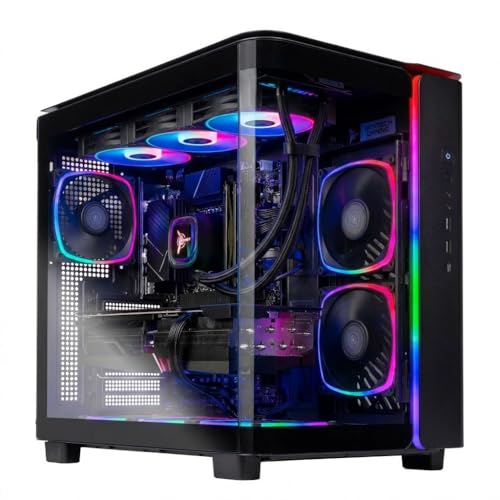
Skytech King 95 RX 9070 XT Gaming PC
Best for: AMD-focused high-resolution PC gaming
- Graphics Card
- AMD Radeon RX 9070 XT 16GB GDDR6
- Processor Model
- AMD Ryzen 7 7800X3D
- System Memory
- 24GB DDR5 RAM 6000
- Storage Capacity
- 1TB Gen4 NVMe M.2 SSD
- Operating System
- Windows 11 Home
- Dimensions
- 18.7 × 11.8 × 17.4 inches
View on Amazon: Skytech King 95 RX 9070 XT Gaming PC (paid link)
This prebuilt desktop combines AMD's Ryzen 7 7800X3D gaming processor with the 16GB Radeon RX 9070 XT graphics card in a King 95 case. You get 24GB of DDR5-6000 memory, a 1TB Gen4 NVMe SSD, and a 360mm liquid CPU cooler. It suits you if you want dedicated AMD components capable of driving high resolutions without building a liquid-cooled rig yourself.
Pros
- AMD Ryzen 7 7800X3D CPU paired with Radeon RX 9070 XT 16GB GPU
- 360mm AIO liquid cooler with ARGB fans
- Fast 6000MHz DDR5 memory
- Includes gaming keyboard and mouse
Cons
- Uses older Wi-Fi 5 standard rather than Wi-Fi 6 or 6E
- Configured with 24GB RAM instead of 32GB
- 1TB storage fills quickly with multiple modern titles
Good fit if
- You prioritize AMD 3D V-Cache processing and high-end Radeon graphics.
- You want 360mm liquid cooling pre-installed in a dual-chamber case.
- You target smooth 1440p or 4K gaming performance.
Skip if
- You need modern Wi-Fi 6 or newer wireless connectivity.
- You require 32GB or more system memory out of the box.
- You want more than 1TB of factory storage for large game libraries.
Verdict: Skytech King 95 RX 9070 XT Gaming PC delivers strong 4K-ready performance with a 360mm liquid cooler and top-tier AMD gaming silicon. The Wi-Fi 5 adapter and 24GB memory pool are minor compromises, but the core processing hardware remains formidable.
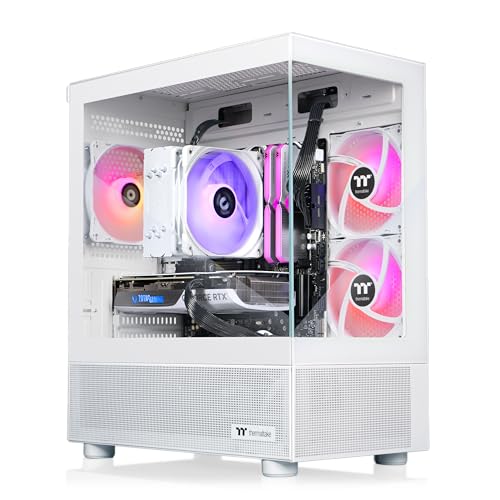
Thermaltake LCGS View RTX 5070 i7 Gaming PC
Best for: Core i7 gaming with high-speed DDR5 memory
- Graphics Card
- NVIDIA GeForce RTX 5070
- Processor Model
- Intel Core i7-14700F
- System Memory
- 32GB DDR5
- Storage Capacity
- 1TB NVMe M.2
- Operating System
- Windows 11
- Form Factor
- Desktop
View on Amazon: Thermaltake LCGS View RTX 5070 i7 Gaming PC (paid link)
This prebuilt gaming desktop features an Intel Core i7-14700F processor paired with an NVIDIA GeForce RTX 5070 graphics card. You get 32GB of ToughRam DDR5 memory running at 6000MT/s, a 1TB NVMe M.2 solid-state drive, and a B760 chipset motherboard. Built into a white panoramic chassis with front and side tempered glass panels, it suits you if you prioritize modern 14th-generation Intel processing, fast memory speeds, and full-view internal hardware presentation.
Pros
- NVIDIA GeForce RTX 5070 graphics card
- Intel Core i7-14700F processor with ARGB tower air cooler
- 32GB DDR5 6000MT/s RGB ToughRam memory
- Dual front and side tempered glass panoramic panels
- Built-in Wi-Fi and Windows 11 included
Cons
- 1TB NVMe storage capacity may fill quickly with modern game installations
- Front panel limited to two USB 3.0 ports with no listed USB-C port
- Uses an air tower cooler rather than liquid cooling
Good fit if
- You want an Intel Core i7-14700F processor combined with RTX 5070 graphics.
- You prioritize high-speed 6000MT/s DDR5 RAM out of the box.
- You want a white desktop enclosure with dual tempered glass viewing panels.
Skip if
- You need more than 1TB of solid-state storage included from the factory.
- You require front-panel USB-C ports for external peripherals.
Verdict: Thermaltake LCGS View RTX 5070 i7 Gaming PC delivers strong 14th-gen Intel performance backed by 32GB of 6000MT/s DDR5 memory and RTX 5070 graphics. Its dual-glass panoramic white chassis makes it a capable, display-ready gaming system.

Lenovo ThinkCentre Neo 50s SFF Desktop
Best for: compact office multitasking and massive storage
- Processor Model
- Intel Core i5-14400
- System Memory
- 64GB
- Storage Capacity
- 4TB SSD
- Operating System
- Windows 11 Pro
- Form Factor
- Small Form Factor
- Use
- Business
View on Amazon: Lenovo ThinkCentre Neo 50s SFF Desktop (paid link)
The Lenovo ThinkCentre Neo 50s is a small form factor business desktop designed for compact workspaces. This configuration equips you with a 10-core Intel Core i5-14400 processor, 64GB of DDR5 memory, and a 4TB solid-state drive. It features Windows 11 Pro, WiFi 6, and dual video outputs. It suits you if you need extensive RAM and storage for heavy office multitasking rather than a system built around dedicated gaming graphics.
Pros
- 10-core Intel Core i5-14400 processor with boost speeds up to 4.7GHz
- 64GB DDR5 memory paired with a 4TB NVMe SSD
- Compact small form factor chassis measuring 3.6 by 11.5 by 13.4 inches
- Built-in WiFi 6, Bluetooth 5.2, DisplayPort 1.4, and HDMI 2.0
- Ships with Windows 11 Pro installed
Cons
- No dedicated graphics card included
- Original manufacturer seal is opened to install hardware upgrades
Good fit if
- You need high-capacity memory and storage with 64GB RAM and a 4TB SSD.
- You have limited desk space and want a small form factor chassis.
- You rely on Windows 11 Pro tools for workplace management.
Skip if
- You want a dedicated graphics card for high-end 3D gaming.
- You prefer an unopened factory seal directly from the manufacturer.
Verdict: Lenovo ThinkCentre Neo 50s SFF Desktop provides substantial memory and storage in a compact chassis for workplace productivity. Its lack of a dedicated graphics card keeps it focused on office computing rather than demanding gaming.

STORMCRAFT Skyhawk Pro i9-14900KF RTX 5070 PC
Best for: Core i9 gaming and heavy multitasking
- Graphics Card
- RTX 5070 12GB GDDR7
- Processor Model
- i9 14900KF
- System Memory
- 32GB DDR5
- Storage Capacity
- 2TB NVMe SSD
- Operating System
- Windows 11 Home
- Dimensions
- 16.9 × 9 × 18.5 inches
View on Amazon: STORMCRAFT Skyhawk Pro i9-14900KF RTX 5070 PC (paid link)
This prebuilt desktop combines a 24-core Intel Core i9-14900KF processor with an NVIDIA GeForce RTX 5070 12GB graphics card and a Z790 motherboard. You also get 32GB of DDR5 6000MHz memory and a 2TB NVMe SSD, cooled by a 360mm liquid cooler and six ARGB fans. It fits you if you need heavy multitasking power, fast storage, and high clock speeds for modern gaming.
Pros
- Intel Core i9-14900KF CPU with 24 cores and up to 6.0 GHz boost
- GeForce RTX 5070 GPU with 12GB GDDR7 memory
- 360mm AIO liquid cooling system with six ARGB fans
- 2TB NVMe SSD and 32GB 6000MHz DDR5 RAM
- 850W Gold certified power supply on a Z790 motherboard
Cons
- No included keyboard or mouse listed in specifications
- Large desktop footprint measuring 18.5 inches tall by 9 inches wide
Good fit if
- You want a 24-core Intel Core i9 processor for gaming and workstation tasks.
- You want 2TB of solid-state storage out of the box.
- You prefer a 360mm liquid cooling setup over standard air coolers.
Skip if
- You have limited desk space for a 16.9 by 9 by 18.5 inch case.
- You need a prebuilt bundle that includes external peripherals.
Verdict: STORMCRAFT Skyhawk Pro i9-14900KF RTX 5070 PC delivers high multi-core performance and fast DDR5 memory backed by 360mm liquid cooling. It provides a solid Z790 platform with 2TB of internal storage for demanding gaming workloads.

Skytech King 95 RX 9070 XT Gaming PC
Best for: AMD-focused gaming with 16GB DDR5 memory
- Graphics Card
- AMD Radeon RX 9070 XT 16GB GDDR6
- Processor Model
- AMD Ryzen 7 7800X3D
- System Memory
- 16GB DDR5
- Storage Capacity
- 1TB NVMe M.2 SSD
- Operating System
- Windows 11 Home 64-bit
- Dimensions
- 18.7 × 11.8 × 17.4 inches
View on Amazon: Skytech King 95 RX 9070 XT Gaming PC (paid link)
This desktop pairs an AMD Ryzen 7 7800X3D processor with an AMD Radeon RX 9070 XT graphics card in a white King 95 case. You get 16GB of DDR5 memory running at 5200 MHz, a 1TB NVMe solid-state drive, and a 360mm liquid cooler with ARGB fans. It suits you if you want high-tier AMD components paired with baseline memory capacity.
Pros
- AMD Ryzen 7 7800X3D CPU and Radeon RX 9070 XT 16GB GPU
- 360mm AIO liquid CPU cooler with ARGB fans
- 1TB NVMe M.2 solid-state drive
- Includes bundled gaming keyboard and mouse
Cons
- Equipped with 16GB RAM rather than 32GB
- Uses older 802.11ac Wi-Fi connectivity
- Only one guaranteed HDMI and one DisplayPort on the graphics card
Good fit if
- You want an AMD Ryzen 7 7800X3D processor paired with an RX 9070 XT graphics card.
- You prefer a pre-installed 360mm liquid cooler inside a white chassis.
- You only require a baseline 16GB DDR5 memory capacity.
Skip if
- You need 32GB of RAM out of the box for memory-heavy applications.
- You require newer Wi-Fi 6 or Wi-Fi 6E wireless networking.
Verdict: Skytech King 95 RX 9070 XT Gaming PC provides top-tier AMD processing and graphics performance inside a liquid-cooled case. It serves as a balanced gaming platform if 16GB of system memory meets your target specifications.

Lenovo IdeaCentre Tower Core Ultra 5
Best for: multitasking and massive local storage
- Processor Model
- Intel Core Ultra 5 225
- System Memory
- 64 GB
- Storage Capacity
- 4 TB SSD
- Operating System
- Windows 11 Home
- Form Factor
- Tower
- Use
- Business
View on Amazon: Lenovo IdeaCentre Tower Core Ultra 5 (paid link)
This Lenovo IdeaCentre desktop pairs a 10-core Intel Core Ultra 5 225 processor with 64GB of DDR5 memory and a 4TB PCIe M.2 SSD. You get massive local storage and high memory capacity for multitasking, daily work, and home productivity. It features dual-monitor support via HDMI and VGA, plus Wi-Fi 6E connectivity. It suits you if you need heavy storage and memory without the footprint of dedicated gaming hardware.
Pros
- 10-core Intel Core Ultra 5 225 processor with up to 4.9GHz boost
- 64GB DDR5 RAM for demanding multitasking
- Spacious 4TB PCIe M.2 SSD
- Built-in Wi-Fi 6E, Bluetooth 5.1, and seven USB ports
Cons
- No dedicated graphics card included
- Relies on VGA alongside HDMI rather than DisplayPort
Good fit if
- You need 64GB of RAM and 4TB of SSD storage for large files.
- You want a 10-core Intel Core Ultra processor for productivity multitasking.
Skip if
- You need a dedicated GPU for modern AAA gaming.
- You require DisplayPort outputs for high-refresh monitors.
Verdict: Lenovo IdeaCentre Tower Core Ultra 5 delivers high memory and storage capacities for everyday multitasking. Its lack of a dedicated graphics card keeps it focused on productivity rather than heavy 3D gaming.
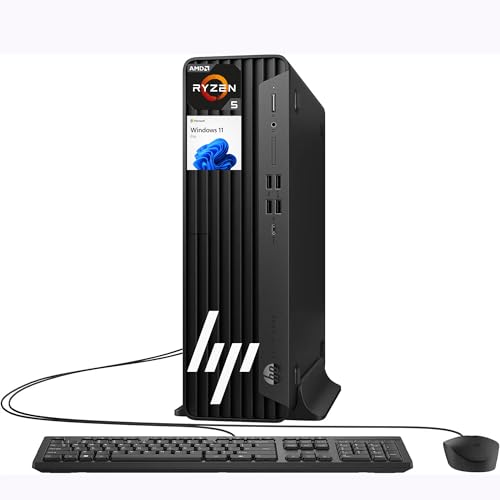
HP Elite SFF Ryzen 5 Desktop
Best for: compact productivity and high-memory workloads
- Graphics Card
- AMD Radeon 760M
- Processor Model
- AMD Ryzen 5 8500G
- System Memory
- 128 GB
- Storage Capacity
- 2 TB SSD
- Operating System
- Windows 11 Pro
- Form Factor
- Small Form Factor (SFF)
View on Amazon: HP Elite SFF Ryzen 5 Desktop (paid link)
This HP small form factor desktop runs on an AMD Ryzen 5 8500G processor with integrated AMD Radeon 760M graphics. It pairs 128GB of DDR5 system memory with a 2TB solid-state drive in a compact chassis measuring 11.9 by 10.6 by 3.7 inches. If you need massive memory capacity and fast storage for multitasking, coding, or lightweight gaming without taking up desk space, this setup suits your workspace.
Pros
- 128GB DDR5 system memory
- 2TB solid-state drive for local storage
- Compact chassis weighing under 9 pounds
- 11 USB ports for peripheral connectivity
- Includes wired USB keyboard and mouse
Cons
- Integrated Radeon 760M graphics rather than a dedicated graphics card
- Wi-Fi 5 wireless standard instead of newer generations
- Limited to two video outputs
Good fit if
- You need 128GB of system memory for heavy memory-bound tasks and multitasking.
- You want a space-saving desktop footprint measuring under 4 inches wide.
- You use numerous wired accessories that require up to 11 USB ports.
Skip if
- You need a dedicated gaming graphics card for demanding modern titles.
- You require Wi-Fi 6 or newer wireless connectivity.
- You plan to connect three or more displays natively.
Verdict: HP Elite SFF Ryzen 5 Desktop provides exceptional memory capacity and a generous 2TB SSD inside an ultra-compact chassis. Its integrated Radeon 760M graphics limit performance in demanding 3D gaming compared to systems with dedicated GPUs.

iBUYPOWER Element RTX 5070 Ryzen 9 Gaming PC
Best for: Ryzen 9 gaming and workstation multitasking
- Graphics Card
- NVIDIA GeForce RTX 5070 12GB
- Processor Model
- AMD Ryzen 9 7900X
- System Memory
- 32GB
- Storage Capacity
- 1TB NVMe SSD
- Operating System
- Windows 11 Home
- Dimensions
- 20 × 9.1 × 17.4 inches
View on Amazon: iBUYPOWER Element RTX 5070 Ryzen 9 Gaming PC (paid link)
The iBUYPOWER Element pairs an AMD Ryzen 9 7900X processor with an NVIDIA GeForce RTX 5070 12GB graphics card. You receive 32GB of DDR5 memory and a 1TB NVMe SSD for storage. The white tempered glass chassis includes RGB lighting plus an included gaming mouse and keyboard. This setup suits you if you need multi-core computing power for both demanding games and multi-threaded desktop tasks.
Pros
- AMD Ryzen 9 7900X processor
- NVIDIA GeForce RTX 5070 12GB graphics card
- 32GB DDR5 system memory
- Includes gaming keyboard and RGB mouse
Cons
- Wi-Fi is limited to older 802.11ac hardware
- DDR5 memory clock speed is 4800MHz
- 1TB SSD capacity fills quickly with large game installs
Good fit if
- You want an AMD Ryzen 9 processor for heavy multi-threaded productivity and gaming.
- You prefer an out-of-the-box configuration that includes a keyboard and mouse.
- You need 32GB of DDR5 system memory for multitasking.
Skip if
- You need more than 1TB of factory storage for large media libraries.
- You require high-speed Wi-Fi 6 or Wi-Fi 6E connectivity.
Verdict: iBUYPOWER Element RTX 5070 Ryzen 9 Gaming PC provides high multi-threaded processor performance alongside current-generation graphics. It gives you 32GB of DDR5 memory and peripherals in an accessible out-of-the-box configuration.
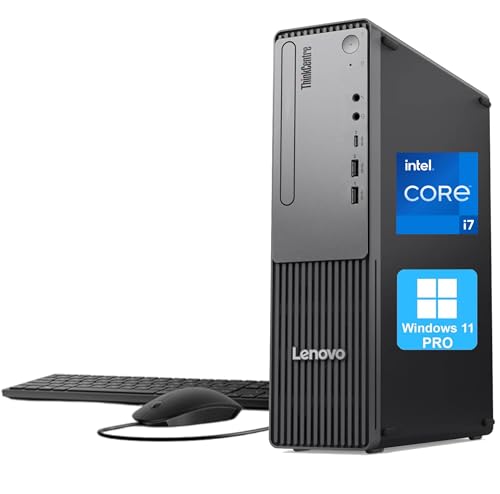
Lenovo ThinkCentre Neo 30s SFF Desktop
Best for: compact productivity setups needing massive storage
- Processor Model
- Intel Core i7-13620H
- System Memory
- 64GB DDR5
- Storage Capacity
- 4TB PCIe SSD
- Operating System
- Windows 11 Pro
- Form Factor
- Small Form Factor (SFF)
- Use
- Business
View on Amazon: Lenovo ThinkCentre Neo 30s SFF Desktop (paid link)
This Lenovo small form factor desktop packs a 10-core Intel Core i7-13620H processor, 64GB of DDR5 memory, and a 4TB PCIe SSD into a compact case. You do not get a dedicated graphics card here, which sets it apart from standard gaming rigs. It suits you if you prioritize massive storage capacity, heavy memory headroom, and desktop productivity in a space-saving chassis over high-end 3D rendering power.
Pros
- 64GB DDR5 memory handles extreme multitasking
- 4TB PCIe M.2 SSD storage
- Intel Core i7-13620H with 10 cores and 16 threads
- Compact 3.6-inch wide chassis fits tight desks
Cons
- No dedicated graphics card listed
- Limited video outputs with only HDMI and legacy VGA
Good fit if
- You need 64GB of RAM and 4TB of high-speed solid-state storage.
- You want a compact desktop footprint measuring 3.6 inches wide.
- You run business productivity workloads using Windows 11 Pro.
Skip if
- You need a dedicated graphics card for modern graphics-heavy games.
- You require DisplayPort connectivity for high-refresh monitors.
Verdict: Lenovo ThinkCentre SFF Desktop Core i7 64GB RAM delivers generous memory and storage in a compact chassis. It works well for business productivity, but lacks the discrete graphics card required for demanding gaming setups.
Specifications side by side
| Spec | Alienware Aurora RTX 5070 Gaming Desktop | MSI Codex Z2 RTX 5070 Gaming Desktop | KOTIN RTX 5070 Ryzen 7 9700X Gaming PC | Lenovo Legion Tower 5 RTX 5070 Ryzen 7 7800X3D | Skytech King 95 RX 9070 XT Gaming PC | ASUS ROG G700 RTX 5070 Gaming Desktop | Skytech King 95 RX 9070 XT Gaming PC | Thermaltake LCGS View RTX 5070 i7 Gaming PC | Lenovo ThinkCentre Neo 50s SFF Desktop | STORMCRAFT Skyhawk Pro i9-14900KF RTX 5070 PC | Skytech King 95 RX 9070 XT Gaming PC | Lenovo IdeaCentre Tower Core Ultra 5 | HP Elite SFF Ryzen 5 Desktop | iBUYPOWER Element RTX 5070 Ryzen 9 Gaming PC | Lenovo ThinkCentre Neo 30s SFF Desktop |
|---|---|---|---|---|---|---|---|---|---|---|---|---|---|---|---|
| Graphics Card | NVIDIA GeForce RTX 5070 | NVIDIA GeForce RTX 5070 | GeForce RTX 5070 12GB GDDR7 | NVIDIA GeForce RTX 5070 | AMD Radeon RX 9070 XT 16GB GDDR6 | NVIDIA GeForce RTX 5070 | AMD Radeon RX 9070 XT 16GB GDDR6 | NVIDIA GeForce RTX 5070 | not specified | RTX 5070 12GB GDDR7 | AMD Radeon RX 9070 XT 16GB GDDR6 | not specified | AMD Radeon 760M | NVIDIA GeForce RTX 5070 12GB | not specified |
| Processor Model | Intel Core Ultra 7 265F | AMD Ryzen 7 8700F | AMD Ryzen 7 9700X | Ryzen 7 7800X3D | AMD Ryzen 7 7800X3D | Intel Core Ultra 7 265F | AMD Ryzen 7 7800X3D | Intel Core i7-14700F | Intel Core i5-14400 | i9 14900KF | AMD Ryzen 7 7800X3D | Intel Core Ultra 5 225 | AMD Ryzen 5 8500G | AMD Ryzen 9 7900X | Intel Core i7-13620H |
| System Memory | not specified | 32GB DDR5 | 32GB DDR5 | 32GB | 32GB DDR5 | 32 GB | 24GB DDR5 RAM 6000 | 32GB DDR5 | 64GB | 32GB DDR5 | 16GB DDR5 | 64 GB | 128 GB | 32GB | 64GB DDR5 |
| Storage Capacity | 1 TB | 2TB SSD | 1TB NVMe SSD | 1TB | 1TB Gen4 NVMe M.2 SSD | 1 TB SSD | 1TB Gen4 NVMe M.2 SSD | 1TB NVMe M.2 | 4TB SSD | 2TB NVMe SSD | 1TB NVMe M.2 SSD | 4 TB SSD | 2 TB SSD | 1TB NVMe SSD | 4TB PCIe SSD |
| Operating System | not specified | Windows 11 Home | Windows 11 Home | Windows 11 Home | Windows 11 Home 64-bit | Windows 11 Pro | Windows 11 Home | Windows 11 | Windows 11 Pro | Windows 11 Home | Windows 11 Home 64-bit | Windows 11 Home | Windows 11 Pro | Windows 11 Home | Windows 11 Pro |
| Form Factor | not specified | not specified | Mid-tower | not specified | not specified | not specified | not specified | Desktop | Small Form Factor | not specified | not specified | Tower | Small Form Factor (SFF) | not specified | Small Form Factor (SFF) |
| Processor | Core Ultra 7 | Ryzen 7 | Ryzen 7 | Ryzen 7 | Ryzen 7 | Core Ultra 7 | Ryzen 7 | Core i7 | not specified | Core i9 | Ryzen 7 | Core Ultra 5 | Ryzen 5 | Ryzen 9 | Core i7 |
| Memory | not specified | 32GB RAM | 32GB RAM | not specified | 32GB RAM | 32GB RAM | not specified | 32GB RAM | 64GB RAM | 32GB RAM | 16GB RAM | 64GB RAM | 128GB RAM | 32GB RAM | 64GB RAM |
| Storage | not specified | 2TB SSD | 1TB SSD | not specified | 1TB SSD | not specified | not specified | not specified | 4TB SSD | 2TB SSD | 1TB SSD | 4TB SSD | 2TB SSD | 1TB SSD | 4TB SSD |
| Use | not specified | not specified | not specified | not specified | not specified | not specified | not specified | not specified | Business | not specified | not specified | Business | not specified | not specified | Business |
| Dimensions | 18.1 × 7.76 × 16.5 inches | 16 × 8.38 × 19 inches | 16.8 × 8.66 × 14.3 inches | not specified | 18.7 × 11.8 × 17.4 inches | 9.45 × 20.1 × 18.9 inches | 18.7 × 11.8 × 17.4 inches | not specified | 13.4 × 11.5 × 3.6 inches | 16.9 × 9 × 18.5 inches | 18.7 × 11.8 × 17.4 inches | 11 × 6.7 × 14.8 inches | not specified | 20 × 9.1 × 17.4 inches | 11.5 × 3.6 × 13.4 inches |
| Weight | 33.9 pounds | 21.3 pounds | 30 pounds | not specified | 58.7 pounds | 40.4 pounds | not specified | not specified | not specified | not specified | not specified | 15.9 pounds | not specified | 36 pounds | not specified |
| Size | 1 TB | not specified | not specified | not specified | not specified | 32GB/1TB | not specified | Large | 64GB RAM | 4TB SSD | not specified | not specified | 64GB RAM | 4TB SSD | 128GB RAM & 2TB SSD | not specified | 64GB RAM | 4TB SSD |
| Color | Black | Black | Black | Eclipse Black | King95 Black | Black | King95 Black | White | not specified | Black | King95 White | Luna Grey | Black | White | not specified |
| Model | DACT1250-7229BLK-PUS | CodZ2A8NVP436 | KTG60BA797X3250712G | 90YJ00A7US | ST-KING95-1709-B-AM | G700TF-XS776 | ST-KING95-3046-B-AM | V17S-B760-570-LCS | Lenovo ThinkCentre neo 50s | SP149KFCC-570S1 | ST-KING95-2831-W-AM | DTICU5 | G9 | EWA9N5702 | Neo 30s |
Component trade-offs to expect Under $2500
When you shop Under $2500, dedicated gaming towers max out at graphics card options like the RTX 5070 and Radeon RX 9070 XT. You will not find higher tier graphics silicon here. While office configurations include 4TB SSD storage and 64GB RAM, dedicated gaming systems keep storage to 1TB or 2TB SSDs. System memory in these gaming towers stops at 32GB RAM, with certain configurations offering 16GB or 24GB. You also encounter older 802.11 AC wireless networking on select gaming builds instead of newer standards.
- Graphics card options ceiling at RTX 5070 and RX 9070 XT
- Storage limits capped at 1TB or 2TB SSD on gaming towers
- Memory configurations dropping to 16GB or 24GB RAM on certain builds
- Wireless networking limited to Wi-Fi 5 802.11 AC on select models
If you need portable hardware instead of a fixed desktop, consider how specs compare across each gaming laptop under 2500.
How We Picked These Desktops
You see prebuilt gaming desktops selected from Amazon listings categorized Under $2500. We present one hardware configuration per product line to avoid duplicates. Products in stock appear first, followed by Amazon sales rank so better-selling systems sit higher. We do not test or unbox these machines. Every listed feature comes strictly from published manufacturer specifications.
Catalog entries and stock status refresh daily. Desktops shift into or out of the Under $2500 cutoff as listings change over time. The 15 models highlighted for 2026 reflect current retail data and qualifying technical specifications. You can compare each desktop by processor, graphics card, memory, and storage to pick the right build.
How to Choose the Right Gaming Desktop
-
Choose Your Processor Tier
Your processor determines system capability across gaming and multi-threaded background workloads. The prebuilts on this list feature various tiers, including Intel Core i7, Core i9, Core Ultra 7, and AMD Ryzen 7 processors. If you run heavy background rendering alongside modern games, a high-tier multi-core processor like the Core i9 in the STORMCRAFT Skyhawk Pro i9-14900KF RTX 5070 PC gives you extra processing overhead. For systems focused primarily on standard gaming workloads, an 8-core Ryzen 7 or Core Ultra 7 processor provides balanced performance without generating excessive thermal load inside the desktop case.
-
Compare Dedicated Graphics Platforms
Dedicated gaming desktops in this guide offer two primary graphics options: the NVIDIA GeForce RTX 5070 and the AMD Radeon RX 9070 XT. Check which graphics platform matches your monitor setup and preferred titles. The RTX 5070 delivers modern Blackwell graphics architecture across multiple systems. If you prefer an all-AMD hardware stack, the Skytech King 95 RX 9070 XT Gaming PC pairs an AMD processor with dedicated Radeon graphics silicon. Review the published GPU model on each product specification sheet to verify you receive the graphics architecture designed for your gaming display.
-
Select System Memory Capacity
System memory dictates how smoothly your computer handles demanding gaming titles alongside open background applications. Configurations in this category vary between 16GB, 24GB, and 32GB of RAM on dedicated gaming desktops. A 16GB configuration meets standard minimum requirements for basic play. Choosing 32GB of DDR5 memory, such as the configuration provided in the MSI Codex Z2 RTX 5070 Gaming Desktop, gives you sufficient bandwidth to prevent memory bottlenecks during intensive multitasking. Check the specification sheet for memory generation and capacity before you finalize your prebuilt desktop selection.
-
Check Case Form Factor
Physical size varies significantly across prebuilt systems, affecting available desk space and cooling layouts. Traditional gaming towers range from 16 to over 20 inches in height and can weigh more than 30 pounds. If you have limited physical space or prefer a cable-free setup, an all-in-one desktop like the Lenovo IdeaCentre 27-Inch Ryzen 5 AIO integrates the computing components directly behind a touchscreen display. Measure your desk space, check the published width, height, and depth specifications, and determine whether you need a dedicated tower chassis or an integrated all-in-one form factor.
-
Evaluate Operating System Needs
Operating system options in this lineup include Windows 11 Home, Windows 11 Pro, and macOS. Most prebuilt gaming systems come preinstalled with Windows 11 Home, which satisfies standard gaming needs and direct hardware management. If you require advanced enterprise management features, domain joining, or specific remote access tools, look for a model configured with Windows 11 Pro, such as the ASUS ROG G700 RTX 5070 Gaming Desktop. For users tied to the Apple software ecosystem, macOS runs exclusively on the all-in-one iMac platform. Verify the preinstalled OS matches your software compatibility requirements.
-
Match Internal Storage Capacity
Solid-state drive storage determines how many large modern game installations you can maintain at one time. Configurations across dedicated gaming towers range from 512GB and 1TB up to 2TB solid-state drives. A 512GB drive fills up rapidly once you install an operating system and a few modern gaming releases. A 1TB drive, like that in the KOTIN RTX 5070 Ryzen 7 9700X Gaming PC, provides a practical baseline for several large titles. If your game library is extensive, prioritize models listing 2TB SSD capacity out of the box to avoid immediate storage additions.
Frequently asked questions
Which operating systems come installed on these gaming desktops?
Most gaming models come with Windows 11 Home or Windows 11 Pro. For example, the Lenovo Legion Tower 5 and iBUYPOWER Element include Windows 11 Home. If you need enterprise tools, systems like the ASUS ROG G700 and HP Elite SFF provide Windows 11 Pro out of the box. Check the listing specifications to confirm the exact edition before choosing your desktop.
What cooling solutions do these high-performance desktops use?
You will find both air coolers and 360mm liquid cooling systems among these configurations. The MSI Codex Z2 relies on traditional air cooling to manage component temperatures. In contrast, heavy-duty configurations like the STORMCRAFT Skyhawk Pro and Skytech King 95 use 360mm liquid coolers. Liquid cooling helps dissipate heat from high-tier hardware like the Intel Core i9-14900KF during intense gaming workloads.
How much system memory do these gaming desktops include?
Most prebuilt gaming towers in 2026 include 32GB of DDR5 memory. Models like the MSI Codex Z2, KOTIN, and Thermaltake LCGS View supply 32GB for smooth gaming and multitasking. Specific options like the Skytech King 95 also offer 16GB or 24GB setups. While certain office-focused desktops include 64GB or 128GB of RAM, they lack dedicated graphics cards for 3D gaming.
Can you upgrade components in these prebuilt gaming cases?
Yes, many full-size prebuilt gaming towers allow future component upgrades. The ASUS ROG G700 features a tool-less 58-liter chassis specifically designed for convenient internal access and routine part maintenance. Similarly, configurations built around standard ATX platforms like the Z790 motherboard in the STORMCRAFT Skyhawk Pro accommodate memory and drive additions. Compact small-form-factor office cases have far tighter spaces that limit future hardware expansion.
Do any of these gaming PCs have built-in telemetry displays?
Yes, certain prebuilt models incorporate dedicated hardware monitoring screens right on the case. The KOTIN RTX 5070 Ryzen 7 9700X features an integrated diagnostic screen designed to show real-time hardware telemetry. This displays critical system statistics such as internal operating temperatures and load percentages directly on your desktop, removing the need to run third-party software monitoring overlays while gaming.
How heavy and large are these gaming desktops?
Chassis sizes and total weights vary significantly across these systems. For example, the MSI Codex Z2 weighs 21.3 pounds and stands 19 inches tall. In contrast, dual-chamber cases like the Skytech King 95 weigh 58.7 pounds and measure nearly 12 inches wide. Checking these physical dimensions helps ensure your chosen tower fits comfortably on your desk or dedicated floor space.
What Wi-Fi network standards do these prebuilt PCs support?
Wireless networking capabilities differ depending on the prebuilt desktop model you select. While many modern gaming desktops include current wireless connectivity, select options like the Skytech King 95 rely on 802.11 AC Wi-Fi 5 adapters. If your home network setup relies entirely on high-speed wireless rather than a wired Ethernet connection, check the motherboard wireless specifications before purchasing your computer.